
HerePunchy
Java mod listed for Minecraft 1.21–26.x. Downloads from the MC Java Mods app on Android.
⬇ Download on Modrinth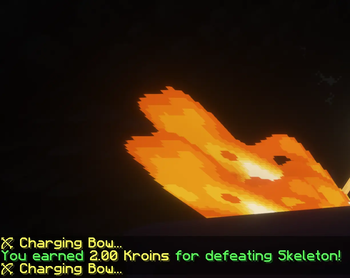
HerePunchy
A premium Paper Minecraft plugin for auto-attack and auto-defense combat patrols — automatically traverse a player-defined rectangular area, scan and navigate around hazards (lava, water, fire, walls), prioritize attacks using a configurable weapon list (Bow, Crossbow, Trident, Sword, Axe, Mace), auto-defend from incoming projectiles with shields, eat food to sustain health, restock gear, and deposit mob loot!
Features
- Area selection — Shift-right-click with any Sword to set two corners (Point A and Point B) of your combat patrol zone.
- Area scanning — After setting Point B, the perimeter is scanned and classified as passable, hazards (lava, fire, magma, water), or obstructed. Hazards are safely bypassed.
- Reverse Traversal & Rescan — Walks from Point A to Point B. Once B is reached, walks backwards to A in reverse waypoint order, re-scanning the zone at each end to adapt to changes.
- Smart weapon selection — Dynamically equips the highest priority available weapon from your custom sequence.
- Ranged Combat aiming — Fires arrows or throws tridents at distant mobs (up to 20 blocks away), including drawing bow simulations.
- Active Shielding — Holds a shield raised in your offhand to protect you from surprise attacks whenever you are not swinging/shooting.
- Frontal block listener — Custom listener ensures that frontal damage from arrows or melee hits is cancelled, durability is damaged, and shield block effects are triggered.
- Weapon Durability Safety — Automatically switches to alternative weapons when a weapon's durability falls below 5 to prevent it from breaking.
- Low Hunger/Health Eating — Scans inventory for food and eats it when hunger or health drops, restoring saturation and pausing other tasks for 1.6s.
- Wizard Setup Chests — Set backup weapon restocking chests and loot drop-off chests.
- Starting Gear Protection — Records your initial inventory at startup; these items are marked as protected and will never be dumped into the loot box.
- Auto-Defense Mode Chat Alerts — If all preferred weapons and backup ammo are completely depleted, sends an alert message in chat and activates bare fist/tool fighting.
- Offline cleanup — Automatically clears player states and stops tasks when they disconnect.
- AuraSkills Integration — Automatically awards AuraSkills Fighting (melee), Archery (ranged), and Defense (damage taken / blocked) XP immediately upon combat actions, respecting wisdom and scaling stats.
- HereRolePlay Integration — Automatically awards Combat experience points directly to the player for defeating monsters and taking damage in patrols, helping level up Warrior, Paladin, and Necromancer classes.
Commands
All commands can be run with /hp instead of /herepunchy.
| Command | Description | Permission |
|---|---|---|
/herepunchy start (or /hp start) |
Start combat patrolling in your selected area | herepunchy.use |
/herepunchy stop (or /hp stop) |
Stop patrolling | herepunchy.use |
/herepunchy restart (or /hp restart) |
Resume patrolling from the last paused waypoint | herepunchy.use |
/herepunchy clear (or /hp clear) |
Clear selections, map scans, and setup chests | herepunchy.use |
/herepunchy setup (or /hp setup) |
Start the setup wizard to configure weapons and loot chests | herepunchy.setup |
/herepunchy config (or /hp config) |
Open the weapon priority GUI to reorder preferences | herepunchy.config |
/herepunchy select (or /hp select) |
Toggle sword coordinates selection mode | herepunchy.use |
Permissions
| Permission | Description | Default |
|---|---|---|
herepunchy.use |
Allows use of the /herepunchy commands |
true |
herepunchy.setup |
Allows use of the chest container setup wizard | true |
herepunchy.config |
Allows use of the weapon priority config UI | true |
Requirements
- Paper 1.21+ server
- Java 21+
- (Optional) AuraSkills 2.x
- (Optional) HereRolePlay
How to Use
Basic Patrol Setup
- Run
/herepunchy selectto active selection mode. - Hold any Sword in your main hand.
- Shift-right-click a block to set Point A.
- Shift-right-click another block to set Point B. The area will be scanned and you will see a summary.
- Run
/herepunchy startto begin auto-patrolling and defending the perimeter!
Advanced Usage: Setup Chests
The setup wizard allows you to configure weapon restock and loot chests:
- Run
/herepunchy setupto start the wizard. - Right-click a container (e.g. Chest) to set your Backup Weapons chest.
- Right-click another container to set your Loot Drop-off chest.
- Drop backup weapons (swords, bows, arrows, food, shields) into the weapons chest.
- Launch
/herepunchy start. The bot will automatically walk to the weapons chest to replenish if depleted, and walk to the loot chest when full.
Advanced Usage: Weapon Priority UI
Configure the order of weapons you prefer to attack with:
- Run
/herepunchy configto open the weapon priority GUI. - You will see 6 weapon icons in slots.
- Left-click a weapon to move it UP in priority.
- Right-click a weapon to move it DOWN in priority.
- The bot will dynamically select the first available weapon in your list when fighting.
Building from Source
Build using Gradle:
./gradlew build
The packaged JAR will be located at build/libs/HerePunchy-1.2.2.jar.
License
This project is licensed under the GNU General Public License v3.0.
- Edition: Minecraft Java
- File type: .jar
- Minecraft versions listed: 1.21, 1.21.1, 1.21.2
- How to install: Install the matching mod loader (Forge, Fabric or NeoForge) for your Minecraft version. → Download the .jar. → Put it in the .minecraft/mods folder and launch that loader profile.
- Where to get it: Opens on Modrinth — not every file is mirrored on our own servers.
Install steps are the general flow for this file type — How to install Minecraft Java mods & modpacks walks through it step by step.
- Ships as HerePunchy-1.2.2.jar — drop this file into the mods folder
- Download size: 68 KB
- Download link checked 24 Oct 2026 — working
These come from our own check of the pack file, not from the source page.