
AeroTPA
Java mod listed for Minecraft 1.21–26.x. Downloads from the MC Java Mods app on Android.
Upgrade your server's teleportation with a clean GUI. Manage requests effortlessly with visual confirmation screens and a built-in auto-accept toggle.
⬇ Download on Modrinth🌌 Aero TPA
Aero TPA brings a premium, ultra-clean Graphical User Interface (GUI) to your server's teleportation system—heavily inspired by modern, high-end SMP layouts.
Give your players an intuitive, click-and-go experience that fits perfectly into any modern Minecraft server network.
✨ Features
- 📺 GUI-Driven: Manage incoming and outgoing requests inside a beautifully designed chest GUI.
- 🤖 Smart Auto-Accept: Players can toggle
/tpautoto automatically accept incoming requests from their friends or community. - ⚡ GUI Auto-Confirm: Skip the extra clicks! Toggle automatic confirmation to completely bypass the GUI confirmation screens for instant handling.
- 🚫 Request Toggling: Block distractions instantly by toggling all incoming teleport requests on or off when you need some peace and quiet.
- 🔄 Dual Request Support: Full support for both standard Teleport Ask (
/tpa) and Teleport Ask Here (/tpahere). - 🎨 Highly Customizable: Easily tweak the GUI layout, item icons, titles, and color schemes to match your server's branding.
🛠️ Commands & Permissions
| Command | Description | Permission |
|---|---|---|
/tpa <player> |
Opens a GUI to confirm the teleport request | aerotpa.use.tpa |
/tpahere <player> |
Opens a GUI to confirm and request a player to teleport to you | aerotpa.use.tpahere |
/tpaccept [player] |
Accept a request | aerotpa.use.accept |
/tpadeny [player] |
Deny a request | aerotpa.use.deny |
/tpauto |
Toggles automatic teleport acceptance on/off | aerotpa.use.auto |
/tpaconfirm |
Toggles automatic confirmation of GUI prompts on/off | aerotpa.use.autoconfirm |
/tpatoggle |
Toggles all incoming teleport requests on/off | aerotpa.use.toggle |
/tpaui |
Open your pending requests dashboard | aerotpa.use.gui |
/tpareload |
Reload the configuration file | aerotpa.admin |
⚙️ Configuration
The plugin generates a simple, easy-to-read config.yml on first boot. You can customize:
- Request expiration timeouts (in seconds).
- Teleport warmup/cooldown delays (with optional movement cancellation).
- Every single text string, item material, confirmation icon, and lore line used in the interface.
Need help or want to report a bug? DM mahanytt on discord!
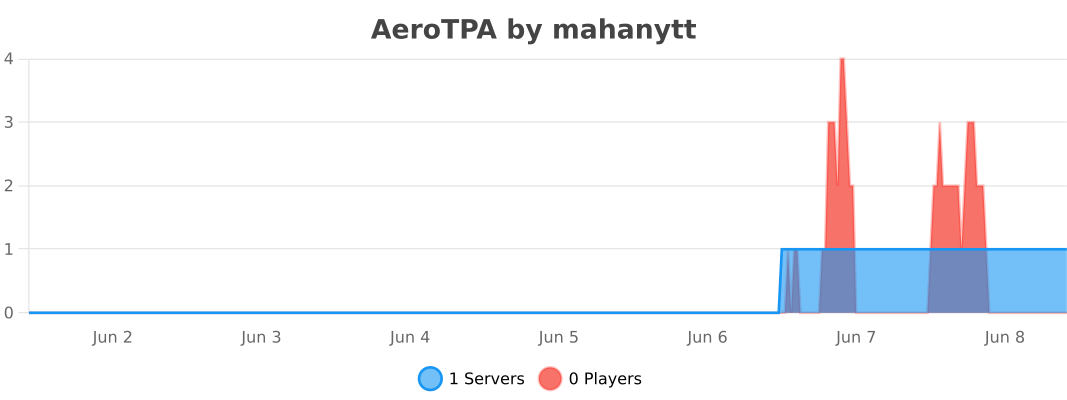
AeroTPA uses bStats to collect anonymous usage data to help prioritize future updates. You can easily opt out at any time by setting metrics: false in the config.yml.
- Edition: Minecraft Java
- File type: .jar
- Minecraft versions listed: 1.21.4, 1.21.5, 1.21.6
- How to install: Install the matching mod loader (Forge, Fabric or NeoForge) for your Minecraft version. → Download the .jar. → Put it in the .minecraft/mods folder and launch that loader profile.
- Where to get it: Opens on Modrinth — not every file is mirrored on our own servers.
Install steps are the general flow for this file type — How to install Minecraft Java mods & modpacks walks through it step by step.
- Ships as AeroTPA-1.0.0.jar — drop this file into the mods folder
- Download size: 68 KB
- Download link checked 25 Oct 2026 — working
These come from our own check of the pack file, not from the source page.