HomeJavaModsWorldGuardFlagPanel
WorldGuardFlagPanel
ModsJava

WorldGuardFlagPanel

by Euphyllia · on Modrinth

This plugin allows you to use Dialogs to configure WorldGuard. Free Minecraft Java mod for 1.21.8, 1.21.9, 1.21.10.

⬇ Download on Modrinth
WorldGuardFlagPanel — screenshot 1WorldGuardFlagPanel — screenshot 2WorldGuardFlagPanel — screenshot 3

WorldGuardFlagPanel

A native GUI panel for managing WorldGuard flags — fully compatible with Folia

Folia Paper Java WorldGuard License

GitHubIssuesModrinthDiscord

Servers & Players


📖 About

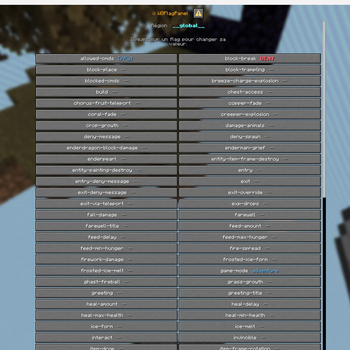
WorldGuardFlagPanel is a lightweight Paper/Folia plugin that adds a fully interactive in-game GUI to manage WorldGuard region flags — no complex commands needed.

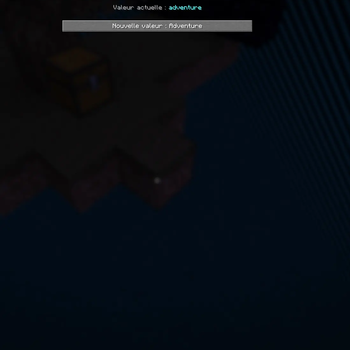
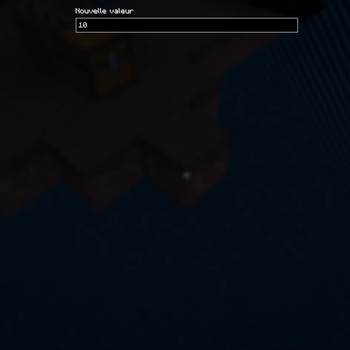
Instead of typing /region flag <region> <flag> <value> every time, simply open the panel, click a flag, and the value cycles or a form opens for you to type a new one. Changes are saved instantly.


✨ Key Features

🖱️ Native In-Game Panel

🏝️ Smart Region Detection

🌍 Multi-language Support

⚡ Performance


📋 Requirements

Component Minimum version
Paper or Folia 1.21.8
WorldGuard 7.0.13
WorldEdit 7.3.11
Java 21

🚀 Installation

  1. Download the latest .jar from GitHub Releases.
  2. Place it in your server's plugins/ folder.
  3. Make sure WorldGuard and WorldEdit are already installed.
  4. Restart the server.

No configuration file is required to get started.


🎮 Commands

/wgfpanel [region]

Usage Behaviour
/wgfpanel Opens the panel for the region at your position. Shows a region selector if multiple regions overlap.
/wgfpanel <region> Opens the panel for the specified region, wherever you are.

Tab-completion is available for region names.


🔐 Permissions

Permission Description Default
worldguardflagpanel.use Allows opening the panel for regions the player owns OP
worldguardflagpanel.admin Full access to all regions in any world OP

Without worldguardflagpanel.admin, players can only edit regions where they are set as owner in WorldGuard.


🌍 Languages

The plugin ships with two built-in translations:

The displayed language is automatically determined by each player's Minecraft client locale — no configuration needed.

To customize messages, edit the .toml files located in:

plugins/WorldGuardFlagPanel/language/

📊 Statistics

This plugin collects anonymous usage statistics (server count, player count) via FastStats. No personal data is ever transmitted. These metrics help track adoption and guide future development.


📞 Support


📜 License

WorldGuardFlagPanel is open source. See the LICENSE file for details.

Verified by MCModsHub

These come from our own check of the pack file, not from the source page.

Explore more