
zSigns
Java mod listed for Minecraft 1.19–26.x. Downloads from the MC Java Mods app on Android.
⬇ Download on Modrinth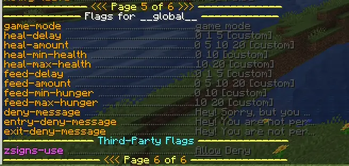
🪧 zSigns
Turn any sign into a clickable command button.
zSigns is a lightweight Spigot/Paper plugin that lets you create signs which execute commands when right-clicked. Warps, kits, shop triggers, server rules — anything you can run with a command, you can put on a sign.
✨ Features
- Click-to-run commands — right-click any zSigns sign to instantly execute a command
- Player or console execution — run the command as the clicking player, or silently through the server console
- Per-sign permissions — restrict each sign to a specific permission node, or leave it open to everyone
%player%placeholder — console commands can target the clicking player automatically- WorldGuard integration — control sign usage per-region with the
zsigns-useflag - Tiny footprint — no database, no packets, no unnecessary overhead
💡 Why?
Server owners constantly set up warps, kits, and utility commands that players need quick access to. zSigns skips the GUI overhead and puts those commands exactly where players are already looking — on signs in the world.
📋 Sign Format
Place any sign and fill in the four lines:
Line 1: [zSigns]
Line 2: <permission node, or "none">
Line 3: <player or console>
Line 4: <command without the />
If the sign is created successfully, Line 1 should turn green. Simple as that.
📖 Examples
Public spawn warp
[zSigns]
none
player
spawn
VIP-only kit
[zSigns]
essentials.kit.vip
player
kit vip
Console gives the clicker diamonds
[zSigns]
none
console
give %player% diamond 64
📦 Installation
- Download the jar
- Drop it into your server's
/pluginsfolder - Restart your server
- Place a sign, type
[zSigns]on line 1, and fill in the rest
🔧 Compatibility
| Server | Spigot and Paper |
| Minecraft | 1.19 and above |
| Java | 17+ |
| WorldGuard | 7.0+ (optional) |
- Edition: Minecraft Java
- File type: .jar
- Minecraft versions listed: 1.19, 1.19.1, 1.19.2
- How to install: Install the matching mod loader (Forge, Fabric or NeoForge) for your Minecraft version. → Download the .jar. → Put it in the .minecraft/mods folder and launch that loader profile.
- Where to get it: Opens on Modrinth — not every file is mirrored on our own servers.
Install steps are the general flow for this file type — How to install Minecraft Java mods & modpacks walks through it step by step.
- Ships as zSigns-1.0.0.jar — drop this file into the mods folder
- Download size: 16 KB
- Download link checked 4 Oct 2026 — working
These come from our own check of the pack file, not from the source page.