
EchoMiner
Java mod listed for Minecraft 1.19–26.x. Downloads from the MC Java Mods app on Android.
A custom enchantment that automatically mines connected ore veins and highlights nearby ores with a glowing effect for a smoother and more rewarding…
⬇ Download on Modrinth
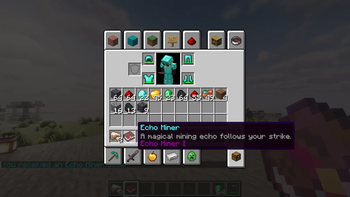
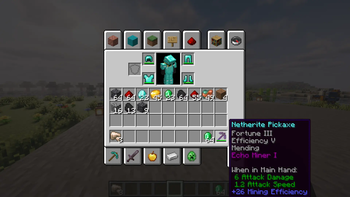
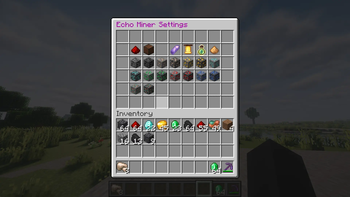
EchoMiner
Transform the way players mine on your server with EchoMiner, a custom enchantment plugin that makes ore collection faster, smarter, and more satisfying.
EchoMiner introduces the EchoMine enchantment, a powerful ability obtainable through Villager trading. When applied to a pickaxe, breaking a single ore block will automatically mine the entire connected ore vein in a smooth chain-mining sequence. Instead of instantly destroying every block at once, EchoMiner creates a visually satisfying mining experience while maintaining server-friendly performance.
To make exploration even more rewarding, EchoMiner also reveals nearby ores with a glowing effect, helping players discover hidden resources buried within the surrounding stone.
Features
- ⛏️ Custom EchoMine enchantment
- 📚 Obtainable through Villager trades
- 💎 Automatically mines connected ore veins
- ✨ Highlights nearby ores with a glowing effect
- 🎮 Survival-friendly gameplay balance
- ⚡ Lightweight and optimized performance
- 🔧 Easy installation and configuration
- 🌍 Perfect for SMP, Survival, Economy, and Public Servers
How It Works
- Obtain an EchoMine enchanted book from a Villager.
- Apply the enchantment to your pickaxe.
- Break any ore block.
- Watch the connected ore vein mine automatically while nearby ores are revealed with glowing highlights.
Compatibility
- Paper
- Spigot
- Purpur
Why EchoMiner?
Most vein-mining plugins simply remove the entire vein instantly. EchoMiner focuses on creating a more immersive and rewarding mining experience with smooth mining effects and intelligent ore detection, making every mining session feel unique.
Whether you're running a small SMP or a large public server, EchoMiner adds convenience without sacrificing gameplay.
Mine smarter. Discover more. EchoMiner.
- Edition: Minecraft Java
- File type: .jar
- Minecraft versions listed: 1.19, 1.19.1, 1.19.2
- How to install: Install the matching mod loader (Forge, Fabric or NeoForge) for your Minecraft version. → Download the .jar. → Put it in the .minecraft/mods folder and launch that loader profile.
- Where to get it: Opens on Modrinth — not every file is mirrored on our own servers.
Install steps are the general flow for this file type — How to install Minecraft Java mods & modpacks walks through it step by step.
- Ships as EchoMiner-1.0.jar — drop this file into the mods folder
- Download size: 28 KB
- Download link checked 24 Oct 2026 — working
These come from our own check of the pack file, not from the source page.