
Thin Atmosphere
Java mod listed for Minecraft 1.21–26.x. Downloads from the MC Java Mods app on Android.
⬇ Download on ModrinthWhy use this plugin?
This plugin adds extra challenge to the game, whether you want players to struggle climbing mountains or suffer on a moon-like planet with pockets of air deep underground, it's up to you with Thin Atmosphere. Even if you just want to discourage players from being too high up, it'll work for that too.
How the plugin works
When a player goes above the start-altitude value, they begin to lose air bubbles as if they were drowning. The higher up they go, the faster the air bubbles are lost until they reach the end-altitude value, at which point they should be dead.
Showcase GIF
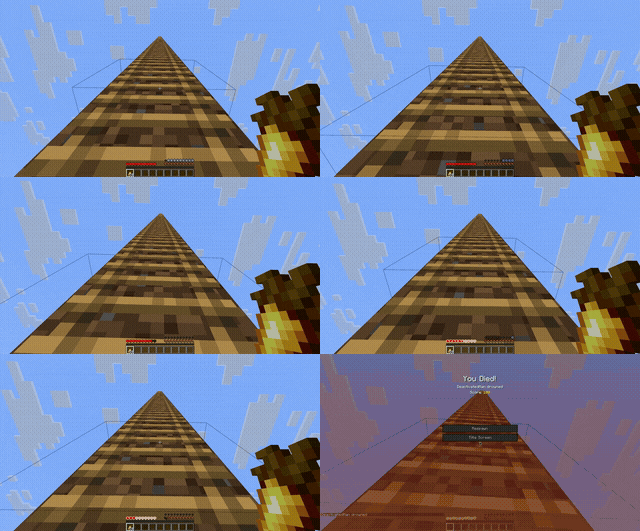
Config
ticks-per-decrease - Air bubbles decrease every x amount of ticks, 5 seems rather stable in my testingstart-altitude - The altitude where players start to lose air atend-altitude - What altitude the player loses all air at (unless multiply-diff enabled)multiply-diff - Multiplies altitude difference by 4, makes air loss more gradualoffset - Helps prevent oxygen bubbles from flickering, increase until flickering stops, may need to decrease if multiply-diff is off
- Edition: Minecraft Java
- File type: .jar
- Minecraft versions listed: 1.21, 1.21.1, 1.21.3
- How to install: Install the matching mod loader (Forge, Fabric or NeoForge) for your Minecraft version. → Download the .jar. → Put it in the .minecraft/mods folder and launch that loader profile.
- Where to get it: Opens on Modrinth — not every file is mirrored on our own servers.
Install steps are the general flow for this file type — How to install Minecraft Java mods & modpacks walks through it step by step.
- Ships as thin-atmosphere-1.0.jar — drop this file into the mods folder
- Download size: 3 KB
- Download link checked 25 Oct 2026 — working
These come from our own check of the pack file, not from the source page.