

Features
- Real-time voice transcription
- Groq Speech-to-Text integration
- STT.ai fallback system
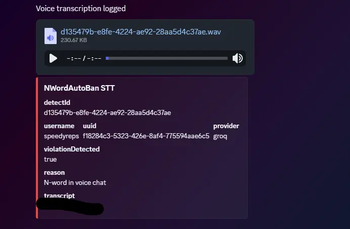
- Discord webhook logging
- Audio evidence upload (
.wav/.mp3) - DetectID review workflow
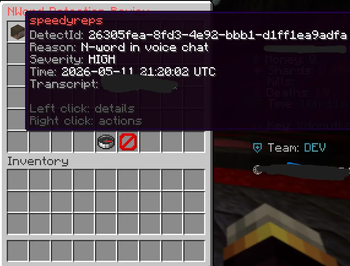
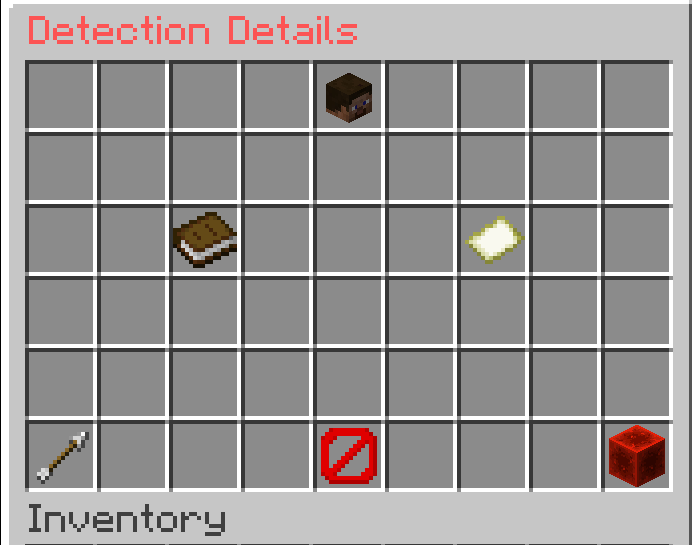
- Ingame moderation GUI
/nwordbanmoderation command- Autocomplete for unresolved detections
- Staff review system (no automatic bans)
- Persistent detection storage
- Async processing for performance
- Production-ready Paper support
- Player voice audio is recorded
- Audio is transcribed using Groq STT
- If Groq fails, STT.ai is used automatically
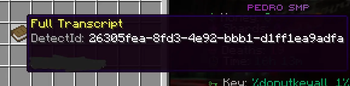
- Detected violations generate a unique DetectID
- Transcript + audio are sent to Discord
- Staff review the detection ingame
- Staff can decide whether to ban the player
/nwordban <detectId>
Open the moderation review menu for a detection.
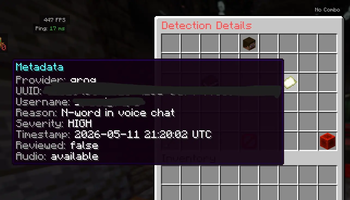
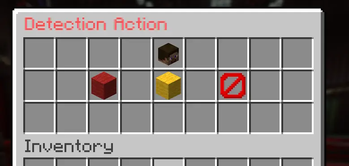
GUI Features
- View transcript
- Review evidence
- Ban player for 30 days
- Ignore detection
- Browse unresolved detections
groq:
  api-key-env: "GROQ_API_KEY"
  model: "whisper-large-v3-turbo"

sttai:
  enabled: true
  api-key-env: "STT_API_KEY"

discord:
  webhook-url: "YOUR_WEBHOOK"

moderation:
  ban-duration: "30d"

timeouts:
  transcription-ms: 20000
Quick facts
- Edition: Minecraft Java
- File type: .jar
- Minecraft versions listed: 1.21, 1.21.1, 1.21.2
- How to install: Install the matching mod loader (Forge, Fabric or NeoForge) for your Minecraft version. → Download the .jar. → Put it in the .minecraft/mods folder and launch that loader profile.
- Where to get it: Opens on Modrinth — not every file is mirrored on our own servers.
Install steps are the general flow for this file type — How to install Minecraft Java mods & modpacks walks through it step by step.
Verified by MCModsHub
- Ships as NWordAutoBan-1.0.0.jar — drop this file into the mods folder
- Download size: 65 KB
- Download link checked 23 Aug 2026 — working
These come from our own check of the pack file, not from the source page.