
Wirelessblock
Java mod listed for Minecraft 1.21–26.x. Downloads from the MC Java Mods app on Android.
⬇ Download on Modrinth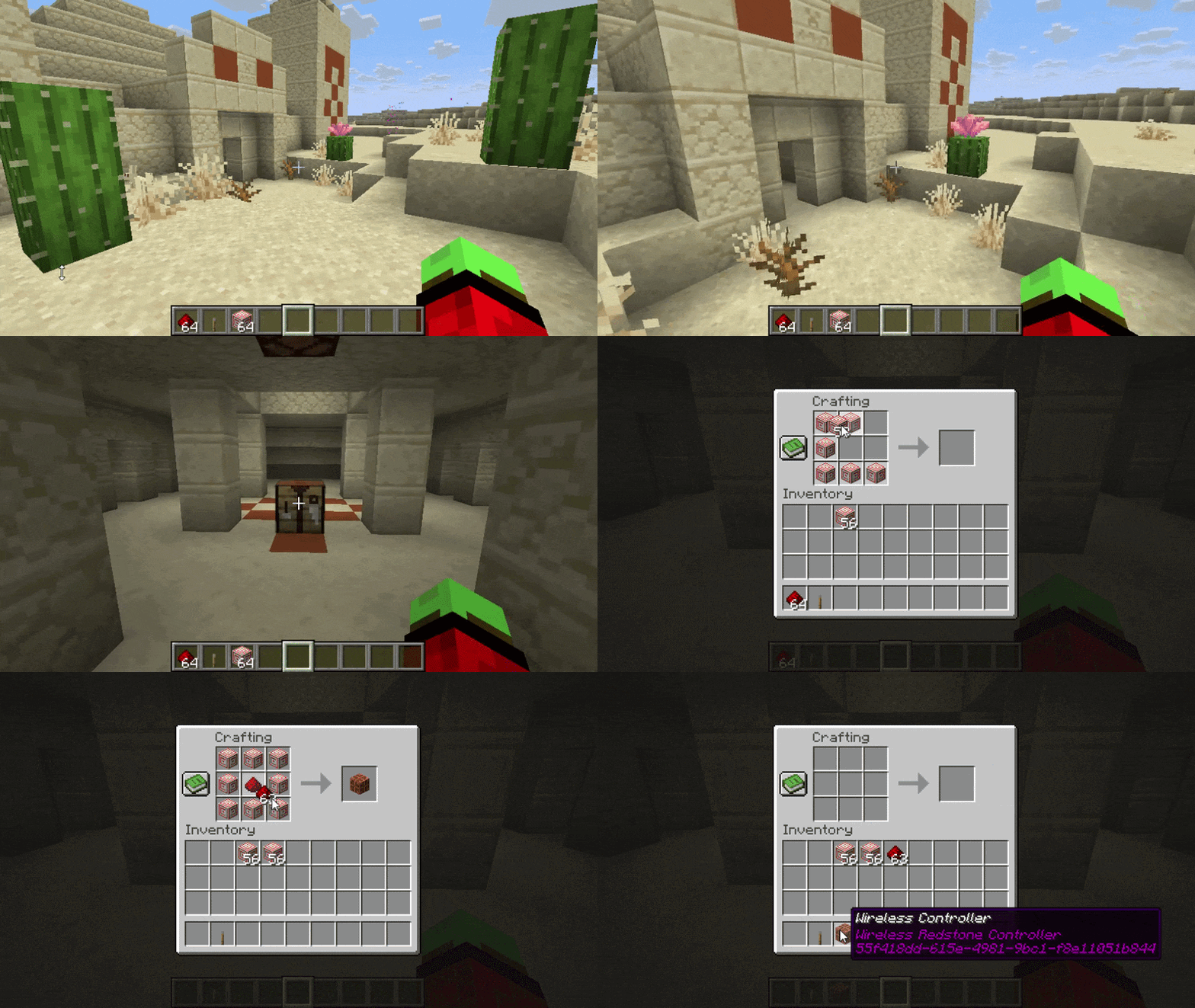
Wireless Redstone
Control your redstone creations completely wirelessly in Minecraft.
Wireless Redstone adds a modern wireless signal system to Minecraft, allowing you to connect redstone components without long lines of dust. Create wireless controllers, link supported blocks, and build clean, compact, and futuristic redstone systems.
Features
Wireless Controllers
Craft and place wireless controllers that can transmit redstone signals to linked blocks.
Wireless Connections
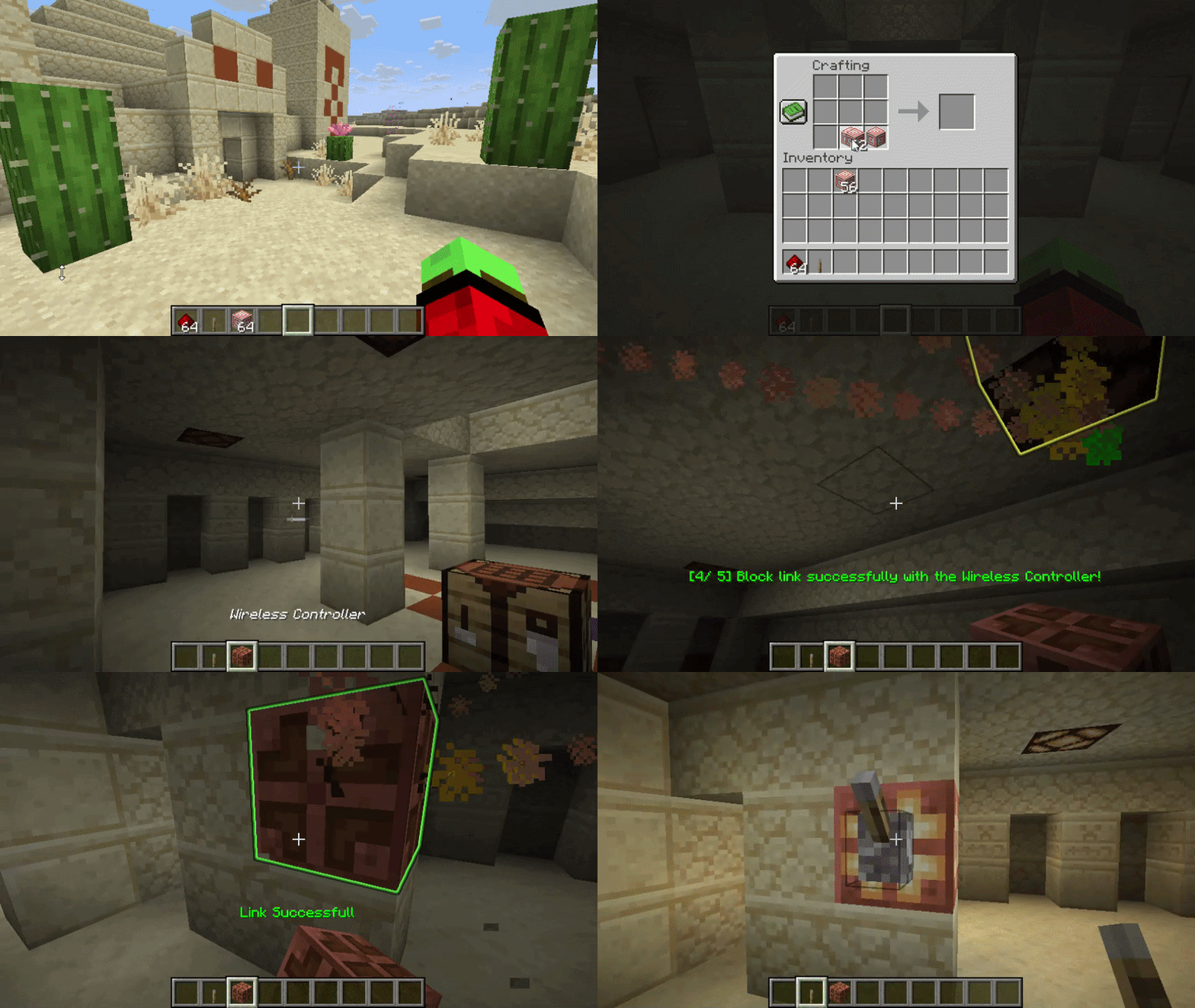
Connect supported blocks to a controller by sneaking while placing.
Supported blocks currently include:
- Redstone Lamps
- Copper Bulbs
- Iron Doors
- Iron Trapdoors
Particle Visualizations
Animated particle lines visually display connections between the base controller and linked blocks.
Glowing Highlights
Controllers and connected targets glow temporarily when linked, making setup easier and more intuitive.
Link Management
Each controller supports configurable limits for:
- Maximum linked blocks
- Maximum wireless range
Commands
/wr list #Shows All Controllers with the ability to delete them.
How It Works
1. Craft a Wireless Controller
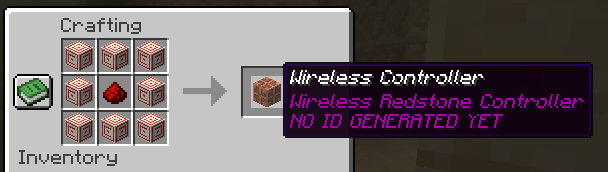
The controller is crafted as a Waxed Copper Bulb.
2. Place the Controller
Place the controller block to create the wireless base.
3. Add Wireless Targets
Sneak while placing with the controller item to link supported redstone blocks.
4. Activate Your System
When the controller receives power, linked blocks activate wirelessly.
Visual Effects
Wireless Redstone includes:
- Animated particle connection beams
- Temporary glowing outlines
- Placement feedback
- Action bar status messages
- Sound feedback
Configuration
The plugin supports configurable settings such as:
wb_max_targets: 5
wb_max_range: 32 currently in Implementation
Planned Features
- More supported redstone blocks
- GUI management system
- Channel/frequency support
- Advanced wireless networks
- Permission support
- Better visualization effects
Why Wireless Redstone?
Wireless Redstone makes complex redstone builds cleaner, easier to manage, and far more compact. No more giant tunnels full of redstone dust — build modern wireless systems with visual feedback and simple setup.
Perfect for:
- Technical servers
- Survival builds
- Adventure maps
- Mini-games
- Futuristic bases
- Compact automation systems
- Edition: Minecraft Java
- File type: .jar
- Minecraft versions listed: 1.21, 1.21.1, 1.21.2
- How to install: Install the matching mod loader (Forge, Fabric or NeoForge) for your Minecraft version. → Download the .jar. → Put it in the .minecraft/mods folder and launch that loader profile.
- Where to get it: Opens on Modrinth — not every file is mirrored on our own servers.
Install steps are the general flow for this file type — How to install Minecraft Java mods & modpacks walks through it step by step.
- Ships as WirelessRedstone-1.0.0.jar — drop this file into the mods folder
- Download size: 4.1 MB
- Download link checked 23 Oct 2026 — working
These come from our own check of the pack file, not from the source page.