
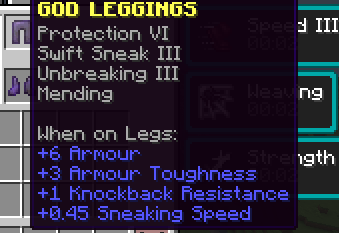
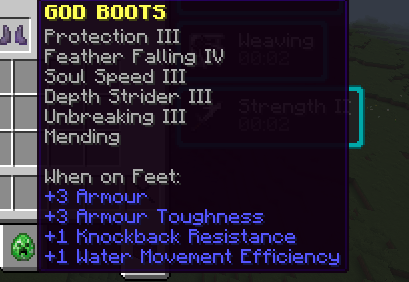
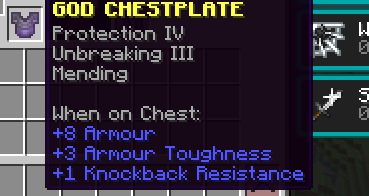

This plugin adds God Armour to the game! Commands - /godarmour give all That gives the god armour to the player who executed the command (OP only command) In the config.yml, you can change the protection level on each armour piece. You can also edit the dash cooldown for the boots, which you can activate by SHIFT+LEFTCLICK in the direction you want to dash! You can also edit the effects each armour piece gives, and also the level of that effect. You can also add more effects to each armour piece with this format
- effect: fire_resistance level: 1 Restart for all config.yml changes to take effect!
When you wear the whole armour set, it makes everyone in a 50-100 block radius glow
- Edition: Minecraft Java
- File type: .jar
- Minecraft version listed: 1.21.11
- How to install: Install the matching mod loader (Forge, Fabric or NeoForge) for your Minecraft version. → Download the .jar. → Put it in the .minecraft/mods folder and launch that loader profile.
- Where to get it: Opens on Modrinth — not every file is mirrored on our own servers.
Install steps are the general flow for this file type — How to install Minecraft Java mods & modpacks walks through it step by step.
- Ships as godarmour-1.0.0.jar — drop this file into the mods folder
- Download size: 10 KB
- Download link checked 10 Sept 2026 — working
These come from our own check of the pack file, not from the source page.