
Enchantment Workbench
I don't know my version or loader
View the Document here.
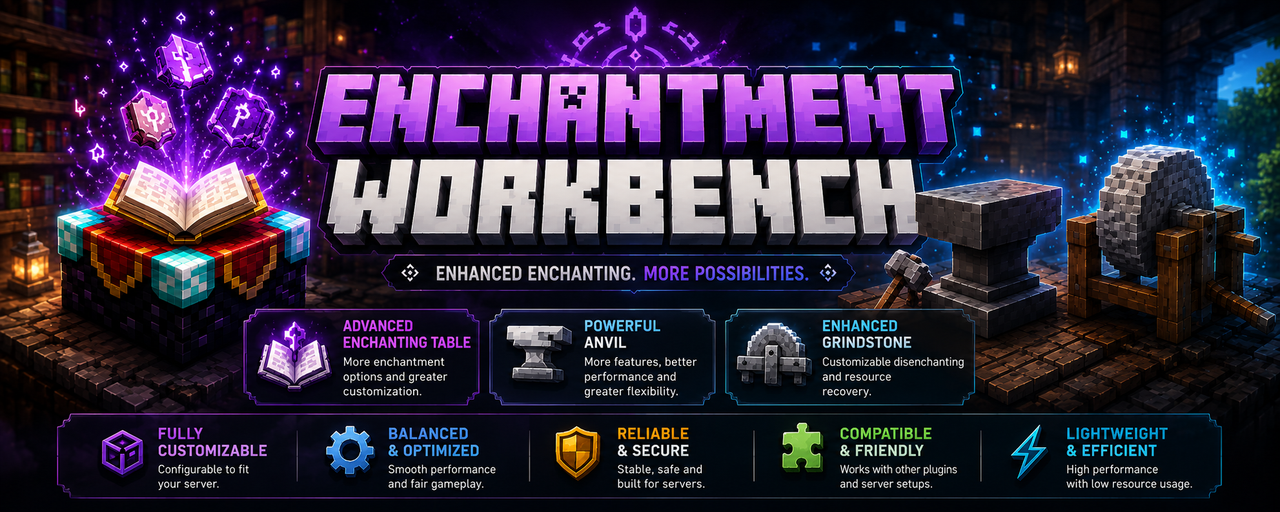
Transform Minecraft's vanilla enchanting mechanics into a powerful, RPG-style progression system.
Enchantment Workbench completely reworks the Enchanting Table, Anvil, and Grindstone into fully customizable GUI-driven systems designed for SMP, MMORPG, and economy servers.
Built with flexibility and compatibility in mind, the plugin allows server owners to create unique enchantment progression systems far beyond vanilla limitations.
✨ Features
Custom Enchanting Table
Replaces the vanilla enchanting interface with an advanced enchant selection GUI.
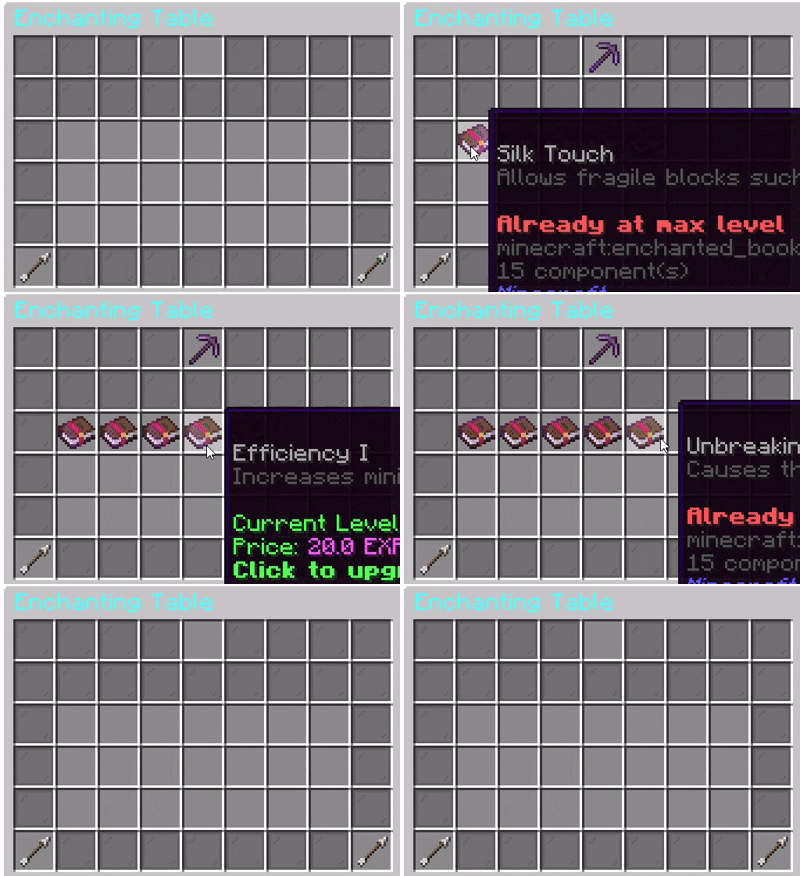
Features:
- Browse all available enchantments and click to enchant
- Upgrade enchantments directly
- Custom enchant level limits
- Custom enchanting costs
- Disabled enchant filtering
- Custom conflict ruling
⚒️ Advanced Anvil System
A fully configurable anvil combination system.
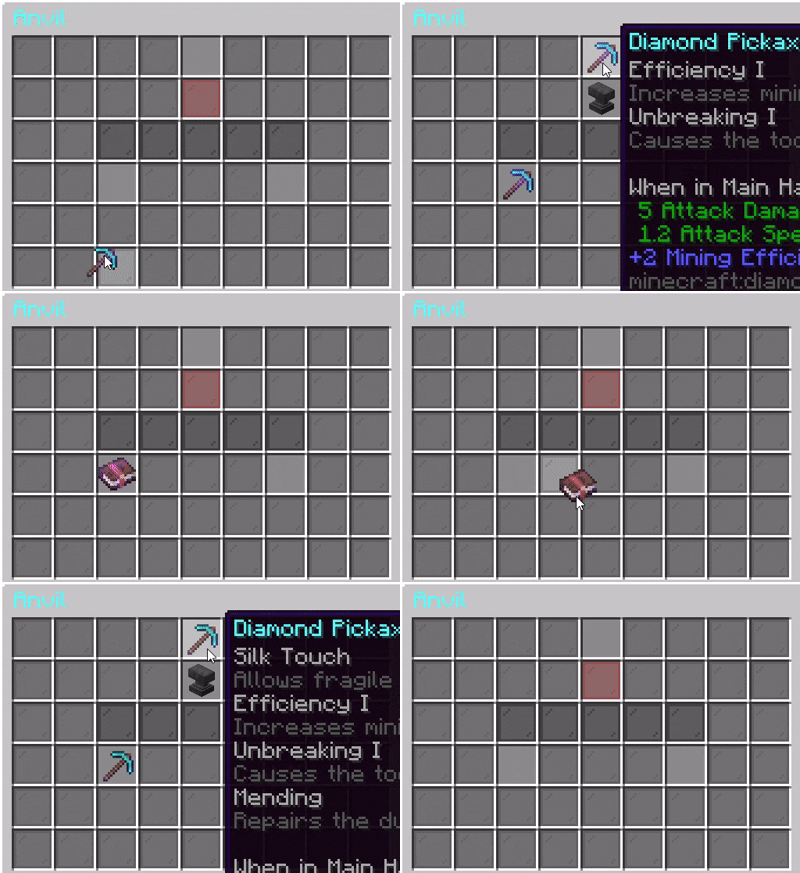
Features:
- Item + Item combining
- Item + Enchanted Book
- Book + Book merging
- Configurable level progression
- Custom conflict ruling
- Custom enchanting and repairing costs
- Custom repairing behavior
- RPG-style upgrade paths
Grindstone Rework
Turn the grindstone into a selective enchantment removal station.
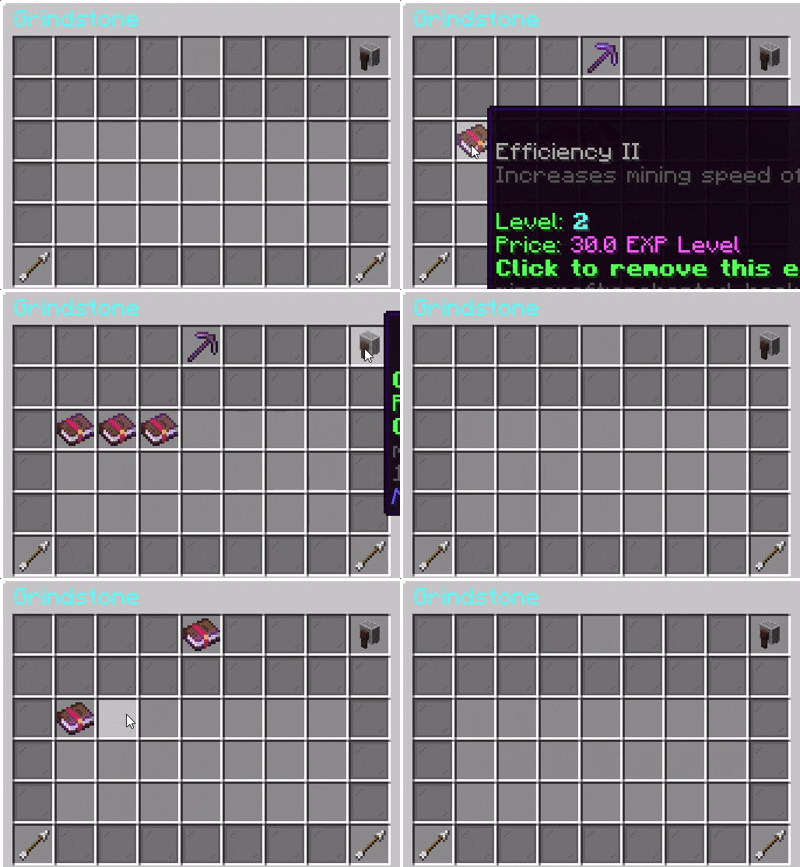
Features:
- Remove individual enchantments
- Clear all enchantments
- Economy costs per enchantment
- Disabled enchant filtering
- Economy Support
- Supports configurable currency systems for:
- Enchant upgrading
- Repairing
- Combining
- Enchantment removal
Highly Configurable
Almost every mechanic is configurable:
- GUI layouts
- Sounds
- Prices
- Lore
- Messages
- Enchant rules
- Repair mechanics
- Conflict behavior
- Disabled enchantments
- Progression limits
Compatibility
Currently we support plugins that register enchantments into the game. Custom enchantment plugins and more currency plugins are planned to be supported in future in Premium version. Designed For Survival/SMP Servers RPG/MMORPG Servers Custom Progression Networks Any type of servers!
SUPPORT
If you encounter any issue or have suggestions over the plugin, contact me in Discord first. Thank you.
- Edition: Minecraft Java
- File type: .jar
- Minecraft versions listed: 1.21, 1.21.1, 1.21.2
- How to install: Install the matching mod loader (Forge, Fabric or NeoForge) for your Minecraft version. → Download the .jar. → Put it in the .minecraft/mods folder and launch that loader profile.
- Where to get it: Opens on Modrinth — not every file is mirrored on our own servers.
Install steps are the general flow for this file type — How to install Minecraft Java mods & modpacks walks through it step by step.
- Ships as EnchantmentWorkbenchMain-1.1.1.jar — drop this file into the mods folder
- Download size: 93 KB
- Download link checked 11 Sept 2026 — working
These come from our own check of the pack file, not from the source page.