
InfinityPhone
Immersive Smartphones for Modern Minecraft Servers
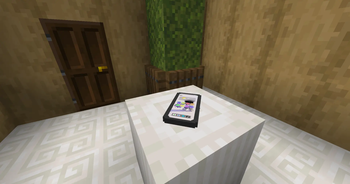
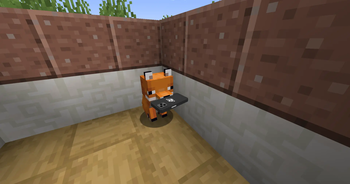
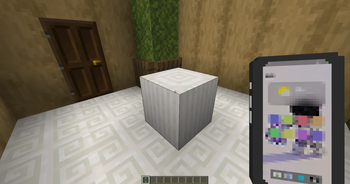
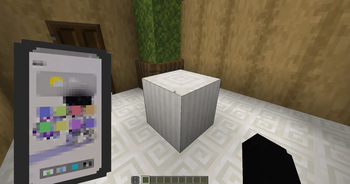
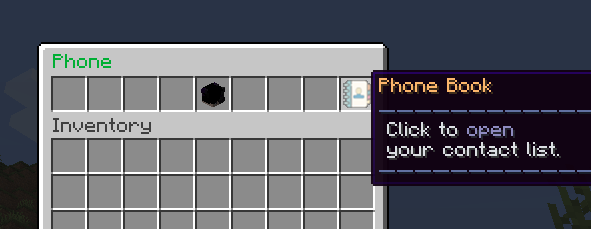
A phone plugin built for immersive Minecraft multiplayer experiences. InfinityPhone replaces traditional command-based communication with a polished, inventory-based smartphone interface featuring voice calls, SMS messaging, contact management, and economy integration.
Designed for performance, reliability, and seamless player experience by infunv studio.
📱 Key Features
- Modern Smartphone Interface — A polished inventory-based GUI that feels like using a real smartphone inside Minecraft.
- Real-Time Voice Calls — Call other online players using their phone number or saved contacts with ringing, accept/reject actions, busy detection, and automatic call termination.
- SMS Messaging — Exchange text messages with delivery notifications, click-to-copy phone numbers, and customizable message formatting.
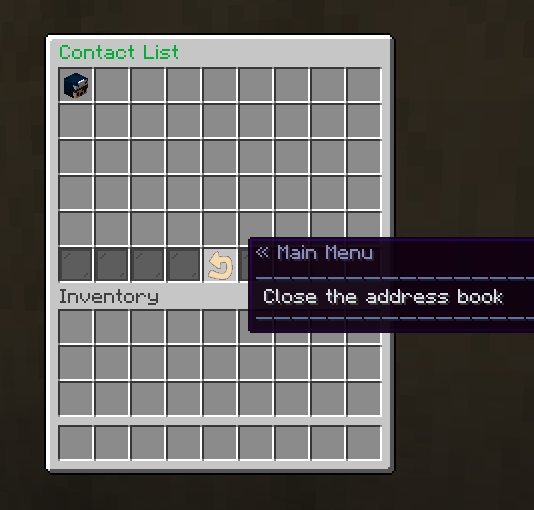
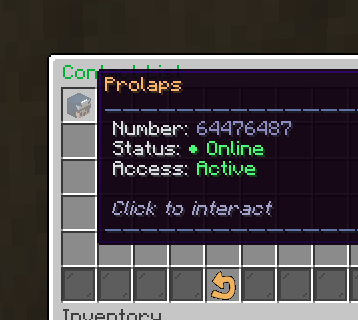
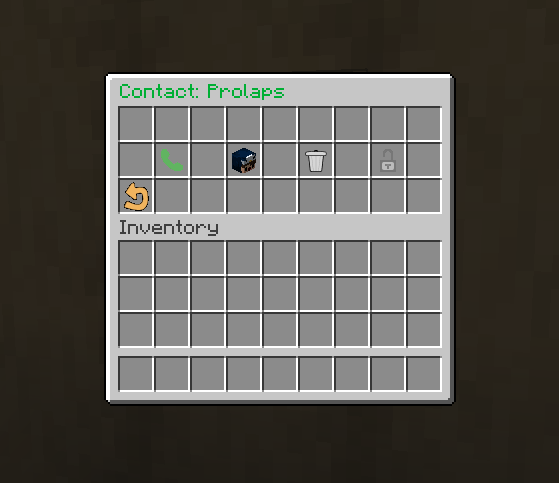
- Advanced Contact Management — Create, edit, organize, and remove contacts with support for blacklist management and duplicate protection.
- Virtual Phone Numbers — Every smartphone receives its own unique automatically generated phone number.
- Economy Support — Optional Vault integration allows charging players for calls and SMS messages with fully configurable prices.
- Highly Customizable — Every menu, message, title, lore, prefix, and color can be customized without modifying plugin code.
- Rich Text Support — Full compatibility with Adventure API, MiniMessage, gradients, RGB colors, legacy formatting codes, and modern Minecraft text components.
⚙️ Technical Highlights
- Embedded SQLite Database — Fast, lightweight local database with no MySQL installation required.
- Optimized Performance — Designed for long-running production servers with efficient event handling and minimal resource usage.
- Cross-Version Support — Compatible with Spigot, Paper, Purpur, and compatible forks.
- Hot Configuration Reload — Reload configuration files without restarting the server.
- Modular GUI System — All phone menus are stored as separate YAML files for maximum customization.
- Automatic Resource Pack Support — InfinityPhone can automatically deliver the official resource pack to players when they join the server (if enabled by the server administrator).
💻 Commands & Permissions
General Commands
| Command | Description |
|---|---|
/phone give [player] |
Give a smartphone to yourself or another player. |
/phone remove [player] |
Remove a smartphone from yourself or another player. |
/phone reload |
Reload all configuration files. |
/phone version |
Display plugin information and configuration versions. |
/contact |
Open and manage your phone contacts. |
/call <number|player> |
Start a voice call. |
/msg <number|player> <message> |
Send an SMS message. |
/accept |
Accept an incoming call. |
/cancel |
Reject an incoming call. |
/quit |
End the active phone call. |
/block <player> |
Add a player to your blacklist. |
/unblock <player> |
Remove a player from your blacklist. |
Permissions
| Permission | Description |
|---|---|
infinityphones.admin |
Grants access to administrative commands. |
🎨 Customization
InfinityPhone was designed to be customized without editing the source code.
Configuration includes support for:
- Fully translatable messages
- Custom prefixes
- MiniMessage formatting
- RGB gradients
- Legacy color codes
- Economy settings
- Menu layouts
- Inventory icons
- Menu titles
- Button descriptions
- Phone item appearance
To display the configured plugin prefix anywhere inside configuration files, simply use:
{prefix}
Example:
{prefix} Plugin configuration has been successfully reloaded.
🚀 Installation
- Download the latest plugin release.
- Place the
.jarfile inside your server'splugins/folder. - Start or restart your server.
- Configure the generated YAML files.
- (Optional) Install Vault to enable economy integration.
- (Optional) Enable automatic resource pack delivery for the complete InfinityPhone experience.
📦 Configuration
InfinityPhone stores its configuration inside multiple YAML files.
| File | Description |
|---|---|
config.yml |
Main configuration, economy settings, messages, phone item, prefixes and plugin behavior. |
phone-menu.yml |
Main smartphone menu layout. |
contacts-menu.yml |
Contact list interface. |
contact-detail-menu.yml |
Individual contact interaction menu. |
All configuration files are extensively commented and support live reloading.
📚 Requirements
Minecraft: 1.20.x+
Java: 17+
Supported Servers:
- Paper
- Purpur
- Spigot
- Compatible forks
Optional Dependency: Vault
📦 Official Resource Pack
InfinityPhone uses its own official resource pack to provide custom smartphone models and textures.
The latest version is always available here:
https://github.com/infunv/infinityphone-public
When automatic resource pack distribution is enabled, players will receive the correct version automatically after joining the server.
🐞 Bug Reports & Feedback
Found a bug?
Have a suggestion?
Want to request a new feature?
Please create an Issue in the official public repository:
https://github.com/infunv/infinityphone-public
Community feedback helps improve future versions of InfinityPhone.
📄 License
Copyright © infunv studio.
InfinityPhone is proprietary software.
You are permitted to use the compiled plugin on your Minecraft servers.
You may not:
- redistribute the plugin;
- redistribute modified versions;
- decompile or reverse engineer the software;
- sell, sublicense, or repackage the plugin;
- distribute proprietary assets outside the official resource pack repository.
Please refer to the included LICENSE file for the complete license agreement.
👥 Credits
Developer: whitecristafer
Studio: infunv studio
Official Website: https://infunv.ru
Minecraft Services: https://mine.infunv.ru
Public Resource Pack & Issue Tracker:
https://github.com/infunv/infinityphone-public
Thank you for using InfinityPhone.
We hope it becomes a core part of your server's roleplay experience.
- Edition: Minecraft Java
- File type: .jar
- Minecraft versions listed: 1.14, 1.14.1, 1.14.2
- How to install: Install the matching mod loader (Forge, Fabric or NeoForge) for your Minecraft version. → Download the .jar. → Put it in the .minecraft/mods folder and launch that loader profile.
- Where to get it: Opens on Modrinth — not every file is mirrored on our own servers.
Install steps are the general flow for this file type — How to install Minecraft Java mods & modpacks walks through it step by step.
- Ships as InfinityPhone-1.3.0-released.jar — drop this file into the mods folder
- Download size: 72 KB
- Download link checked 23 Aug 2026 — working
These come from our own check of the pack file, not from the source page.