
AllAdvancements
A fully configurable Minecraft challenge plugin where players must collect every advancement in Minecraft 1.21.
⬇ Download on Modrinth

AllAdvancementsV3
AllAdvancementsV3 brings the ultimate advancement hunting challenge to Minecraft!
The goal is simple: Complete every single advancement available in Minecraft 1.21.
Perfect for SMPs, challenge servers, YouTube content, hardcore worlds, and community events. The plugin tracks player progress and turns advancements into a full survival challenge experience.
Features
- Complete advancement challenge system
- Supports Minecraft 1.21 advancements
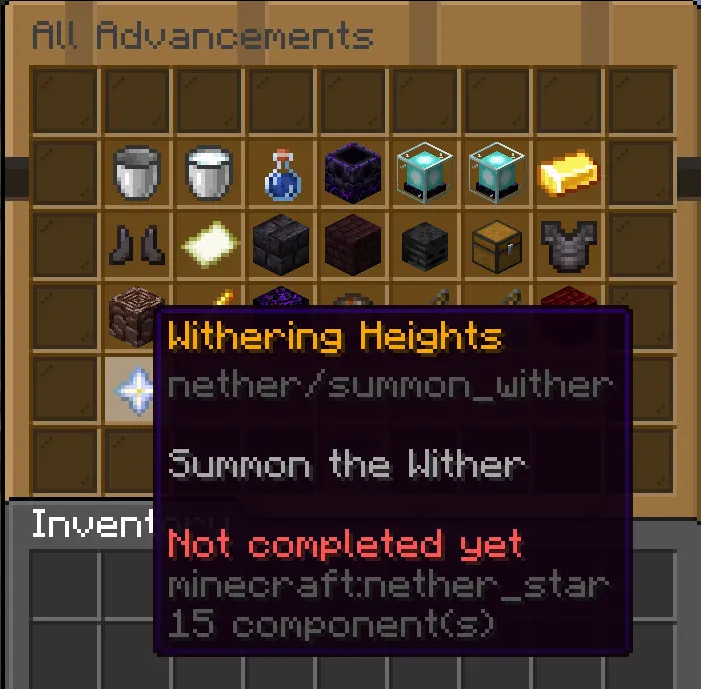
- Live progress tracking
- Scoreboard support
- Fully configurable
- Performance optimized
- No watermarks
- Adjustable messages and settings
- Modern and clean design
- Stable and efficient code
- Easy setup
Gameplay
Players must unlock every advancement available in Minecraft 1.21.
As players progress:
- advancements are tracked automatically
- the scoreboard updates live
- completion percentages increase
- players work toward 100% completion
Included Systems
Advancement Tracking
Automatically tracks completed advancements.
Progress System
Displays challenge progression and statistics.
Scoreboard Support
Live advancement progress shown directly in-game.
Challenge Support
Perfect for competitive and survival-based gameplay.
Why Choose AllAdvancementsV3?
- Perfect for SMP challenges
- Great for YouTube and streaming content
- Encourages exploration and progression
- Lightweight and optimized
- Modern and reliable systems
- Designed for Minecraft 1.21
Use Cases
- SMP Challenges
- Hardcore Survival
- YouTube Series
- Community Competitions
- Achievement Hunting
- Adventure Servers
Support
Website: https://mplugins.net
Discord: https://dc.mplugins.net
Need help or want to suggest features? Join the Discord community!
- Edition: Minecraft Java
- File type: .jar
- Minecraft versions listed: 1.21, 1.21.1, 1.21.2
- How to install: Install the matching mod loader (Forge, Fabric or NeoForge) for your Minecraft version. → Download the .jar. → Put it in the .minecraft/mods folder and launch that loader profile.
- Where to get it: Opens on Modrinth — not every file is mirrored on our own servers.
Install steps are the general flow for this file type — How to install Minecraft Java mods & modpacks walks through it step by step.
- Ships as AllAdvancementsV3.jar — drop this file into the mods folder
- Download size: 14 KB
- Download link checked 24 Aug 2026 — working
These come from our own check of the pack file, not from the source page.