Chronos_Clock
Java mod listed for Minecraft 26.x. Downloads from the MC Java Mods app on Android.
An elite magic plugin to control time and weather through a beautiful interactive GUI clock, complete with cosmic particle effects and zero server lag.
⬇ Download on Modrinth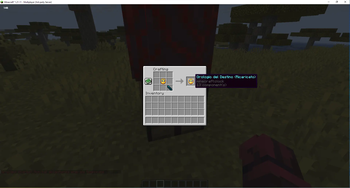
IT: Chronos Clock - Il Teletrasporto Bilanciato
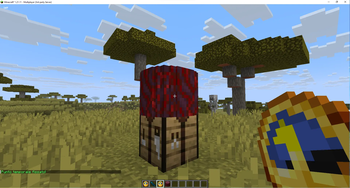
Chronos Clock aggiunge un oggetto magico al tuo server: un orologio capace di manipolare lo spazio-tempo per riportarti a casa istantaneamente. A differenza di altri plugin di teletrasporto, Chronos Clock è progettato per integrarsi perfettamente nel gameplay Vanilla grazie a un sistema di ricarica basato sugli Echo Shard.
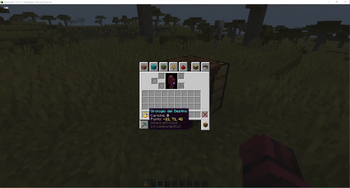
🌟 Caratteristiche principali: Imposta un Punto di Ritorno: Usa Shift + Tasto Destro su un blocco per legare l'orologio a quella posizione.
Viaggio Istantaneo: Fai Tasto Destro in aria per tornare immediatamente al punto salvato.
Sistema a Cariche: Ogni orologio ha 10 utilizzi. Una volta esauriti, l'orologio diventerà "Scarico" e smetterà di funzionare.
Ricaricabile: Non buttare l'orologio! Uniscilo a un Echo Shard in un banco da lavoro per ripristinare le sue 10 cariche.
Effetti Immersivi: Suoni e particelle accompagneranno ogni tuo salto nel tempo.
EN: Chronos Clock - Balanced Teleportation
Chronos Clock adds a unique magical item to your server: a clock capable of manipulating space-time to bring you back home instantly. Unlike other teleportation plugins, Chronos Clock is designed to fit perfectly into the Vanilla experience thanks to a balanced recharge system based on Echo Shards.
🌟 Key Features:
Set a Warp Point: Use Shift + Right Click on any block to bind the clock to that location.
Instant Travel: Right Click in the air to teleport back to your saved point instantly.
Charge System: Each clock comes with 10 charges. Once depleted, the clock will become "Empty" and stop working.
Rechargeable: Don't throw away your empty clock! Combine it with an Echo Shard in a crafting table to restore its 10 charges.
Immersive Effects: Visual particles and sound effects accompany every jump through time.
- Edition: Minecraft Java
- File type: .jar
- Minecraft versions listed: 26.1, 26.1.1, 26.1.2
- How to install: Install the matching mod loader (Forge, Fabric or NeoForge) for your Minecraft version. → Download the .jar. → Put it in the .minecraft/mods folder and launch that loader profile.
- Where to get it: Opens on Modrinth — not every file is mirrored on our own servers.
Install steps are the general flow for this file type — How to install Minecraft Java mods & modpacks walks through it step by step.
- Ships as Teleporter-1.1-SNAPSHOT.jar — drop this file into the mods folder
- Download size: 18 KB
- Download link checked 24 Oct 2026 — working
These come from our own check of the pack file, not from the source page.