
SrnkSMP
A lightweight, multi-feature plugin for SMP servers.
SrnkSMP bundles the essentials — teams, alliances, teleport requests, private messages, and multilingual chat — into a single Folia-compatible plugin.
Features
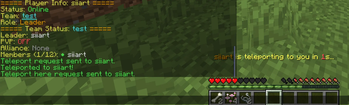
- Teams — Create teams with colors, custom messages, invite/leave/transfer leadership, and internal team PvP toggles.
- Alliances — Form bilateral alliances between teams, with PvP control, cooldown-based termination, and dedicated alliance chat.
- Teleport Requests —
/tpaand/tpaherewith item-cost configuration (Netherite Ingot by default). - Private Messaging —
/msg,/r, and/rtogglefor one-on-one chat with auto-reply mode. - Channeled Chat — Toggle between normal, team, and alliance channels.
- Name Tags — Team-colored name tags via scoreboard library (works on Folia).
- Multilingual — Built-in English and Japanese. Players can pick their language with
/srnksmp lang, or it auto-detects from client locale. - Auto-Spec — Optional admin mode that switch killed players to spectator mode.
Compatibility
| Item | Supported |
|---|---|
| Server platforms | Paper, Spigot, Folia |
| Minecraft versions | 1.21 - 26.1+ |
| Java | 21 for 1.21.x servers, 25 required for 26.1+ |
The plugin is built against the 1.21 API and relies on backward compatibility for newer releases.
Dependencies
- ProtocolLib — Optional but recommended. Used for entity-metadata packet handling (team light feature).
- For 1.21.0 – 1.21.8: ProtocolLib 5.4.0 (stable) works.
- For 1.21.9, 1.21.10, 1.21.11, and 26.1+: install the ProtocolLib dev-build.
Commands
| Command | Aliases | Description |
|---|---|---|
/team <sub> |
/t |
Manage teams (add, invite, accept, remove, leave, delete, leader, status, list, message, chat, color, admin) |
/ally <sub> |
— | Manage alliances (add, accept, deny, remove, status, pvp, chat) |
/msg <player> <msg> |
/m, /tell, /whisper, /w |
Send a private message |
/r <msg> |
/reply |
Reply to the last sender |
/rtoggle |
/rt |
Toggle auto-reply mode |
/teammsg |
/tc |
Toggle team chat channel |
/allychat |
/ac, /nc |
Toggle alliance chat channel |
/tpa <player> |
— | Request to teleport to a player |
/tpahere <player> |
— | Request a player to teleport to you |
/tpaccept / /tpdeny |
— | Accept or deny a teleport request |
/tpaset [material] |
— | Configure the consumed item for TPA |
/srnksmp <sub> |
/smp |
Plugin management (reload, backup, lang, autospec, status) |
Permissions
| Node | Default | Allows |
|---|---|---|
srnksmp.admin |
op | All /srnksmp admin commands |
srnksmp.team.admin |
op | /srnksmp admin team management |
srnksmp.autospec |
op | Toggle auto-spec mode |
srnksmp.tpaset |
op | Change the TPA consumed item |
Non-admin commands (/team, /tpa, /smp lang, etc.) are available to all players by default.
Installation
- Download the latest
.jarand drop it into your server'splugins/folder. - (Optional) Install ProtocolLib — see the version notes above.
- Start the server once. Configuration files are generated under
plugins/SrnkSMP/. - Edit
config.ymlandmessages_*.ymlto taste, then run/srnksmp reload.
Configuration
config.yml— General settings (TPA item, alliance cooldowns, language defaults, etc.).messages_en.yml/messages_ja.yml— Per-language message strings. Add your own entries to localize further.
License & Credits
Author: siiart
SrnkSMP is licensed under the GPL-3.0 (or any later version).
For issue reports and contributions, please use the project repository.
Quick facts
- Edition: Minecraft Java
- File type: .jar
- Minecraft versions listed: 1.21, 1.21.1, 1.21.2
- How to install: Install the matching mod loader (Forge, Fabric or NeoForge) for your Minecraft version. → Download the .jar. → Put it in the .minecraft/mods folder and launch that loader profile.
- Where to get it: Opens on Modrinth — not every file is mirrored on our own servers.
Install steps are the general flow for this file type — How to install Minecraft Java mods & modpacks walks through it step by step.
Verified by MCModsHub
- Ships as SrnkSMP-1.0.0.jar — drop this file into the mods folder
- Download size: 384 KB
- Download link checked 23 Aug 2026 — working
These come from our own check of the pack file, not from the source page.