

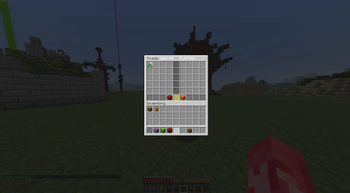
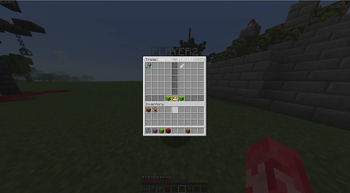
TradeLite Plugin for players
TradeLite is a plugin that allows users to trade items without worrying about losing items during the trading process; it’s completely safe.
TradeLite Features
- Quick and Easy Trading: Anyone can send a trade request using Shift Right Click on any player.
- No Item Loss: In the event that a player logs out or the server crashes during a trade, all items traded will automatically revert back to the original owners.
- No Lag Safety: If the server is lagging when two players are trading items, the trading will stop until the lag resolves itself.
- Easy to Configure: Admins can limit the distance of trading between two players.
TradeLite Commands
/trade <player>– Requests an automated trade request with another player. (Shift-Right-Click to send)/trade accept– Accepts a trade request from another player. (Shift-Right-Click to accept)/trade deny– Denies a trade request from another player./trade cancel– Cancels your trade./trade reload– Reloads the configuration file (Admin Only).
How to Install TradeLite
- Upload the
TradeLite.jarfile to your server'spluginsfolder - Restart your server
- Have fun!
Quick facts
- Edition: Minecraft Java
- File type: .jar
- Minecraft versions listed: 1.20, 1.20.1, 1.20.2
- How to install: Install the matching mod loader (Forge, Fabric or NeoForge) for your Minecraft version. → Download the .jar. → Put it in the .minecraft/mods folder and launch that loader profile.
- Where to get it: Opens on Modrinth — not every file is mirrored on our own servers.
Install steps are the general flow for this file type — How to install Minecraft Java mods & modpacks walks through it step by step.
Verified by MCModsHub
- Ships as TradeLite-1.0.1.jar — drop this file into the mods folder
- Download size: 32 KB
- Download link checked 11 Sept 2026 — working
These come from our own check of the pack file, not from the source page.