
CabinsPlugin
Java mod listed for Minecraft 1.16–1.20. Downloads from the MC Java Mods app on Android.
With this plugin, you can create your own cabins and change their size. This plugin is designed as a building mini‑game.
⬇ Download on Modrinth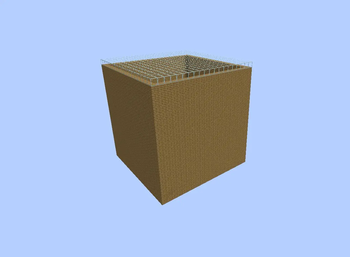
For the plugin to work properly, you need to create a separate world where the cabins will be created (specify the world in the plugin's config).
Basic commands:
/cabins create [size] [name] – create a cabin
/cabins delete [name] – delete a cabin
/cabins tp [name] – teleport to a cabin
/cabins admin ban/warn/unban/unwarn – admin commands
/cabins party add – add a player to your cabin region
/cabins party remove – remove a player from your cabin region
/cabins list – list your cabins
Main permissions:
cabins.create – create a cabin
cabins.delete – delete a cabin
cabins.tp – teleport to a cabin
cabins.admin – admin privileges for the plugin
cabins.partyhave.[amount] – limit how many players can be added to cabins
cabins.have.[size] – set how many cabins a player can create
cabins.size.[size] – set what cabin size players can create
Some permissions are not even available to operators, so add them to yourself or to groups.
Placeholders:
%cabins_player% – how many cabins the player has
%cabins_warnplayer% – how many warnings the player has
%cabins_banplayer% – whether the player is banned from creating cabins (displays &aYes or &cNo)
%cabins_timeban% – how much time remains on the player's ban (displays the time; if the ban is permanent, displays permanent)
If placeholders don't show values, restart the server.
Also, the plugin generates the following files:
config.yml
message.yml
data (folder)
warnings (folder)
bans (folder)
data – stores all created cabins.
warnings – stores all warnings issued to players.
bans – stores all bans issued to players.
config.yml – plugin config; you can change region flags, worlds, etc.
message.yml – file where you can change plugin messages.
- Edition: Minecraft Java
- File type: .jar
- Minecraft versions listed: 1.16, 1.16.5, 1.17
- How to install: Install the matching mod loader (Forge, Fabric or NeoForge) for your Minecraft version. → Download the .jar. → Put it in the .minecraft/mods folder and launch that loader profile.
- Where to get it: Opens on Modrinth — not every file is mirrored on our own servers.
Install steps are the general flow for this file type — How to install Minecraft Java mods & modpacks walks through it step by step.
- Ships as CabinsPlugin-2.1.jar — drop this file into the mods folder
- Download size: 328 KB
- Download link checked 24 Oct 2026 — working
These come from our own check of the pack file, not from the source page.