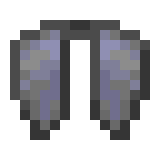
elytra-plugin
A plugin for paper / folia minecraft server to adjust the elytra obtaining
Features
- Adjust the elytra obtaining by allowing ender dragon to drop it
- Allow op players / console to change the drop rate of elytra with /elytradroprate
How to build it myself?
- Make sure you have java and gradle installed
- Clone the repository
- Run
gradle buildin the project directory - The plugin jar will be located in
build/libs/ - Copy the jar file to your server's plugins directory and start the server
FAQs
- Q: How to adjust the drop rate of elytra?
- A: Yes, op players can use the command /elytradroprate to set the drop rate (0.0 to 1.0), or you can use the console to run this command in the backend.
- Q: Can I use this plugin on a non-paper server?
- A: No, this plugin is designed for paper / folia servers and may not work on other server types
- Q: How to set the default drop rate of elytra?
- A: Clone this repo, set the desired default drop rate as the value of elytraDropRate in Line 22 of DragonDeathListener.java, and then re-build the plugin as mentioned above. Make sure to restart the server after replacing the plugin jar file to apply the changes.
- Q: Why don't you use a config file to set the default drop rate of elytra?
- A: I want to keep the plugin simple and lightweight, and I think it's not necessary to use a config file for just one setting. However, if there are enough requests for this feature, I may consider adding it in the future.
Quick facts
- Edition: Minecraft Java
- File type: .jar
- Minecraft versions listed: 1.21, 1.21.1, 1.21.2
- How to install: Install the matching mod loader (Forge, Fabric or NeoForge) for your Minecraft version. → Download the .jar. → Put it in the .minecraft/mods folder and launch that loader profile.
- Where to get it: Opens on Modrinth — not every file is mirrored on our own servers.
Install steps are the general flow for this file type — How to install Minecraft Java mods & modpacks walks through it step by step.
Verified by MCModsHub
- Ships as elytra-plugin-1.0-SNAPSHOT.jar — drop this file into the mods folder
- Download size: 6 KB
- Download link checked 23 Aug 2026 — working
These come from our own check of the pack file, not from the source page.