
Choose PVP Plugin
Java mod listed for Minecraft 1.19–26.x. Downloads from the MC Java Mods app on Android.
A customizable Paper plugin for choosing PVE or PVP mode with GUI, permissions, effects, sounds, and PlaceholderAPI support.
⬇ Download on Modrinth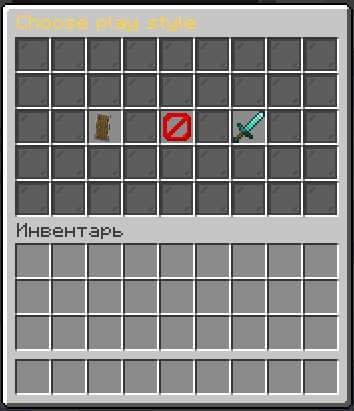
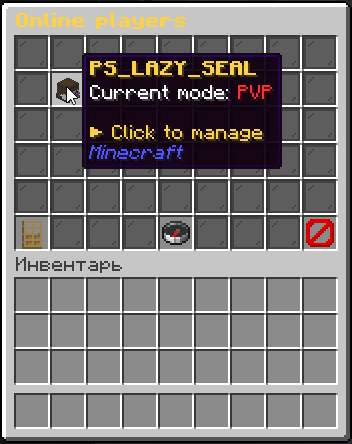
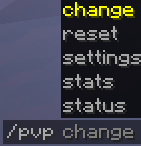
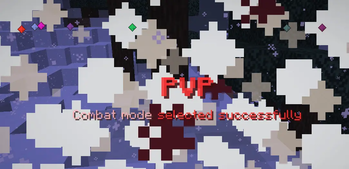
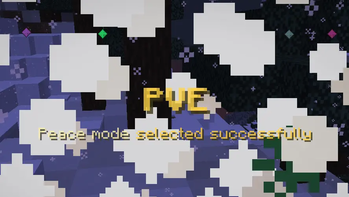
MSPChoosePVP is a Minecraft plugin that lets players choose their preferred play style: PVE or PVP. It is designed for servers that want to separate peaceful players from combat-focused players while keeping the selection process simple, visual, and configurable.
When a player joins the server, the plugin can automatically open a GUI where they choose between PVE and PVP. PVE mode protects players from unwanted combat, while PVP mode allows combat interactions with other players. The plugin supports confirmation before saving the choice, automatic reopening of the menu if the player closes it without choosing, and protection for players who have not selected a mode yet.
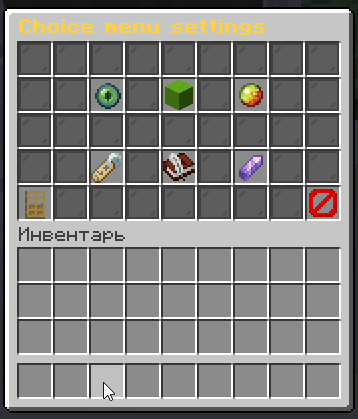
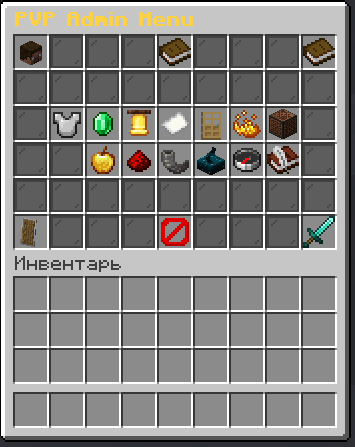
The plugin includes an admin settings GUI where server staff can manage plugin behavior without editing files manually. Administrators can enable or disable PVE/PVP selection, toggle protection before choice, manage particles, sounds, effects, confirmation behavior, menu reopening, title/chat notifications, player notifications, and change the plugin language directly from the menu without restarting the server.
MSPChoosePVP supports persistent player choices using database storage, including SQLite and MySQL. Player selections are saved and can be checked, changed, or reset by administrators. The plugin also includes statistics for how many players selected PVE or PVP.
The plugin supports PlaceholderAPI and provides placeholders that can be used in scoreboards, tab lists, chat plugins, holograms, menus, and other compatible plugins. It is translated into many languages and allows switching the active language from the in-game settings menu.
Commands
/pvp
Shows the PVE/PVP command help and available subcommands.
/pvp status <nick>
Checks the saved mode of a player.
/pvp change <nick> <PVE|PVP>
Changes a player's selected mode to PVE or PVP.
/pvp reset <nick>
Resets a player's saved choice. If the player is online, the choice menu can be opened for them again.
/pvp stats
Shows selection statistics, including the number of PVE players, PVP players, and total players with a saved choice.
/pvp settings
Opens the admin settings menu.
Features
- GUI-based PVE/PVP selection
- Optional confirmation before saving a choice
- Optional automatic menu opening on join
- Optional menu reopening if the player closes it without choosing
- Optional retry menu reopening if the choice could not be saved to the database
- Protection before a player selects a mode
- Admin GUI for plugin configuration
- Player management GUI for online players
- Ability to change a player's mode from the GUI
- Ability to reset a player's choice from the GUI
- Ability to change a player's particle animation style
- Selection statistics
- Configurable particles
- Configurable particle animations
- Configurable sounds
- Configurable PVE/PVP effects
- Separate PVP effect sound option
- Separate PVP choice sound option
- SQLite and MySQL support
- PlaceholderAPI support
- Runtime language switching without server restart
- Translated into many languages
- Configurable titles, chat messages, GUI names, lore, materials, slots, and menu layout
- Configurable PlaceholderAPI symbols and colors
- Admin notifications for mode changes and resets
- Optional closing of the target player's current GUI after admin actions
- Optional bypass permission for required mode choice
PlaceholderAPI
PlaceholderAPI support is optional. If PlaceholderAPI is installed on the server, MSPChoosePVP automatically registers its placeholders.
%pvptype%
Shows the PVP type symbol of the player using the placeholder.
Result depends on the player's saved choice:
- PVE — uses the configured PVE symbol and color
- PVP — uses the configured PVP symbol and color
- No choice — uses the configured no-choice value
%pvptype_<player>%
Shows the PVP type symbol of another player.
Example:
%pvptype_Steve%
The target player can be online or offline. If the player is unknown or has no saved choice, the no-choice value is shown.
PlaceholderAPI configuration
The PlaceholderAPI output can be configured in config.yml:
placeholder:
  no-choice: "#808080❓"
  pve:
    symbol: "🛡"
    color: "#FFD447"
  pvp:
    symbol: "🗡"
    color: "#FF3333"
Internal message and GUI placeholders
These placeholders are used inside plugin messages, GUI titles, item names, item lore, and language files.
General placeholders
{player}— Player name{type}— Player's selected mode{choice}— Current selected choice in the confirmation menu{state}— Current setting state{state_color}— Color used for the current setting state{value}— New value of a changed setting{setting}— Name of the changed setting
Statistics placeholders
{pve}— Number of players who selected PVE{pvp}— Number of players who selected PVP{total}— Total number of players with a saved choice
GUI pagination placeholders
{page}— Current page number{pages}— Total number of pages
Particle placeholders
{animation}— Current particle animation name
Language placeholders
{language}— Display name of the current language{language_code}— Current language code
Storage
MSPChoosePVP can store player choices using:
- SQLite
- MySQL
This allows player selections to persist after server restarts.
Admin settings menu
The admin settings menu allows server staff to manage the plugin directly in-game. From this GUI, administrators can control the main behavior of the plugin without manually editing configuration files for every change.
Available settings include:
- Enable or disable PVE selection
- Enable or disable PVP selection
- Enable or disable protection before choice
- Enable or disable required choice bypass permission
- Enable or disable player notifications when an admin changes their mode
- Enable or disable player notifications when an admin resets their choice
- Enable or disable closing the target player's current GUI after admin actions
- Enable or disable choice particles
- Change particle animation style
- Change plugin language without restart
- Enable or disable GUI sounds
- Enable or disable PVE effects
- Enable or disable PVP effects
- Enable or disable PVP effect sound
- Enable or disable separate PVP choice sound
- Open choice menu settings
- Open online player management
- Refresh selection statistics
Choice menu settings
The choice menu behavior can also be managed from the settings GUI.
Available options include:
- Automatically open the choice menu when a player joins
- Require confirmation after choosing PVE or PVP
- Reopen the menu if the player closes it without choosing
- Show a title after a successful choice
- Send a chat message after a successful choice
- Reopen the menu if the choice could not be saved to the database
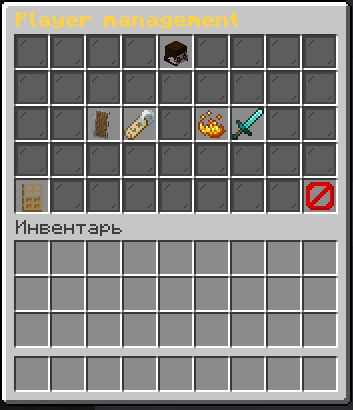
Player management
Administrators can manage online players directly from the GUI.
Available player actions include:
- View the player's current mode
- Set the player's mode to PVE
- Set the player's mode to PVP
- Reset the player's choice
- Change the player's particle animation style
- Open the choice menu again after reset if the player is online
Configuration
Most plugin behavior can be configured, including:
- Default language
- Database type
- GUI size
- GUI slots
- GUI materials
- Custom model data
- PVE/PVP availability
- Join menu behavior
- Confirmation behavior
- Protection before choice
- Required choice bypass behavior
- Admin notifications
- Closing target GUI after admin actions
- Sounds
- Particles
- Particle animations
- Effects
- Titles
- Chat messages
- Language files
- PlaceholderAPI symbols and colors
Permissions
The plugin uses permissions to control access to commands, administrative actions, and optional bypass behavior.
mspchoosepvp.command
Allows access to the base /pvp command.
mspchoosepvp.admin
Allows access to administrative commands and the settings menu.
mspchoosepvp.bypass
Allows a player to bypass the required mode choice if bypass permission support is enabled in the plugin settings.
Use cases
MSPChoosePVP is useful for:
- Survival servers
- SMP servers
- Roleplay servers
- Faction servers
- Mixed PVE/PVP servers
- Servers where players should decide whether they want peaceful gameplay or open combat
- Servers that want to protect new or peaceful players from unwanted fights
- Servers that want administrators to manage PVE/PVP choices through GUI menus
MSPChoosePVP provides a clean and configurable way to let players choose how they want to play while giving server staff full control over behavior, storage, visuals, effects, sounds, localization, PlaceholderAPI output, and player management.
- Edition: Minecraft Java
- File type: .jar
- Minecraft versions listed: 1.19, 1.19.1, 1.19.2
- How to install: Install the matching mod loader (Forge, Fabric or NeoForge) for your Minecraft version. → Download the .jar. → Put it in the .minecraft/mods folder and launch that loader profile.
- Where to get it: Opens on Modrinth — not every file is mirrored on our own servers.
Install steps are the general flow for this file type — How to install Minecraft Java mods & modpacks walks through it step by step.
- Ships as MSPChoosePVP-1.1.0-all.jar — drop this file into the mods folder
- Download size: 18.4 MB
- Download link checked 24 Oct 2026 — working
These come from our own check of the pack file, not from the source page.