
CopperList
Plugin for servers with the seasons system. Improves the Whitelist and allows you to give games a pass for a limited number of seasons.
⬇ Download on Modrinth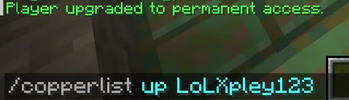
🍂 CopperList - Smart Seasonal Access for Your Server CopperList is a lightweight and elegant plugin designed specifically for private Minecraft servers with a seasonal progression system. It gives you flexible control over player access (whitelisting), allowing you to grant entry for just the current season or permanently.
This is the perfect solution for servers that sell seasonal passes or run regular wipes with player rotation!
✨ Main Features Feature Description ⏳ Flexible Access Control Easily separate temporary players from permanent server residents. 🔄 Quick Season Wipes End a season with a single command — the plugin automatically revokes access for single-season players. 🛡️ LuckPerms Support Seamless integration with the most popular permission manager for effortless group and privilege management. 🚀 Simple & Lightweight Zero bloat — the plugin has minimal impact on server performance and is highly intuitive to configure.
💻 Plugin Commands
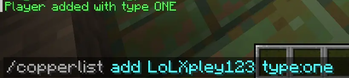
/copperlist add type:one Grants the specified player access for exactly 1 current season.
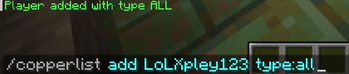
/copperlist add type:all Grants the player access for all seasons (permanent).
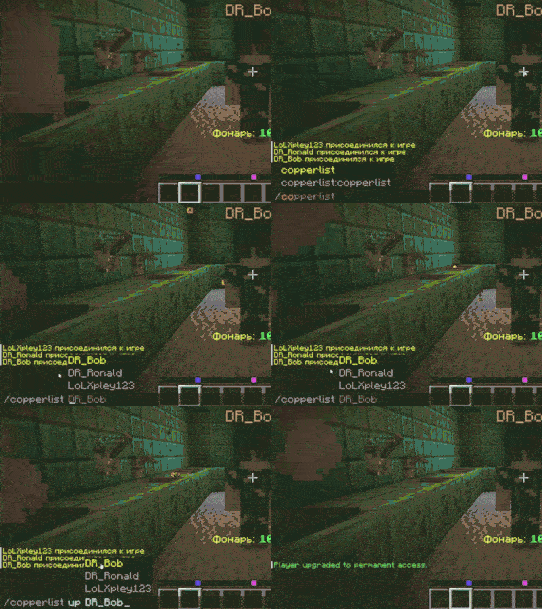
/copperlist up Upgrades a player's status from a single season to permanent access.

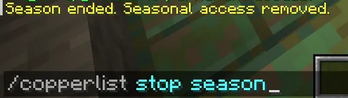
/copperlist stop season Ends the current season (automatically revokes access for players with type:one).
⚙️ LuckPerms Compatibility The plugin works perfectly in tandem with LuckPerms! You can easily set up command permissions for your staff and integrate the plugin with auto-donation web stores (for example, having the console automatically execute the /copperlist add command when a player buys a seasonal pass).
- Edition: Minecraft Java
- File type: .jar
- Minecraft versions listed: 1.21, 1.21.1, 1.21.2
- How to install: Install the matching mod loader (Forge, Fabric or NeoForge) for your Minecraft version. → Download the .jar. → Put it in the .minecraft/mods folder and launch that loader profile.
- Where to get it: Opens on Modrinth — not every file is mirrored on our own servers.
Install steps are the general flow for this file type — How to install Minecraft Java mods & modpacks walks through it step by step.
- Ships as CopperList.jar — drop this file into the mods folder
- Download size: 8 KB
- Download link checked 24 Aug 2026 — working
These come from our own check of the pack file, not from the source page.