
Webmarket
Powerful web-based global market plugin, supporting in-game GUI operations, mobile-friendly, offline functionality, cross-server compatibility, auction /…
⬇ Download on Modrinth
WebMarket Free
Supports Paper / Folia / Spigot / Bukkit / Purpur on 1.20+. The web UI works on both desktop and mobile browsers.
The free edition focuses on the core web player market, inventory viewing, pending claims, trade logs, account flows, and economy features.
Included Features
Core player market Players can list, buy, and delist items. The free edition is hard-limited to
100concurrent player-market listings at runtime.Offline operations Players can still view inventory / ender chest data and handle pending claims through the web UI while offline.
Full item detail rendering Durability, enchants, lore, custom names, potion effects, shulker-box contents, bundle contents, and other NBT data are preserved and displayed.
Trade logs Supports player trade log queries and material-based trade log queries.
Account system Supports web registration, in-game registration, account binding, password change, and API-key-based login.
Built-in economy and Vault economy Supports money trading, transfers, balance lookup, wealth leaderboard, and transaction history.
Icon and asset fallback Supports vanilla assets, partial custom-item resources, and generated web icon caching.
Not Included in Free
- In-game GUI
- Buy request system
- Auction house
- Official shop sell / buyback
- Buff shop
- Special item / perk area
- Cross-server features
- Remote inventory operations
- Points currency trading
- Per-player permission-group overrides
Installation
- Put the free-edition jar into the server
pluginsdirectory. - Start the server once to generate the config files.
- Edit
config.ymlorconfig.en_us.ymlas needed. - Restart the server.
Main Commands
All commands support the /wm prefix. Some also have short aliases.
| Command | Description |
|---|---|
/wm help |
Show available help |
/wm bind <code> |
Bind the web account to the Minecraft account |
/wm register <email> <password> [username] |
Register a web account in game |
/wm claim |
Claim pending items |
/wm sj <amount> <unit_price> |
Quick-list the held item to the player market |
/wm marketlogs me |
Query your own trade logs |
/wm marketlogs <player> [page] [filters] |
Admin query for a player's trade logs |
/wm marketlogs-material <material> [page] [filters] |
Query logs for a material |
/wm restrict |
Manage basic player-market listing restrictions |
/wm blockitem |
Manage blocked NBT items |
/wm money |
Check balance |
/wm money pay <player> <amount> [reason] |
Transfer money |
/wm money top [page] |
Wealth leaderboard |
/wm money history [player] [page] |
Query transaction history |
/wm economy [process] |
View or process economy status |
/wm resetpassword <email> |
Admin reset for web password |
Permission Nodes
| Node | Purpose |
|---|---|
webmarket.use |
Base command access |
webmarket.resetpassword |
Reset web password |
webmarket.economy.view |
View economy status |
webmarket.economy.process |
Process offline economy records |
webmarket.restrict |
Manage market restrictions |
webmarket.marketlogs |
Query player/material trade logs |
webmarket.marketlogs.self |
Query your own trade logs |
webmarket.iconcache |
Manage web icon cache |
webmarket.blockitem |
Manage blocked listing items |
webmarket.money.balance |
View own balance |
webmarket.money.others |
View other players' balances |
webmarket.money.pay |
Transfer money |
webmarket.money.top |
View wealth leaderboard |
webmarket.money.history |
View own transaction history |
webmarket.money.history.others |
View other players' transaction history |
webmarket.money.admin |
Admin economy commands |
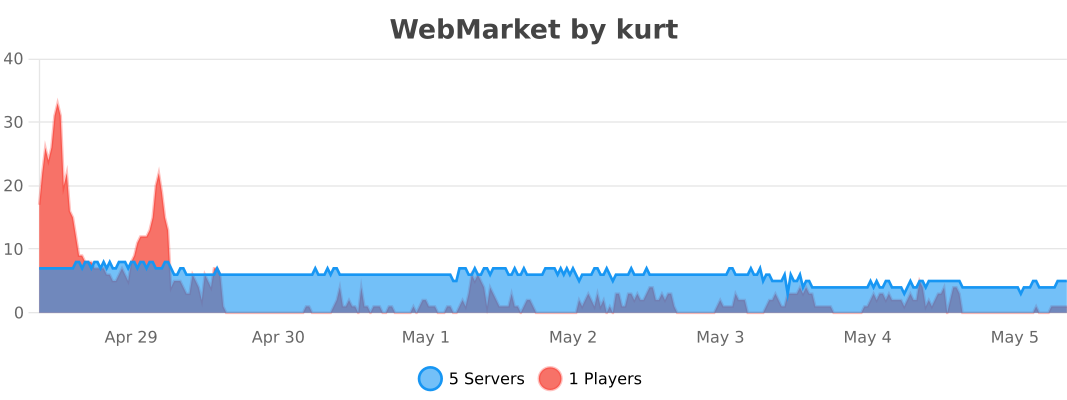
bStats
- Edition: Minecraft Java
- File type: .jar
- Minecraft versions listed: 1.20, 1.20.1, 1.20.2
- How to install: Install the matching mod loader (Forge, Fabric or NeoForge) for your Minecraft version. → Download the .jar. → Put it in the .minecraft/mods folder and launch that loader profile.
- Where to get it: Opens on Modrinth — not every file is mirrored on our own servers.
Install steps are the general flow for this file type — How to install Minecraft Java mods & modpacks walks through it step by step.
- Ships as WebMarket-v2.2.3-By_Kurt-free.jar — drop this file into the mods folder
- Download size: 2.8 MB
- Download link checked 11 Sept 2026 — working
These come from our own check of the pack file, not from the source page.