
Freeze players instantly
A lightweight and powerful /freeze plugin for Paper servers. Perfect for staff moderation and anti-cheat handling.
⬇ Download on Modrinth
The Freeze Plugin adds a simple and effective way to instantly stop players from moving. It’s perfect for handling misbehaving players, allowing staff to pause their actions and investigate situations without interference.
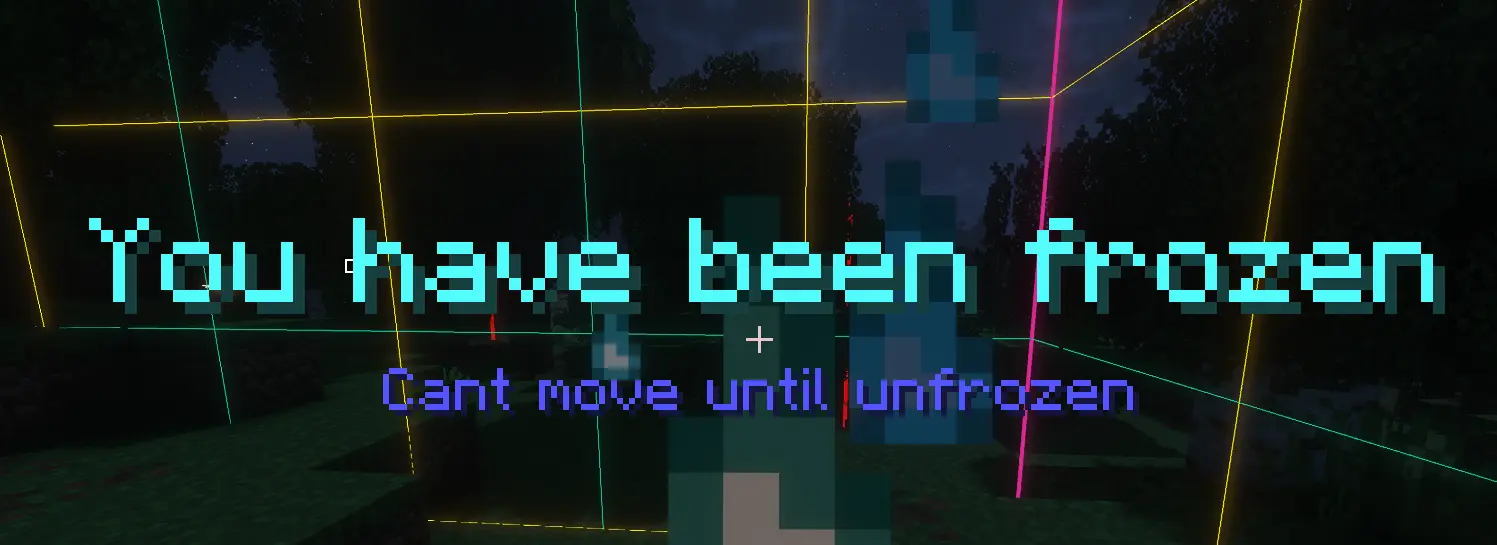
When a player is frozen, they receive clear visual feedback through titles and particle effects, ensuring they understand what’s happening.
Here is a picture of what happens when you freeze someone and of course it also says when you get unfrozen.
Example:
The plugin is highly customizable, with most features configurable in the config file. You can adjust particle speed and position, toggle whether players are muted while frozen, and decide if the /freeze command should also act as an unfreeze toggle. All settings can be reloaded in-game with a simple command, making adjustments quick and easy.
Designed with performance in mind, the plugin is extremely lightweight as you won’t notice any difference in server performance whether it’s installed or not.
- Edition: Minecraft Java
- File type: .jar
- Minecraft versions listed: 1.21, 1.21.1, 1.21.2
- How to install: Install the matching mod loader (Forge, Fabric or NeoForge) for your Minecraft version. → Download the .jar. → Put it in the .minecraft/mods folder and launch that loader profile.
- Where to get it: Opens on Modrinth — not every file is mirrored on our own servers.
Install steps are the general flow for this file type — How to install Minecraft Java mods & modpacks walks through it step by step.
- Ships as FreezePlayers-1.0-SNAPSHOT.jar — drop this file into the mods folder
- Download size: 11 KB
- Download link checked 13 Sept 2026 — working
These come from our own check of the pack file, not from the source page.