
☁️ CloudBackupMC: Seamless Cloud Backups for Minecraft
Stop worrying about data loss. CloudBackupMC is the ultimate solution for Minecraft server owners and players to automate server backups directly to personal cloud storage. Whether you're a server owner wanting a secure off-site copy or a player wanting to secure your own data, we've got you covered.
✨ Key Features
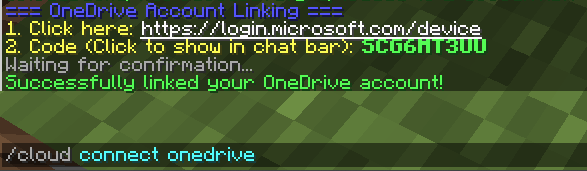
- 🌍 One-Click OneDrive Sync: Link your Microsoft OneDrive account in seconds using a simple device code—no complex API setups required!
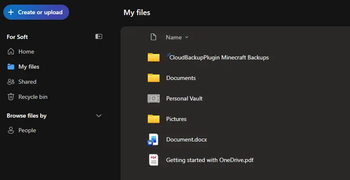
- 📂 Automatic Organization: Backups are automatically sorted into folders named after your server (e.g.,
SurvivalServer Minecraft Backups). - 🕒 Scheduled Backups: Set it and forget it! Configure automated backup intervals to keep your data current without lifting a finger.
- 🛡️ Smart Retention: Keep your local storage clean by automatically pruning old backups while maintaining your history in the cloud.
- 👥 Multi-User Support: Allow specific players to link their own cloud accounts for personalized data security.
- ⚡ High Performance: Asynchronous zipping and uploading ensures your server performance stays smooth during the backup process.
🛠️ Commands & Permissions
| Command | Description | Permission |
|---|---|---|
/cloud connect onedrive |
Link your personal OneDrive account | |
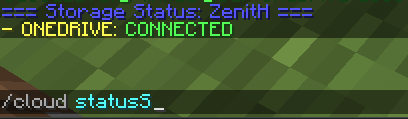
/cloud status |
Check your connection status | |
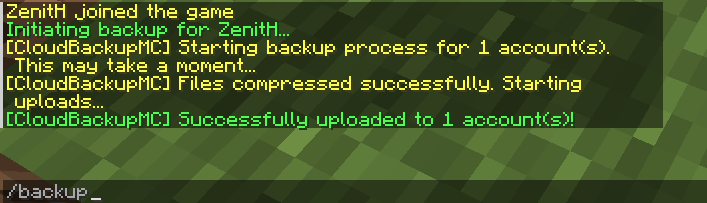
/backup |
Trigger an immediate manual backup | |
/cloud reload |
Reload configuration and whitelist | |
/cloud whitelist add <player> |
Authorize a player to use cloud backups |
🚀 Easy Setup
- Drop the
CloudBackupMC.jarinto yourpluginsfolder. - Restart your server.
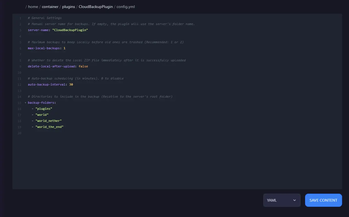
- Optional: Set your
server-nameinconfig.ymlor let the plugin detect it automatically! - Run
/cloud connect onedrivein-game and follow the link to authorize. - You're protected! Your first backup is ready to go.
Privacy Focused: This plugin uses the official Microsoft Graph API. We never see your password; your authorization is handled directly and securely by Microsoft.
Quick facts
- Edition: Minecraft Java
- File type: .jar
- Minecraft versions listed: 1.13, 1.13.1, 1.13.2
- How to install: Install the matching mod loader (Forge, Fabric or NeoForge) for your Minecraft version. → Download the .jar. → Put it in the .minecraft/mods folder and launch that loader profile.
- Where to get it: Opens on Modrinth — not every file is mirrored on our own servers.
Install steps are the general flow for this file type — How to install Minecraft Java mods & modpacks walks through it step by step.
Verified by MCModsHub
- Ships as CloudBackupMC-2.0.0.jar — drop this file into the mods folder
- Download size: 36 KB
- Download link checked 14 Sept 2026 — working
These come from our own check of the pack file, not from the source page.