
LinkingMC
LinkingMC is a bridge between Minecraft and Discord that connects player accounts and permissions. It helps staff and players stay synced across both…
⬇ Download on Modrinth

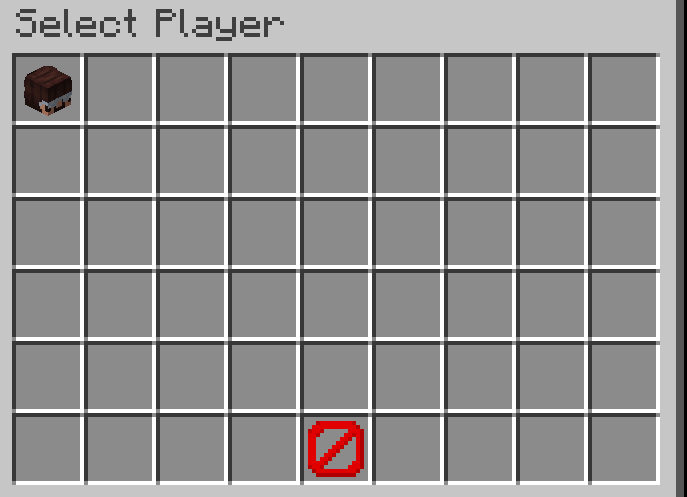
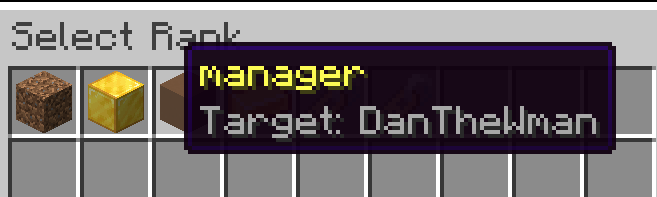
Core Functionality The plugin's primary role is to bridge the gap between a player's in-game presence and their Discord profile. By establishing this link, server administrators can automate many community management tasks that would otherwise require manual effort.
Key Features Account Verification: Players can securely link their Minecraft accounts to Discord using a simple verification code system, ensuring that their identities are consistent across both platforms.
**Rank & Role Synchronization: **The plugin can be configured to automatically assign or remove Discord roles based on a player's in-game rank. This is particularly useful for ensuring that staff members, donors, or specific player tiers have the correct permissions and titles on Discord.
Interactive In-Game Menus: Instead of relying solely on text commands, players can use a visual interface (GUI) to manage their ranks or check their linking status directly within Minecraft.
Real-Time Permission Sync: By integrating with permission management systems like LuckPerms, the plugin ensures that any changes to a player's status on the server are reflected on Discord almost immediately.
- Edition: Minecraft Java
- File type: .jar
- Minecraft version listed: 1.21.11
- How to install: Install the matching mod loader (Forge, Fabric or NeoForge) for your Minecraft version. → Download the .jar. → Put it in the .minecraft/mods folder and launch that loader profile.
- Where to get it: Opens on Modrinth — not every file is mirrored on our own servers.
Install steps are the general flow for this file type — How to install Minecraft Java mods & modpacks walks through it step by step.
- Ships as linking-mc-1.0.0.jar — drop this file into the mods folder
- Download size: 17.9 MB
- Download link checked 14 Sept 2026 — working
These come from our own check of the pack file, not from the source page.