
ModsJava
InfoHeads
Java mod listed for Minecraft 1.21. Downloads from the MC Java Mods app on Android.
⬇ Download on Modrinth InfoHeads is a plugin which allows you to assign commands / messages to be executed upon right click of a block. A truly great block to event solution!

Main Features
- Click a block to display:
- Messages! Send quick text to a user
- Console Commands! Execute commands from the console.
- Player Commands! Force players to execute a command.
- Temporary Permissions! Don't give them op!
- Cooldowns! Useful for daily rewards, quests and more!
- Delay! Enable pauses between elements.
- One-time Use! Restrict interactions to one per person.
- Click to teleport! Forgotten where the head has gone? Click to tp to its location.
- Threaded! This plugin uses asynchronous tasks, keeping your server TPS largely unaffected.
- Lightweight! Minimal impact on server performance.
- Placeholders Embed the interacting player name in commands and messages.
- Translatable!
Permissions
Infoheads.use: Allows usage for right-clicking head
Infoheads.admin: Allows usage for the setup wizard
Commands:
/Infoheads wizard: Starts up wizard
/Infoheads reload: Reloads config file.
/Infoheads remove: Delete info head you're looking at.
/Infoheads edit: Edit the infohead you're looking at.
/Infoheads list: List the current infoheads that exist.
/Infoheads help: Displays the help menu.
 None required
This is a standalone plugin. This means the plugin works without any other plugin needing to be installed. However, you can install extra plugins for optional add-ons.
 Optional Installations
More Placeholders! Install PlaceholderAPI. Then use their available placeholders.
Support
General Help: Please send me a direct message or leave a comment.
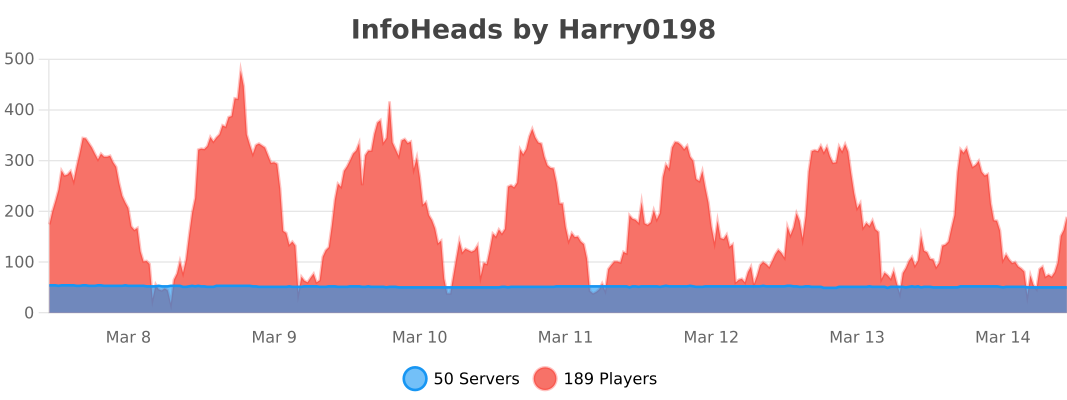
Plugin usage by server and players:
Quick facts
- Edition: Minecraft Java
- File type: .jar
- Minecraft versions listed: 1.21, 1.21.1, 1.21.2
- How to install: Install the matching mod loader (Forge, Fabric or NeoForge) for your Minecraft version. → Download the .jar. → Put it in the .minecraft/mods folder and launch that loader profile.
- Where to get it: Opens on Modrinth — not every file is mirrored on our own servers.
Install steps are the general flow for this file type — How to install Minecraft Java mods & modpacks walks through it step by step.
File checked by MCModsHub
- Ships as InfoHeads-spigot-2.5.3(1).jar — drop this file into the mods folder
- Download size: 4.7 MB
- Download link checked 4 Oct 2026 — working
These come from our own check of the pack file, not from the source page.