
GEmote
Java mod listed for Minecraft 1.13–26.x. Downloads from the MC Java Mods app on Android.
⬇ Download on Modrinth

Modern lightweight particle emote - plugin
Supports Spigot, Paper (+ all Forks), Folia Servers from 1.13 to 26.2!
Overview
This is a modern lightweight emote - plugin which allows you to use multiple emotes
This Plugin contains a lot of settings and features that all can be changed by you in the plugin config and the language files
Join the GPlugins Discord Server for the latest Updates and News
If you like my plugins and libraries please support me by leaving a good Review
Special Features
- 100% customizable!
- Very good performance
- WorldGuard-Area-Support!
- WorldGuard-Flags! ("emote")
- Placeholders from PlaceholderAPI ("emoting")
- And many more ...
More emotes
You can create new emotes by making a copy of an existing emote
Edit it with a text editor to change the content
The file structure is explained in the file
You like to download already existing files? Visit our emotes Discord channel!
Commands
/emote (/gemote) -> Use an emote
/gemotereload (/gemoterl) -> Reloads the plugin
Permissions
OP-Permission: GEmote.* Update-Notification-Permission: GEmote.Update Config-Reload-Permission: GEmote.Reload
Emote-Permissions (Default permissions marked underlined):
- GEmote.Emote.* -> Combines "GEmote.Emote & GEmote.Emote.[Name]"
- GEmote.Emote -> Use "/emote"
- GEmote.Emote.[Name] -> Use "/emote [Name]"
- GEmote.ByPass.* -> Combines "GEmote.ByPass.World"
- GEmote.ByPass.World -> Ignore the WorldBlacklist
- GEmote.ByPass.Region -> Ignore regions
Known Bugs / Issues
If you discover any kind of bug please join the GPlugins Discord Server, so i can fix it as soon as possible!
Stats
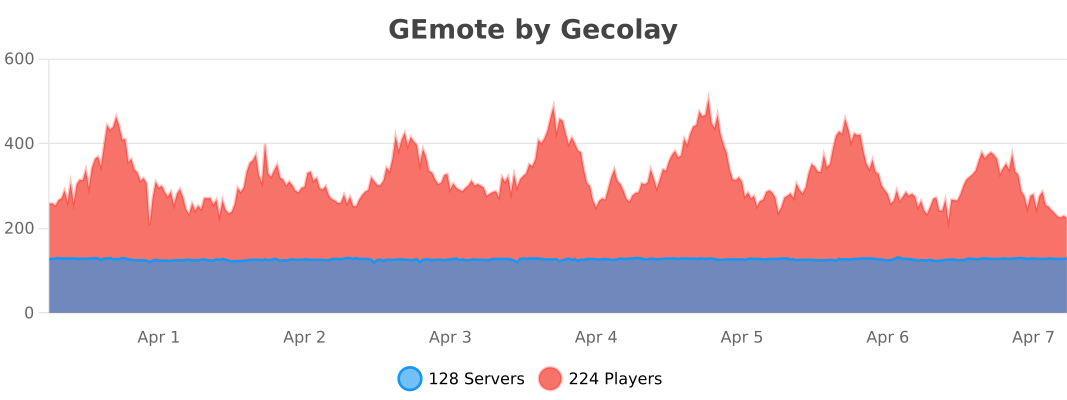
This Plugin supports the Minecraft-Versions: 1.13, 1.14, 1.15, 1.16, 1.17, 1.18, 1.19, 1.20, 1.21, 26.1 & 26.2
- Edition: Minecraft Java
- File type: .jar
- Minecraft versions listed: 1.13, 1.13.1, 1.13.2
- How to install: Install the matching mod loader (Forge, Fabric or NeoForge) for your Minecraft version. → Download the .jar. → Put it in the .minecraft/mods folder and launch that loader profile.
- Where to get it: Opens on Modrinth — not every file is mirrored on our own servers.
Install steps are the general flow for this file type — How to install Minecraft Java mods & modpacks walks through it step by step.
- Ships as GEmote-1.1.0.jar — drop this file into the mods folder
- Download size: 106 KB
- Download link checked 21 Oct 2026 — working
These come from our own check of the pack file, not from the source page.