
Bigorna
Java mod listed for Minecraft 1.20–26.x. Downloads from the MC Java Mods app on Android.
⬇ Download on Modrinth


| 🇺🇸 English |
Anvil

Plugin created to customize the traditional Minecraft anvil, adding new features to diversify your server.
Demonstration
Main Menu
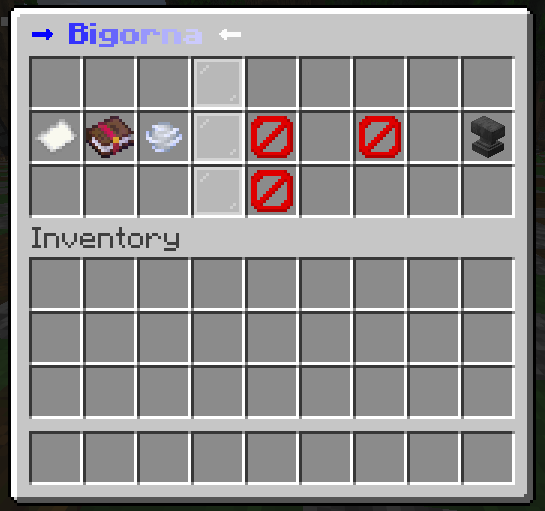
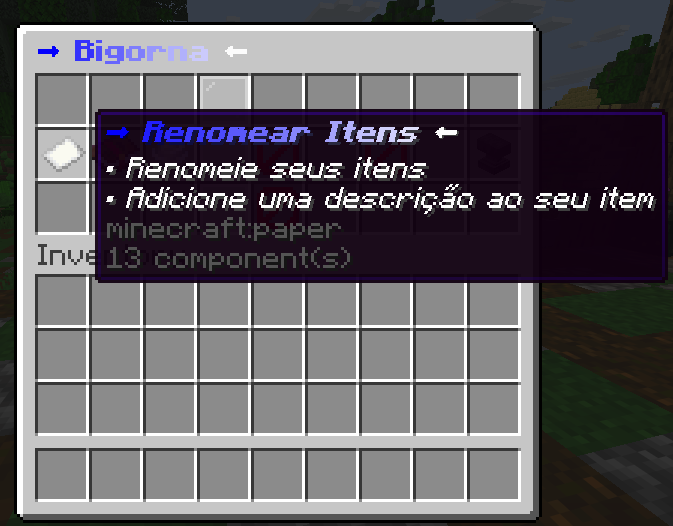
Rename Items
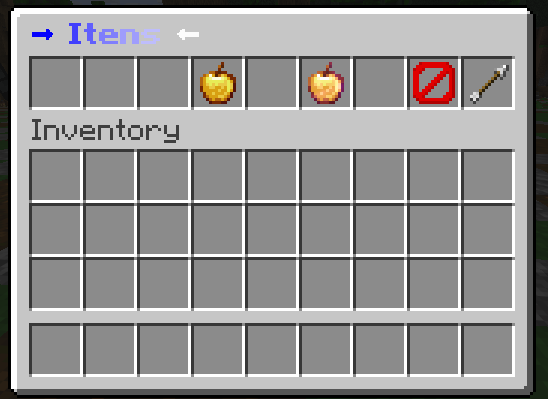


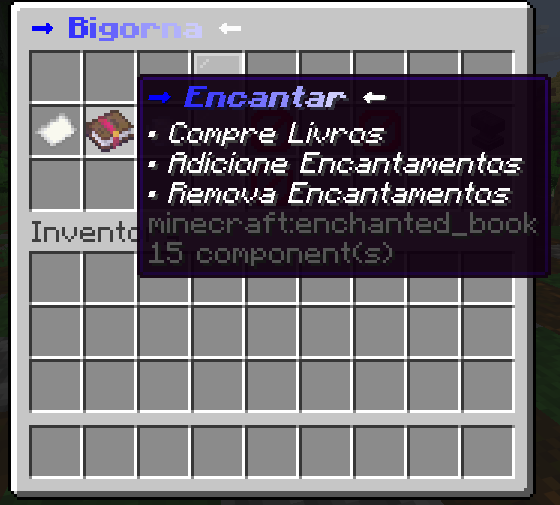
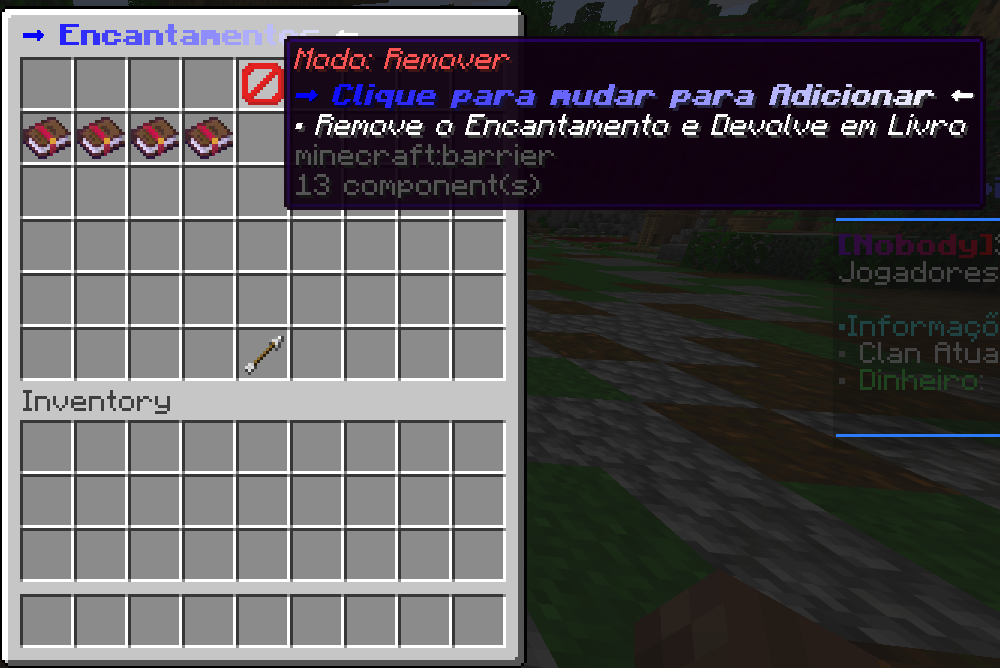
Enchant
Forge
Auto Upgrade
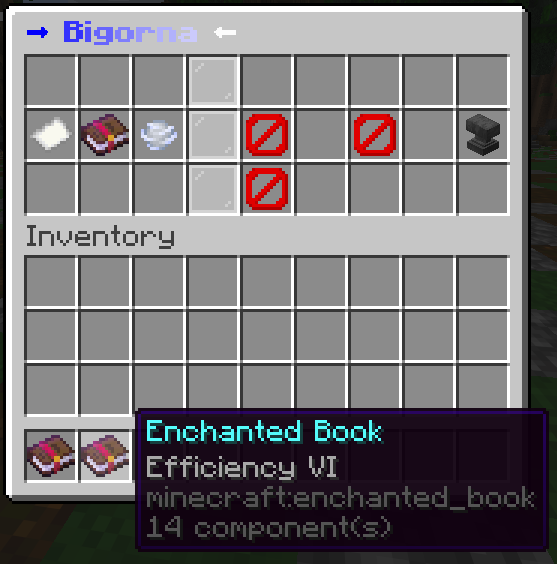
Commands
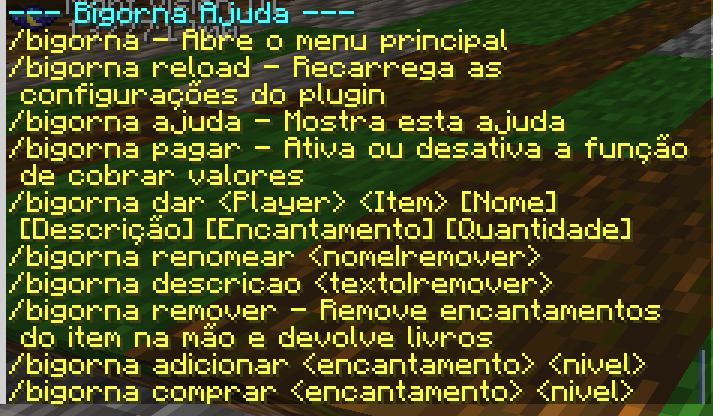
Features
- Fully configurable menu via YAML
- Rename item via chat
- Add and remove item description
- Enchantment menu with purchase, add, and removal
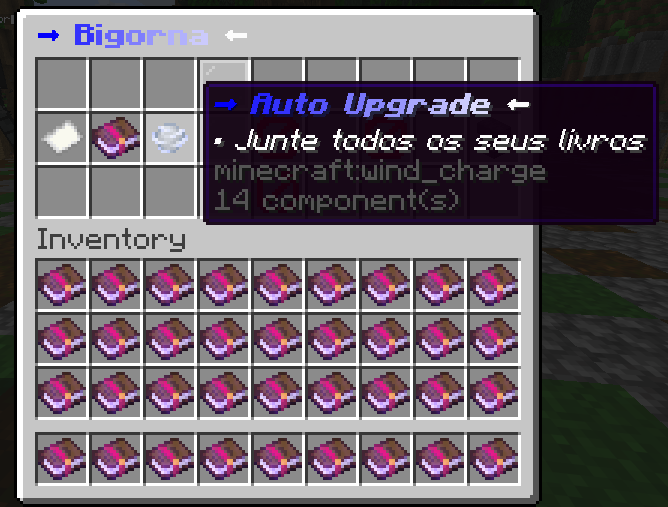
- Automatic upgrade using all books in the inventory
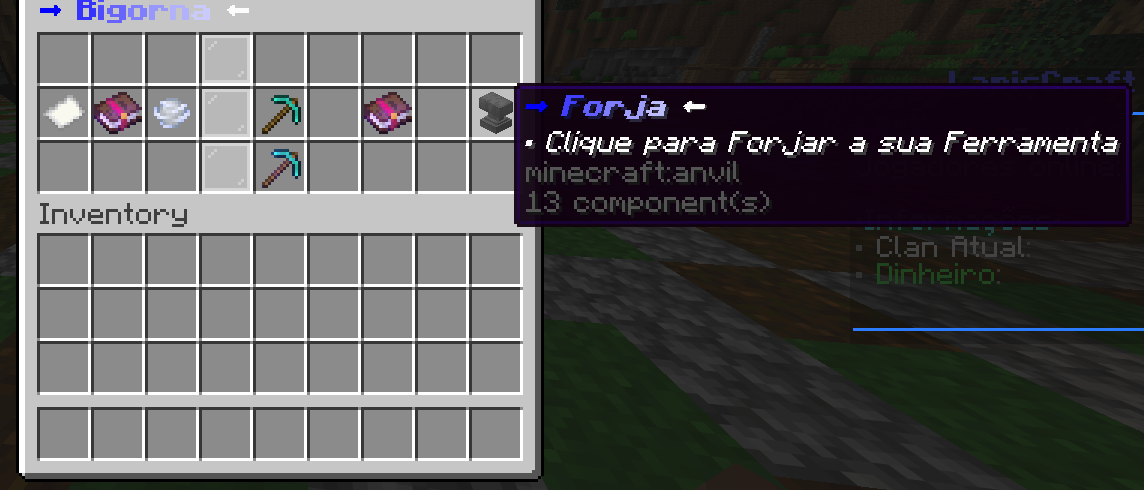
- Forge with the same function as the traditional anvil
- Visual placeholders for empty forge slots
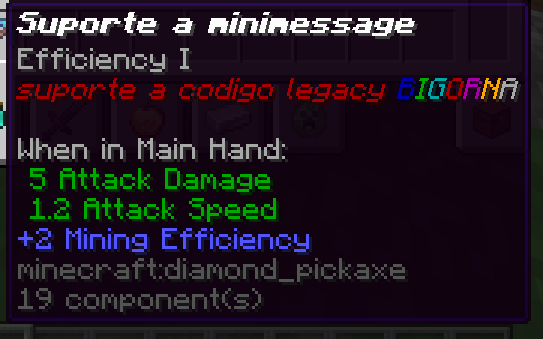
- Support for MiniMessage and legacy codes with
& - Permissions separated by function
- Optional Vault support for economy
Requirements
- Java 21
- Paper 1.20.4 or higher
- Optional Vault for economy
- Economy plugin compatible with Vault
Permissions and Commands
Permissions are configurable to adapt to your server and player groups.
| Permission | Description | Target Group |
|---|---|---|
bigorna.menu |
Permission to use everything in /bigorna |
VIP |
bigorna.menu.comando |
Allows opening the menu with /bigorna |
VIP |
bigorna.menu.bigorna |
Allows opening the menu by clicking the anvil | DEFAULT |
bigorna.menu.renomear |
Allows using the rename menu | VIP |
bigorna.menu.encantar |
Allows using the enchant menu | VIP |
bigorna.menu.upgrade |
Allows using auto upgrade | VIP |
bigorna.menu.forja |
Allows using the forge | DEFAULT |
bigorna.ajuda |
Allows using /bigorna ajuda |
STAFF |
bigorna.reload |
Allows using /bigorna reload |
STAFF |
bigorna.pagar |
Allows using /bigorna pagar [true/false] |
STAFF |
bigorna.dar |
Allows using /bigorna [player] [item] [name] [description] [enchantment] [quantity] |
STAFF |
bigorna.renomear |
Allows using /bigorna renomear [name] |
STAFF |
bigorna.descricao |
Allows using /bigorna descricao [description] |
STAFF |
bigorna.remover |
Allows using /bigorna remover |
STAFF |
bigorna.adicionar |
Allows using /bigorna adicionar [enchantment] [level] |
STAFF |
bigorna.comprar |
Allows using /bigorna comprar [enchantment] [level] |
STAFF |
MiniMessage and legacy code support
The plugin accepts MiniMessage and legacy codes with & in configured texts for menus, buttons, placeholders, and titles.
Example with MiniMessage
GUI_Principal: "<gradient:#5BCEFA:#F5A9B8>My Anvil</gradient>"
GUI_Renomear: "<yellow>Rename Menu</yellow>"
GUI_Encantar: "<gold>Enchantments</gold>"
Botao_Voltar:
  Nome: "<yellow>Back</yellow>"
| 🇧🇷 **Português** |
Bigorna
Plugin criado para personalizar a bigorna tradicional do Minecraft, adicionando novas funções para diversificar o seu servidor.
Demonstração
Menu Principal
Renomear Itens
Encantar
Forja
Auto Upgrade
Comandos
Recursos
- Menu totalmente configurável por YAML
- Renomear item pelo chat
- Adicionar e remover descrição do item
- Menu de encantamentos com compra, adição e remoção
- Upgrade automático com todos os livros do inventário
- Forja com a mesma função da bigorna tradicional
- Placeholders visuais para os slots vazios da forja
- Suporte a MiniMessage e códigos legacy com
& - Permissões separadas por função
- Suporte opcional a Vault para economia
Requisitos
- Java 21
- Paper 1.20.4 ou superior
- Vault opcional para economia
- Plugin de economia compatível com Vault
Permissões e Comandos
As permissões são configuráveis para se adaptar ao seu servidor e aos grupos de jogadores.
| Permissão | Descrição | Grupo alvo |
|---|---|---|
bigorna.menu |
Permissão para utilizar tudo no /bigorna |
VIP |
bigorna.menu.comando |
Permite abrir o menu com /bigorna |
VIP |
bigorna.menu.bigorna |
Permite abrir o menu clicando na bigorna | DEFAULT |
bigorna.menu.renomear |
Permite utilizar o menu de renomear | VIP |
bigorna.menu.encantar |
Permite utilizar o menu de encantar | VIP |
bigorna.menu.upgrade |
Permite utilizar o auto upgrade | VIP |
bigorna.menu.forja |
Permite utilizar a forja | DEFAULT |
bigorna.ajuda |
Permite utilizar /bigorna ajuda |
STAFF |
bigorna.reload |
Permite utilizar /bigorna reload |
STAFF |
bigorna.pagar |
Permite utilizar /bigorna pagar [true/false] |
STAFF |
bigorna.dar |
Permite utilizar /bigorna [player] [item] [nome] [descrição] [encantamento] [quantidade] |
STAFF |
bigorna.renomear |
Permite utilizar /bigorna renomear [nome] |
STAFF |
bigorna.descricao |
Permite utilizar /bigorna descricao [descrição] |
STAFF |
bigorna.remover |
Permite utilizar /bigorna remover |
STAFF |
bigorna.adicionar |
Permite utilizar /bigorna adicionar [encantamento] [nivel] |
STAFF |
bigorna.comprar |
Permite utilizar /bigorna comprar [encantamento] [nivel] |
STAFF |
Suporte a MiniMessage e códigos legacy
O plugin aceita MiniMessage e códigos legacy com & nos textos configurados dos menus, botões, placeholders e títulos.
Exemplo com MiniMessage
GUI_Principal: "<gradient:#5BCEFA:#F5A9B8>Minha Bigorna</gradient>"
GUI_Renomear: "<yellow>Menu de Renomear</yellow>"
GUI_Encantar: "<gold>Encantamentos</gold>"
Botao_Voltar:
  Nome: "<yellow>Voltar</yellow>
- Edition: Minecraft Java
- File type: .jar
- Minecraft versions listed: 1.20, 1.20.1, 1.20.2
- How to install: Install the matching mod loader (Forge, Fabric or NeoForge) for your Minecraft version. → Download the .jar. → Put it in the .minecraft/mods folder and launch that loader profile.
- Where to get it: Opens on Modrinth — not every file is mirrored on our own servers.
Install steps are the general flow for this file type — How to install Minecraft Java mods & modpacks walks through it step by step.
- Ships as Bigorna.jar — drop this file into the mods folder
- Download size: 54 KB
- Download link checked 24 Oct 2026 — working
These come from our own check of the pack file, not from the source page.