
JoinMesg
A Minecraft server plugin that customizes join, quit, and first-join messages. Fully compatible with Folia, Bukkit/Paper, and their forks!
Features
- Customize welcome messages for first-time players
- Customize player join messages
- Customize player quit messages
- Full support for Folia, Bukkit/Paper and their forks
- Configurable messages with color codes
- Built-in metrics collection (bStats)
Usage Tutorial
Installation
- Download the latest version of JoinMesg plugin
- Place the
.jarfile into your server'spluginsfolder - Restart or reload your server
- A
config.ymlfile will be generated automatically
Configuration
Edit the config.yml file in the plugins/JoinMesg directory to customize messages:
#Welcome to join for the first time
welcomeFirstJoin:
  enabled: true
  message: "&dNew players &e%player% &dare welcome to join the server!"

#If you don't turn on the following functions, you won't modify the information instead of turning it off
#Players join the server
join:
  enabled: true
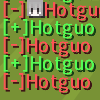
  message: "&a[+]%player%"

#The player leaves the server
quit:
  enabled: true
  message: "&c[-]%player%"

#Compatibility mode (if the function does not work properly, you can try toggling this option)
compatible: true
Message Placeholders
%player%- Displays the player's name
Color Codes
Use Minecraft color codes in your messages:
&a- Green&c- Red&d- Light Purple&e- Yellow&f- White- And more...
Commands
| Command | Permission | Description |
|---|---|---|
/joinmesg |
joinmesg.maincmd |
Display plugin help |
/joinmesg reload |
joinmesg.reload |
Reload plugin configuration |
/jm |
joinmesg.maincmd |
Alias for /joinmesg |
Permissions
| Permission | Description | Default |
|---|---|---|
joinmesg.* |
Full access to all plugin features | OP |
joinmesg.admin |
Admin permissions | OP |
joinmesg.maincmd |
Access to main command | OP |
joinmesg.reload |
Permission to reload plugin | OP |
Requirements
- Java 17 or higher
- Minecraft 1.20+ (Paper/Bukkit/Folia)
Support
- Website: https://mc.wunanc.top
- Issues: Create an issue on the repository
bStats Metrics
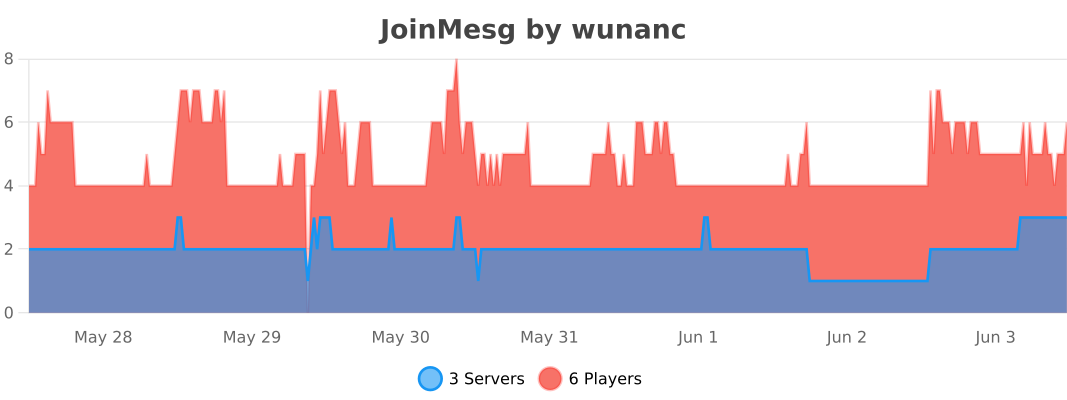
This plugin uses bStats to collect anonymous usage statistics. You can view the plugin metrics on the bStats website.
Quick facts
- Edition: Minecraft Java
- File type: .jar
- Minecraft versions listed: 1.20, 1.20.1, 1.20.2
- How to install: Install the matching mod loader (Forge, Fabric or NeoForge) for your Minecraft version. → Download the .jar. → Put it in the .minecraft/mods folder and launch that loader profile.
- Where to get it: Opens on Modrinth — not every file is mirrored on our own servers.
Install steps are the general flow for this file type — How to install Minecraft Java mods & modpacks walks through it step by step.
Verified by MCModsHub
- Ships as JoinMesg-1.3.3.jar — drop this file into the mods folder
- Download size: 49 KB
- Download link checked 13 Sept 2026 — working
These come from our own check of the pack file, not from the source page.