
ModsJava
Dis2FA
Java mod listed for Minecraft 1.18. Downloads from the MC Java Mods app on Android.
Discord-based 2FA for offline-mode Minecraft servers. Link accounts, prevent unauthorized logins, and manage access through approvals.
I don't know my version or loader
Open the Minecraft launcher and look at the profile you play on — it names both, like fabric-loader-1.21.4. The version also shows in the bottom-right corner of the game's main menu.
No loader in the profile name? Then it's plain Minecraft, and these mods won't run — you need Fabric or NeoForge installed first.
Dis2FA
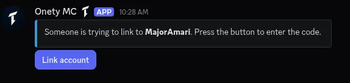
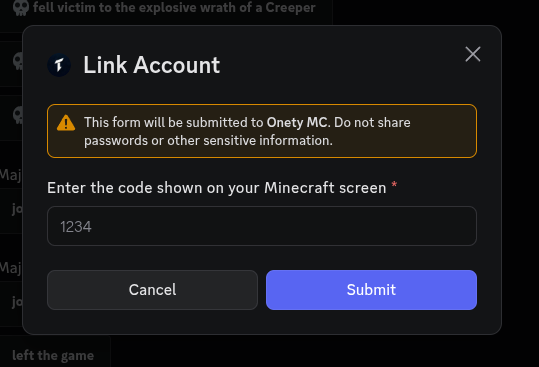
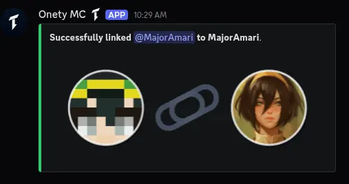
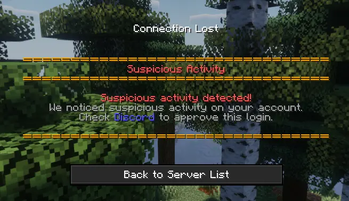
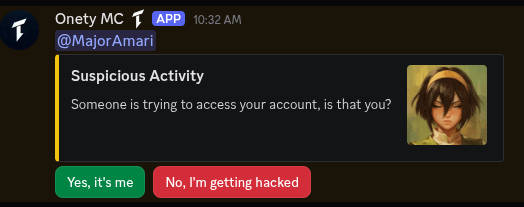
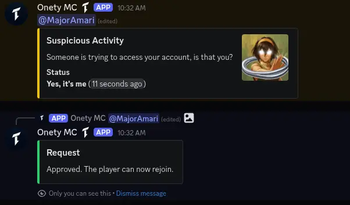
Secure your offline-mode Minecraft server with Discord-based two-factor authentication. Players link their Discord account to their Minecraft account — and any device change requires Discord approval before they can join again.
How it works
- A player joins for the first time and gets kicked with a one-time code
- They send the code to the bot (DM or configured channel)
- Their Discord account is linked to their Minecraft UUID
- On future joins they're let straight in — unless their device changes
- If a new device is detected, an approval request is posted to Discord before they can join
Features
- Discord-based verification — uses a bot your players already have
- Device approval — IP-based fingerprinting flags logins from new devices
- Discord role gating — restrict access to players with a specific role
- Ban sync — Discord bans can carry over to Minecraft and vice versa
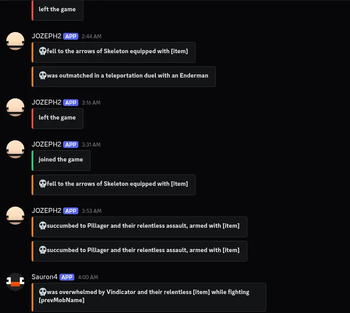
- Chat bridge — two-way chat between Discord and Minecraft
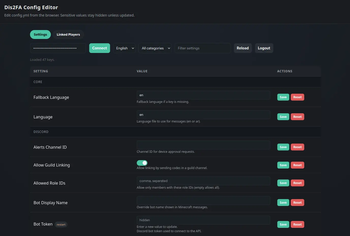
- Web config editor — edit your config from a browser via
/da webwith magic link login - Standalone — built-in JDA, no DiscordSRV or other plugins required
- SQLite storage — all links and device requests persist automatically
Compatibility
| Platform | Version | Jar |
|---|---|---|
| Bukkit / Spigot / Purpur | 1.18.2+ | Dis2FA-bukkit-<version>.jar |
| Paper | 1.20.2+ | Dis2FA-paper-<version>.jar |
| Folia | 1.20.2+ | Dis2FA-folia-<version>.jar |
Requirements
- Java 17+
- A Discord bot token
Setup
- Pick the correct jar for your server type
- Drop it into
plugins/and start the server once to generateconfig.yml - Add your bot token and channel IDs to
config.yml - Restart the server
- Verify everything is working with
/da status
Links
Quick facts
- Edition: Minecraft Java
- File type: .jar
- Minecraft versions listed: 1.18, 1.18.1, 1.18.2
- How to install: Install the matching mod loader (Forge, Fabric or NeoForge) for your Minecraft version. → Download the .jar. → Put it in the .minecraft/mods folder and launch that loader profile.
- Where to get it: Opens on Modrinth — not every file is mirrored on our own servers.
Install steps are the general flow for this file type — How to install Minecraft Java mods & modpacks walks through it step by step.
File checked by MCModsHub
- Ships as Dis2FA-bukkit-1.5.2.jar — drop this file into the mods folder
- Download size: 31.5 MB
- Download link checked 2 Oct 2026 — working
These come from our own check of the pack file, not from the source page.