
🔴 RedSwitch
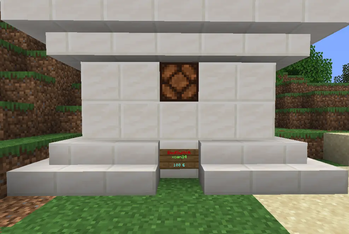
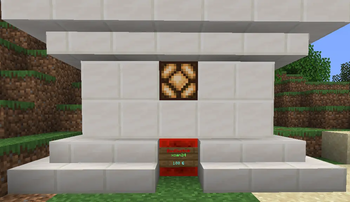
RedSwitch is an lightweight, highly customizable economy plugin for Paper 1.21+ servers that allows players to monetize redstone pulses. Players can easily create physical switch signs that other users can buy to activate a redstone signal.
It is the perfect addition to survival, roleplay, and economy servers—ideal for player-owned minigames, automated shops, casino, doors and more!
✨ Key Features
- Dual Economy Support: Fully supports EssentialsX and PlayerPoints economy. Players can choose which currency they want to use when creating a switch.
- Offline Earnings: If someone buys a player's switch while they are offline, the plugin securely stores the earnings and notifies the owner the moment they log back in!
- Database Management: Supports both local SQLite and remote MySQL. Features a completely automatic, lag-free migration tool (switch from SQLite to MySQL with a single config change!).
- Anti-Spam & Optimization: Built-in configurable global cooldowns per sign to prevent redstone lag and transaction spam.
- Limit System: Grant players sign creation limits via permissions (e.g.,
redswitch.limit.10) or let them bypass limits completely. - Modern Formatting: Full MiniMessage support (
<red>,<bold>,<gradient>) for all chat messages and sign texts. - In-Game Chat Manager: Players can view their active signs, their locations, and prices using
/rs info. Admins can inspect anyone's signs and easily teleport to them. - Automatic Updates: Built-in update checker linked directly to Modrinth. Admins get notified in-game when a new version drops!
🚀 How It Works
- Place a sign on a block.
- Look at the sign and type
/rs create <price> <currency> [description]. - The sign automatically formats itself and becomes a protected RedSwitch!
- Another player right-clicks the sign and types
/rs confirmto securely purchase. - A redstone block is spawned behind the sign for a configurable amount of time (default is 1 second), activating any attached redstone contraptions!
💻 Commands
Player Commands:
/rs create <price> <currency> [desc]- Converts a targeted sign into a RedSwitch./rs edit <price/currency/desc> <value>- Edits an existing switch./rs delete- Deletes your switch./rs confirm- Confirms a pending transaction./rs info [page]- Lists all your active switches and their locations.
Admin Commands:
/rsa info <player/@a>- Views all switches of a specific player or the entire server. Clickable teleport links included!/rs reload- Reloads the configuration and messages.
⚙️ Permissions
redswitch.use- Default permission to create and manage own signs.redswitch.limit.<number>- Sets the max amount of signs a player can have.redswitch.limit.bypass- Allows unlimited signs.redswitch.admin- Access to admin commands, editing/breaking others' signs, and update notifications.
🔧 Dependencies
- Vault (Required)
- EssentialsX (Optional)
- PlayerPoints (Optional)
Quick facts
- Edition: Minecraft Java
- File type: .jar
- Minecraft versions listed: 1.21, 1.21.1, 1.21.2
- How to install: Install the matching mod loader (Forge, Fabric or NeoForge) for your Minecraft version. → Download the .jar. → Put it in the .minecraft/mods folder and launch that loader profile.
- Where to get it: Opens on Modrinth — not every file is mirrored on our own servers.
Install steps are the general flow for this file type — How to install Minecraft Java mods & modpacks walks through it step by step.
Verified by MCModsHub
- Ships as RedSwitch-1.0.jar — drop this file into the mods folder
- Download size: 46 KB
- Download link checked 23 Aug 2026 — working
These come from our own check of the pack file, not from the source page.