
ModsJava
Thermostats
⚡A plugin that adds realistic temperature to your server. Make the server more hardcore and more attractive for survival!
⬇ Download on Modrinth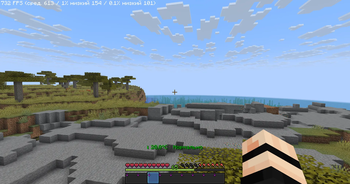
Thermostats — Make your server feel alive!
A dynamic temperature system for Minecraft that adds a layer of survival challenge based on your surroundings.
🇺🇸 English
Features:
- Dynamic Temperature: Your body temperature changes based on the biome, altitude, weather, and time of day.
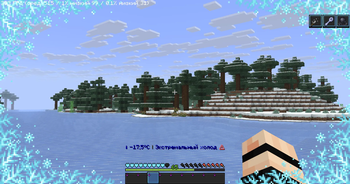
- Atmospheric Effects: Feel the scorching heat of the Nether, the biting cold of the End, and the freezing winds of snowy biomes.
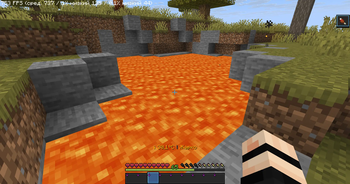
- Environmental Factors: Proximity to heat or cold sources (like lava or ice), moisture levels, and your armor all impact your survival.
- New Enchantment: Thermoregulation (I-III). This rare enchantment helps you resist extreme temperatures.
- Where to find: Hidden in Ancient City chests with a base 1% spawn rate (configurable).
Permissions:
realtemp.admin— Full access to admin commands.realtemp.bypass— Immunity to temperature effects.realtemp.use— Access to basic player commands.
Commands:
/temperature [player]— Check current body temperature./biometemp [calc|zones|help]— View detailed biome temperature data./termoreload [confirm]— Reload the plugin configuration.
Note: Found a bug? Please report it! Your feedback helps us make the survival experience even better.
🇷🇺 Russian (Описание)
Thermostats — плагин на систему температуры, зависящую от биома, высоты и погоды. Температура отображается над панелью инвентаря.
Особенности:
- Хардкор: В Незере жарко, в Энде холодно, а броня и источники тепла напрямую влияют на ваше состояние.
- Зачарование: «Терморегуляция» (I-III) — повышает устойчивость к среде. Можно найти в Древнем городе (шанс 1%).
- Настройка: Полная поддержка конфигурации шансов выпадения и значений температуры.
Разрешения:
realtemp.admin— Полный доступ к командам администрирования.realtemp.bypass— Игнорировать эффекты температуры.realtemp.use— Использовать основные команды.
Quick facts
- Edition: Minecraft Java
- File type: .jar
- Minecraft versions listed: 1.21, 1.21.1, 1.21.2
- How to install: Install the matching mod loader (Forge, Fabric or NeoForge) for your Minecraft version. → Download the .jar. → Put it in the .minecraft/mods folder and launch that loader profile.
- Where to get it: Opens on Modrinth — not every file is mirrored on our own servers.
Install steps are the general flow for this file type — How to install Minecraft Java mods & modpacks walks through it step by step.
Verified by MCModsHub
- Ships as TermoPlugin-1.2.0.jar — drop this file into the mods folder
- Download size: 85 KB
- Download link checked 21 Aug 2026 — working
These come from our own check of the pack file, not from the source page.