
SellHopper
Java mod listed for Minecraft 1.21–26.x. Downloads from the MC Java Mods app on Android.
⬇ Download on Modrinth

💸 CrashShop Addon: Sell Hoppers
Automate your economy. Turn items into cash instantly.



⚡ Introduction
Tired of manually clicking through GUI shops to sell your loot? Take your server's economy to the next level with SellHopper. This lightweight, high-performance addon bridges the gap between AFK farming and your server's economy.
Perfect for Skyblock and Survival servers, this plugin introduces a special "Sell Hopper" that automatically sells any item that passes through it. It seamlessly hooks into CrashShop to retrieve real-time item prices, ensuring your economy stays balanced without any extra configuration!
🔥 Key Features
- 🔗 Seamless CrashShop Integration: No need to set prices twice! The hopper pulls sell prices directly from your existing CrashShop configuration. If an item doesn't have a price in CrashShop, the hopper simply ignores it.
- 🛡️ Lag-Free Performance: Optimized to handle massive amounts of items from mob farms or quarries without ticking the main thread.
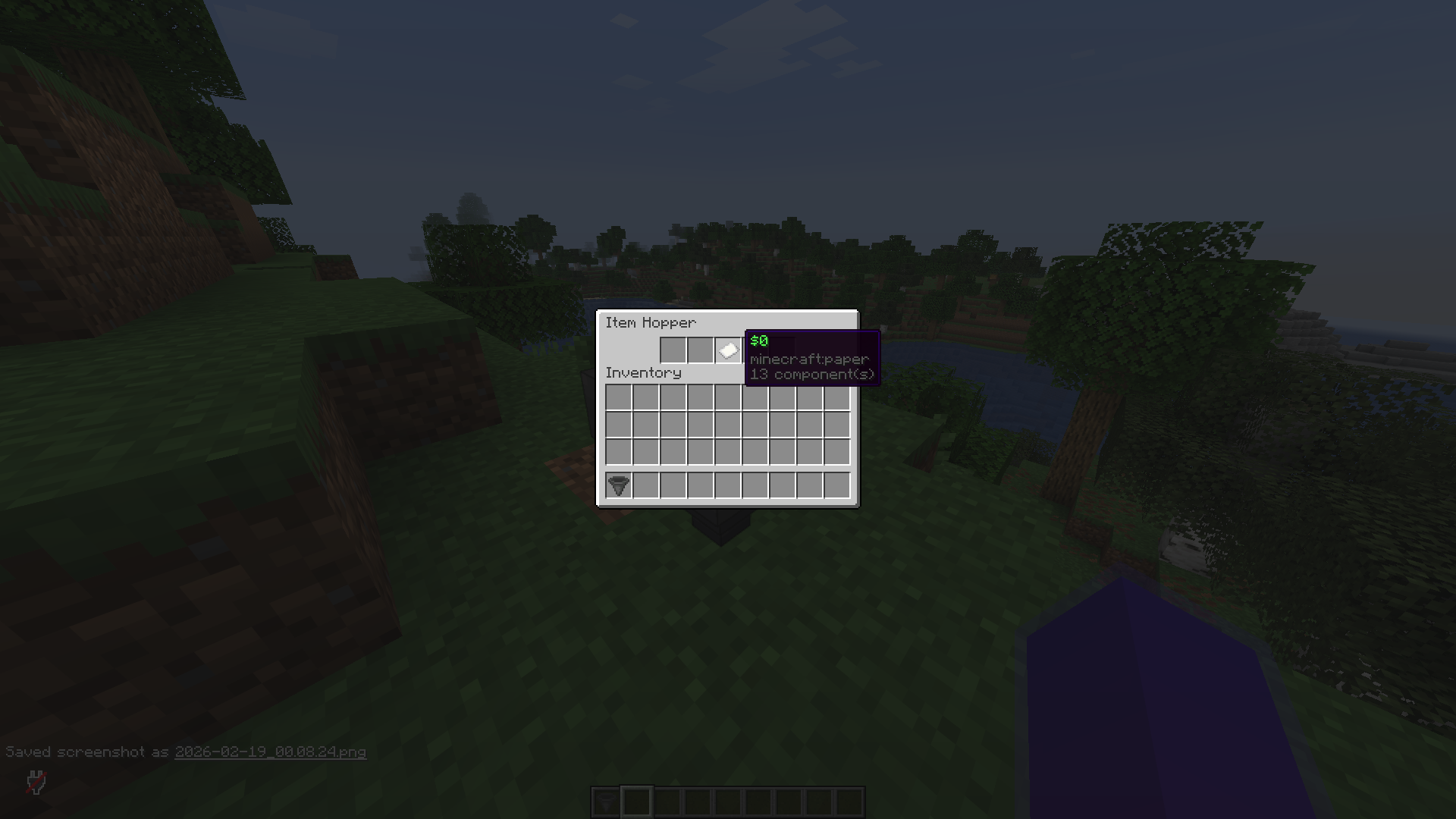
- 📊Update View: The GUI automatically update when a sellable item enter the hopper, even if a player has already opened the inventory.
- ⚙️ Fully Configurable: Customize messages, sounds, particles, and the sell interval time.
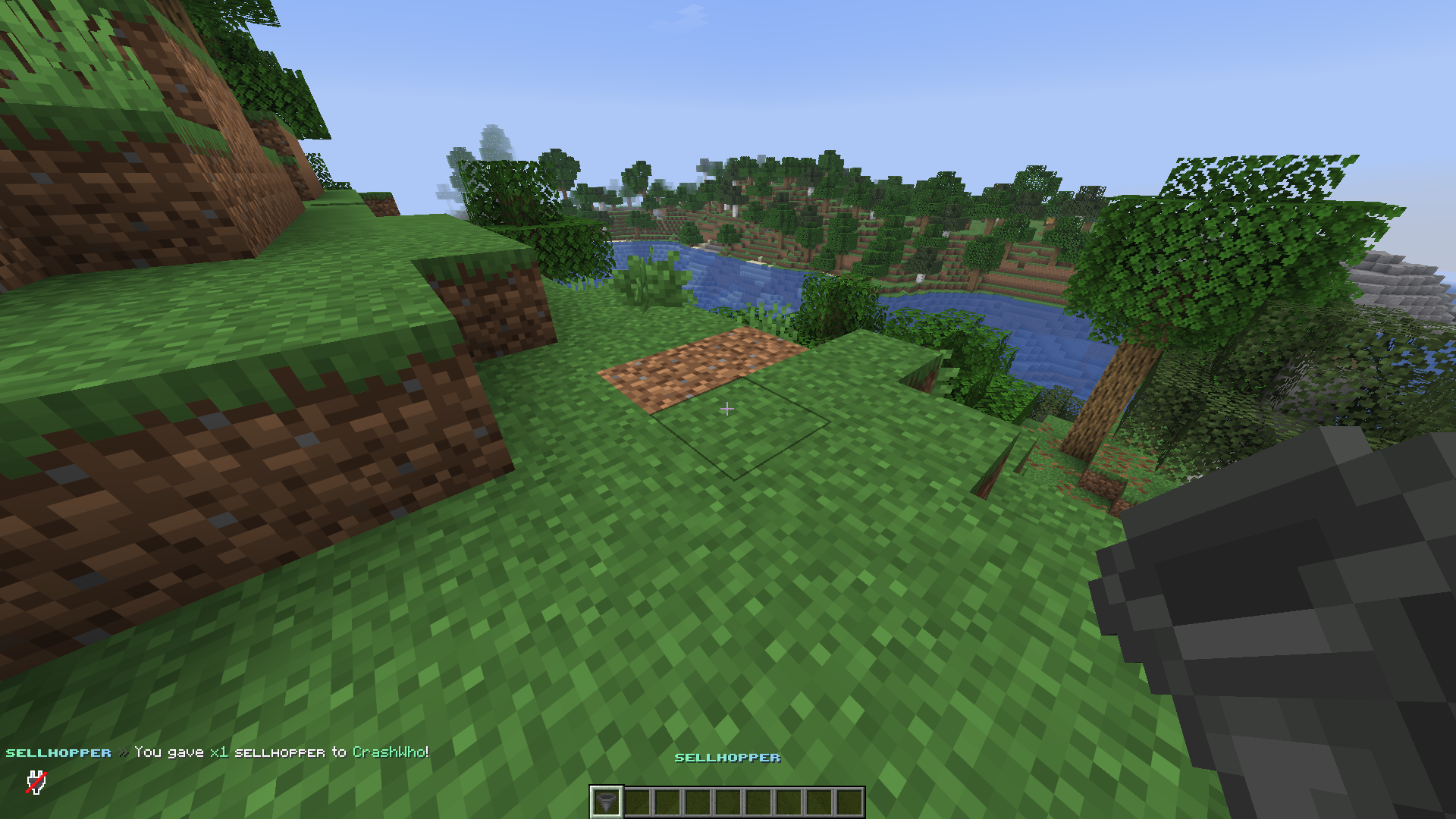
📸 Screenshots
🛠️ How It Works
- Collection: The player places the hopper connected to a chest or at the bottom of a mob farm.
- Processing:
- When an item enters the hopper, the plugin checks CrashShop.
- Is there a price? The item is consumed, and the cash is instantly deposited into the hopper balance.
- No price? The item doesn't enter in the hopper.
- You can also drop an item on the hopper and it still works. You can also drop a shulker box, the hopper automatically takes only the items that can be sold, and leaves the shulker box in top of it with the other items.
💻 Commands & Permissions
Commands
/sellhopper give <player> <amount>- Give a specific player a Sell Hopper./sellhopper reload- Reload the configuration file.
Permissions
sellhopper.use- Access to give commands.sellhopper.reload- Access to reload gommang.
📦 Dependencies
⚠️ IMPORTANT: This is an ADDON. You must have the following plugins installed for this to work:
- CrashShop (Required for pricing logic)
- Vault (Required for economy handling)
📂 Configuration Preview
items:
  hopper:
    displayname: "<gradient:#84fab0:#8fd3f4><b>ꜱᴇʟʟʜᴏᴘᴘᴇʀ</b></gradient>"
  inventory:
    material: PAPER
    displayname: "<green><money>"
    slot: 2

messages:
  prefix: "<gradient:#84fab0:#8fd3f4><b>ꜱᴇʟʟʜᴏᴘᴘᴇʀ</b></gradient> <dark_gray>»<reset> "
  reload: "<white>Configuration reloaded!"
  give: "<white>You gave <#84fab0>x<amount> <white>ꜱᴇʟʟʜᴏᴘᴘᴇʀ to <#84fab0><player><white>!"
  deposit: "<white>You collected <#84fab0><money> <white>from the ꜱᴇʟʟʜᴏᴘᴘᴇʀ!"
- Edition: Minecraft Java
- File type: .jar
- Minecraft versions listed: 1.21, 1.21.1, 1.21.2
- How to install: Install the matching mod loader (Forge, Fabric or NeoForge) for your Minecraft version. → Download the .jar. → Put it in the .minecraft/mods folder and launch that loader profile.
- Where to get it: Opens on Modrinth — not every file is mirrored on our own servers.
Install steps are the general flow for this file type — How to install Minecraft Java mods & modpacks walks through it step by step.
- Ships as SellHopper-1.0.jar — drop this file into the mods folder
- Download size: 24 KB
- Download link checked 22 Oct 2026 — working
These come from our own check of the pack file, not from the source page.