
GeoEconomy
GeoEconomy is an advanced, dynamic market plugin for Spigot/Paper servers. Features real-time supply/demand pricing, an investment portfolio system…
⬇ Download on Modrinth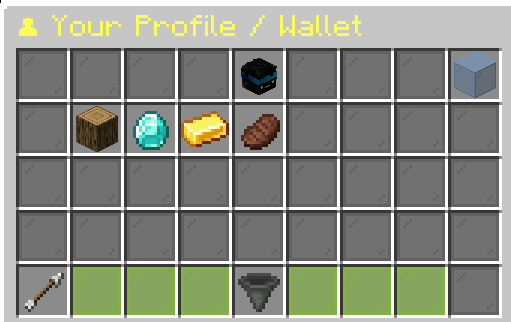
📝 Overview
GeoEconomy brings real-world economic mechanics to your Minecraft server. Unlike standard shop plugins, prices in GeoEconomy are dynamic — they fluctuate based on player supply and demand.
The plugin features a robust Investment Portfolio, allowing players to store assets and track their value over time. It also includes a built-in HTTP Web Server to display price history charts in a browser and Discord Integration for account linking.
✨ Key Features
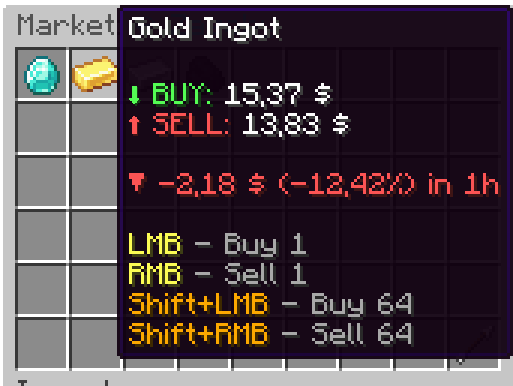
- 📈 Dynamic Pricing: Prices rise when players buy and drop when they sell.
- 🖥️ Modern GUI: Clean, intuitive interface for trading and browsing categories.
- 💼 Investment Portfolio: Players can deposit items into a virtual wallet and track their total asset value (Unrealized PnL).
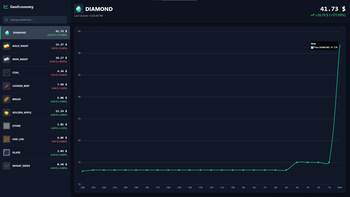
- 📊 Web Dashboard: Built-in web server hosting real-time price history graphs.
- 🤖 Discord Integration: View alerts of items prices on your private messages.
- 💾 SQLite Storage: Fast, local database storage for player profiles and history (no MySQL setup required).
- 🌍 Multi-Language: Full support for English (
en) and Polish (pl) via configuration. - 📉 Trend Analysis: View price changes over the last 1 hour or 24 hours directly in the GUI.
📥 Installation
- Download the latest
GeoEconomy.jar. - Ensure you have Vault and an economy plugin (e.g., EssentialsX) installed.
- Drop the jar into your
pluginsfolder. - Restart the server.
- Configure
config.yml,discord.yml(optional), andmarket.yml.
⚙️ Configuration & Web Interface
GeoEconomy hosts a lightweight web server to display market data.
- Open
config.ymland set the port (default:8081). - Ensure this port is open on your firewall/hosting.
- Access the dashboard via:
http://your-server-ip:8081
To change the language to English, set in config.yml:
settings:
  language: en
- Edition: Minecraft Java
- File type: .jar
- Minecraft versions listed: 1.21, 1.21.1, 1.21.2
- How to install: Install the matching mod loader (Forge, Fabric or NeoForge) for your Minecraft version. → Download the .jar. → Put it in the .minecraft/mods folder and launch that loader profile.
- Where to get it: Opens on Modrinth — not every file is mirrored on our own servers.
Install steps are the general flow for this file type — How to install Minecraft Java mods & modpacks walks through it step by step.
- Ships as Market-1.1.0.jar — drop this file into the mods folder
- Download size: 26.2 MB
- Download link checked 11 Sept 2026 — working
These come from our own check of the pack file, not from the source page.