
Simple Chat Messages
Java mod listed for Minecraft 1.21. Downloads from the MC Java Mods app on Android.
⬇ Download on Modrinth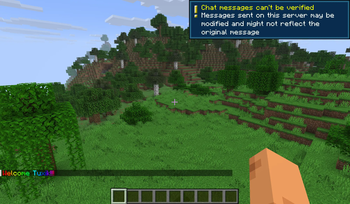
🚀 Simple Chat Messages
Initial release candidate (1.0.0-RC) of this message and group management tool.
📝 Overview
This project provides a simple and effective way to manage player groups and customize server-wide or group-specific messages. It is designed for server administrators who want more control over their community's interaction.
✨ Features
- System Messages
- Set global default messages.
- Reset messages back to original values at any time.
- Group Management
- Create and remove custom groups.
- Add users to specific groups to organize your player base.
- Granular Customization
- Define unique Join and Quit messages for each group separately.
🛠 Usage
The main command for this tool is /scm. All messages support MiniMessage formatting, and you can use the <player> placeholder for the player's name.
⚙️ Default Messages
Manage global messages that apply to everyone by default.
/scm default set <join|quit> <message>– Set a global join or quit message./scm default reset <join|quit>– Reset the global message to its original state.
👥 Group Management
Create and configure specific groups.
/scm group create <name>– Create a new group./scm group remove <name>– Delete an existing group./scm group set <name> <join|quit> <message>– Set a custom join/quit message for a specific group.
👤 User Management
Assign players to your created groups.
/scm user set <player> <group>– Assign a specific player to a group.
💡 Formatting Example
You can use rich colors and the player placeholder:
/scm group set VIP join "<yellow>Welcome <bold><player></bold> to the server!"
📥 Installation
- Download the latest
.jar(or zip) file from the Versions tab. - Drop the file into your server's
pluginsfolder. - Restart your server.
⚠️ Note
This is a Release Candidate (1.0.0-RC). While it is stable, please report any bugs you find to help me improve the final release!
- Edition: Minecraft Java
- File type: .jar
- Minecraft version listed: 1.21.11
- How to install: Install the matching mod loader (Forge, Fabric or NeoForge) for your Minecraft version. → Download the .jar. → Put it in the .minecraft/mods folder and launch that loader profile.
- Where to get it: Opens on Modrinth — not every file is mirrored on our own servers.
Install steps are the general flow for this file type — How to install Minecraft Java mods & modpacks walks through it step by step.
- Ships as SimpleChatMessages-1.0.0.jar — drop this file into the mods folder
- Download size: 9 KB
- Download link checked 4 Oct 2026 — working
These come from our own check of the pack file, not from the source page.