
AdminZone
Java mod listed for Minecraft 1.21. Downloads from the MC Java Mods app on Android.
⬇ Download on Modrinth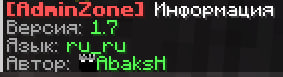
 The plugin provides functionality for creating an admin room and conducting conversations with players, or it can be used as a recreation area for server admins.
in 1.7 version
+anti-grief system
When a player is teleported, his game mode switches to adventure so that he cannot break anything, and when teleported back, his mode returns to either survival if he was in it.
List of commands:
/adm 1|2|3 (rooms) will teleport to the admin area
/adm 1|2|3 teleport the player
/abring return to the location before teleporting
/abring to return the player to the place before teleporting
/setadm 1|2|3 set the admin zone [x\y\z yaw\pith]
/adm.info view information
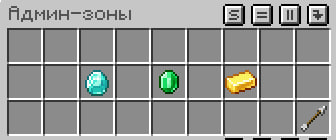
/adm.gui Interface for easy use
==========================
Premissions:
psh.adm: Access to /adm
psh.setadm: Access to /setadm and /adm.reload
psh.abring: Access to /abring
psh.info : Access to /adm.info
psh.gui : Access to /adm.gui
- Edition: Minecraft Java
- File type: .jar
- Minecraft versions listed: 1.21.1, 1.21.2, 1.21.3
- How to install: Install the matching mod loader (Forge, Fabric or NeoForge) for your Minecraft version. → Download the .jar. → Put it in the .minecraft/mods folder and launch that loader profile.
- Where to get it: Opens on Modrinth — not every file is mirrored on our own servers.
Install steps are the general flow for this file type — How to install Minecraft Java mods & modpacks walks through it step by step.
- Ships as AdminZone-1.7.jar — drop this file into the mods folder
- Download size: 11 KB
- Download link checked 2 Oct 2026 — working
These come from our own check of the pack file, not from the source page.