
RGChatMention
Java mod listed for Minecraft 1.20–1.21. Downloads from the MC Java Mods app on Android.
⬇ Download on Modrinth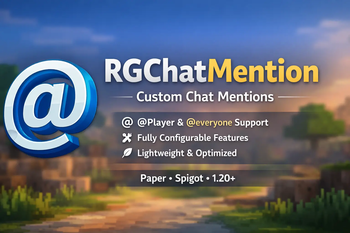
RGChatMention
RGChatMention is a lightweight, configurable chat mention plugin for Minecraft servers running Paper or Spigot.
It allows players to mention others using @player and notify all online players using @everyone. Mentioned players receive a sound notification and see their name highlighted in chat, making important messages easier to notice during gameplay.
The plugin is designed to remain efficient and performance-friendly while giving server owners full control through a simple configuration system.
Features
- Mention players using
@player - Notify all players using
@everyone - Highlighted chat formatting for mentions
- Fully configurable colors and formatting
- Adjustable sounds (volume and pitch)
- Permission-based access control
- Reload configuration without restarting
- Lightweight and optimized
- No external dependencies required
Commands
/rgmention reload Reloads the plugin configuration without restarting the server.
Permissions
rgmention.use
Allows players to use @player
rgmention.everyone
Allows players to use @everyone (OP by default)
Configuration
Upon first launch, the plugin generates a config.yml file.
Server owners can:
- Enable or disable player mentions
- Enable or disable everyone mentions
- Customize mention colors and formatting
- Adjust sound, volume, and pitch
Changes can be applied instantly using the reload command.
Compatibility
- Server software: Paper, Spigot
- Minecraft version: 1.20+
- Java version: 17+
Notes
- No external downloads
- No license key or online activation
- Developed and maintained by RG Studios
- Edition: Minecraft Java
- File type: .jar
- Minecraft versions listed: 1.20, 1.20.1, 1.20.2
- How to install: Install the matching mod loader (Forge, Fabric or NeoForge) for your Minecraft version. → Download the .jar. → Put it in the .minecraft/mods folder and launch that loader profile.
- Where to get it: Opens on Modrinth — not every file is mirrored on our own servers.
Install steps are the general flow for this file type — How to install Minecraft Java mods & modpacks walks through it step by step.
- Ships as rgchatmention-2.0.0.jar — drop this file into the mods folder
- Download size: 6 KB
- Download link checked 3 Oct 2026 — working
These come from our own check of the pack file, not from the source page.