
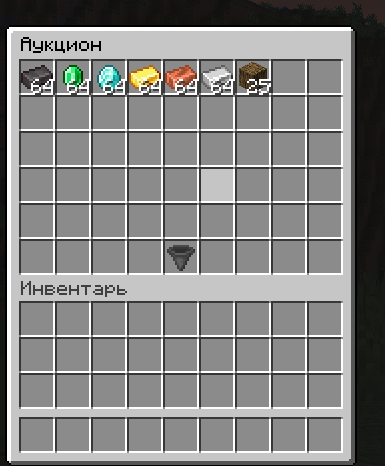
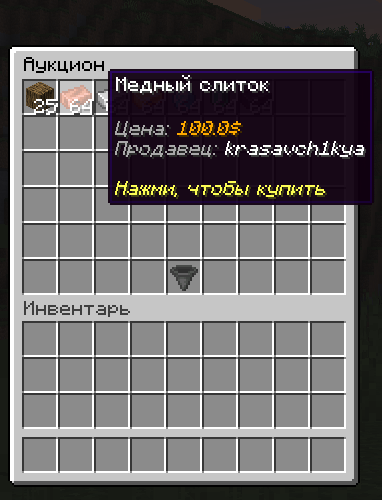
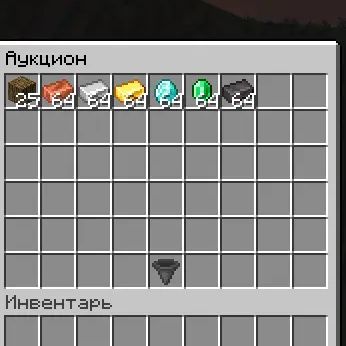
📦 NAuc — Advanced Auction System
NAuc (NexusAuction) is a high-performance auction house solution designed for modern Minecraft servers. Built with stability and ease of use in mind, it provides a seamless trading experience for your players.
🛠 Requirements
- Java: 17+
- Server: Minecraft 1.13 or higher (Paper/Spigot recommended)
- Vault: Required for economy integration
- Economy Plugin: EssentialsX or any Vault-compatible provider
💻 Commands & Permissions
| Command | Description | Permission |
|---|---|---|
/ah |
Opens the Auction House menu | nauc.use |
/ah sell <price> |
List the item in your hand for sale | nauc.sell |
/ah search |
Search for specific items in the AH | nauc.search |
/ah expired |
Opens the list of your expired items | nauc.expired |
/ah sorts |
Opens the item sorting menu | nauc.sorts |
/ah logs |
Opens the history of sold items | nauc.menu.logs |
/ah toggle |
Toggles the AH system on or off | nauc.admin |
/ah ban |
Ban the held item from the AH | nauc.admin |
/ah unban |
Unban the held item from the AH | nauc.admin |
/ah reload |
Reloads the plugin configuration | nauc.admin |
✨ Features
- 🔍 Smart Searching & Sorting: Find exactly what you need in seconds.
- 🛠 Admin Control: Comprehensive tools to ban items or toggle the entire system.
- 💸 Economy Balance: Configurable Listing/Buying fees to keep your economy stable.
- ⏳ Item Expiry: Automated expiry system with a dedicated recovery menu.
- 📝 Logging: Detailed transaction logs for administrators.
- ⌨️ AnvilGUI: Immersive search input using the classic Anvil interface.
🤝 Support
Developed with ❤️ by Ndev.
- Discord:(https://discord.com/channels/@drychan)
Quick facts
- Edition: Minecraft Java
- File type: .jar
- Minecraft versions listed: 1.20, 1.20.1, 1.20.2
- How to install: Install the matching mod loader (Forge, Fabric or NeoForge) for your Minecraft version. → Download the .jar. → Put it in the .minecraft/mods folder and launch that loader profile.
- Where to get it: Opens on Modrinth — not every file is mirrored on our own servers.
Install steps are the general flow for this file type — How to install Minecraft Java mods & modpacks walks through it step by step.
Verified by MCModsHub
- Ships as NAuc.jar — drop this file into the mods folder
- Download size: 51 KB
- Download link checked 23 Aug 2026 — working
These come from our own check of the pack file, not from the source page.