
NexikoStaffSee
Java mod listed for Minecraft 1.21. Downloads from the MC Java Mods app on Android.
I don't know my version or loader
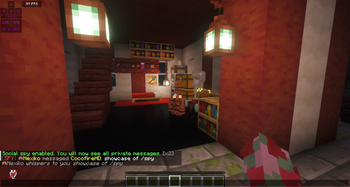
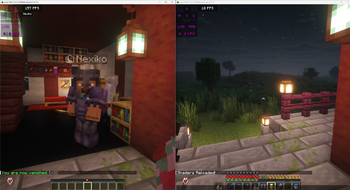
Short description
StaffSee is a lightweight staff moderation plugin focused on inventory inspection and player notes.
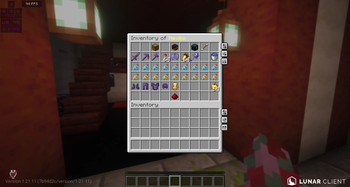
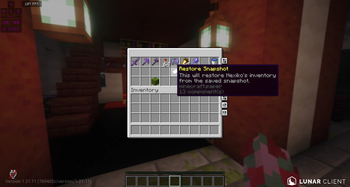
Use /invsee <player> to open a clean GUI and switch between the player’s inventory and ender chest in one place.
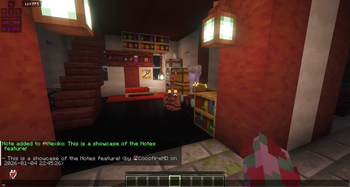
Staff can edit items in real time and attach internal notes or tags to players for future reference.
All messages and permissions are configurable to fit your server’s style and staff hierarchy.
Use the
/staffsee helpcommand to learn about more, here not featured, commands.
More detailed description for the most important features
StaffSee is a simple but powerful staff tool for Paper/Spigot servers that combines /invsee and player notes in a single, clean GUI and more.
Open /invsee <player> to view and edit a player’s inventory, then switch to their ender chest via a toggle button inside the same menu.
Staff can add internal notes to any player (e.g. warnings, behaviour info, “YouTuber”) and review them later in the GUI or with /notes <player>.
Permissions and messages are fully configurable, so you can match your existing staff ranks and server style.
/vanish will hide that you're online to other players that are non-OP, this will help you find rule breakers and stay anonymous.
Extra Features
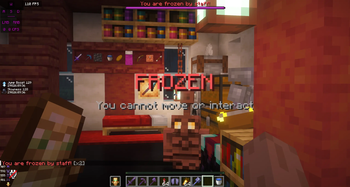
/freeze <player> and /unfreeze <player> to freeze a player, they wont be able to interact with the world at all or teleport away. Made for scenarios like screensharing.
/sc Is for Team members to privately chat in-game.
/vanish hide that you're online to non-staff Players and still interact with the world.
Supporting 1.21.11 and higher if released. We're open for more features to be suggested in our discord.
Roadmap:
- Better Performance
- Own Moderation/punishment System
- More QoL Features for Administrators.
- Edition: Minecraft Java
- File type: .jar
- Minecraft versions listed: 1.21, 1.21.1, 1.21.2
- How to install: Install the matching mod loader (Forge, Fabric or NeoForge) for your Minecraft version. → Download the .jar. → Put it in the .minecraft/mods folder and launch that loader profile.
- Where to get it: Opens on Modrinth — not every file is mirrored on our own servers.
Install steps are the general flow for this file type — How to install Minecraft Java mods & modpacks walks through it step by step.
- Ships as staffsee-1.0.jar — drop this file into the mods folder
- Download size: 94 KB
- Download link checked 3 Oct 2026 — working
These come from our own check of the pack file, not from the source page.