
MultiblockEngine
Java mod listed for Minecraft 1.19–26.x. Downloads from the MC Java Mods app on Android.
⬇ Download on Modrinth


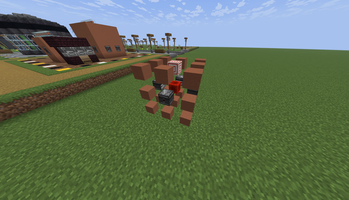
⚙️ MultiBlockEngine (MBE)
A high-performance, modular, and service-oriented ecosystem for multi-block structures in Minecraft.



MultiBlockEngine is a Minecraft plugin that lets you create and manage advanced multiblock structures in a flexible, efficient, and extensible way.
It’s built both for developers who want to build complex systems and for administrators looking for powerful mechanics without reinventing the wheel.
"It’s not just a plugin: it’s the foundation for building machines, technical systems, and smart structures."
🚀 What it offers
🧱 Advanced multiblock engine
Define complex structures with support for rotation, states, and precise validation.⚙️ Configurable actions and conditions
Run dynamic behaviors using variables, player context, and target selection.🧩 Addon system
Extend the plugin with addons or custom integrations, while keeping a clean and safe architecture.🔌 Public API for integrations
Designed so other plugins can easily interact with the engine.🧪 Built-in debugging tools
Commands and validators to diagnose structures and errors painlessly.🔗 PlaceholderAPI compatibility
Use placeholders inside actions, messages, and system logic.
🛠️ What it’s for
- Custom machines (energy, production, processing)
- Portals and special structures
- Technical or magical systems
- Mechanical foundations for other plugins
- Servers looking for deeper content without hardcoding
🧠 Project approach
MultiBlockEngine prioritizes:
- Configurability, without losing control
- Extensibility, without breaking compatibility
- Performance and clarity, even in complex systems
It’s usable without writing code, but it really shines when you extend it.
📚 Documentation and support
All documentation, source code, and examples are available in the official repository:
👉 https://github.com/DarkBladeDev/MultiBlockEngine
⚠️ Requirements
- Java 21
- PlaceholderAPI
- PacketEvents (required since 2.7.5)
- ProtocolLib (required since 1.3.4 until 2.7.5)
- Edition: Minecraft Java
- File type: .jar
- Minecraft versions listed: 1.19.4, 1.20, 1.20.1
- How to install: Install the matching mod loader (Forge, Fabric or NeoForge) for your Minecraft version. → Download the .jar. → Put it in the .minecraft/mods folder and launch that loader profile.
- Where to get it: Opens on Modrinth — not every file is mirrored on our own servers.
Install steps are the general flow for this file type — How to install Minecraft Java mods & modpacks walks through it step by step.
- Ships as MultiblockEngine-4.10.0+272.jar — drop this file into the mods folder
- Download size: 3.5 MB
- Download link checked 21 Oct 2026 — working
These come from our own check of the pack file, not from the source page.