

🔒 SmartBackups
SmartBackups is a plugin that provides a fully GUI-based backup and rollback system, designed to be safe, simple, and accessible for everyone.
No complex commands: everything is managed through /backups and clickable menus.
✨ Main Features
📦 Automatic & Manual Backups
- Automatic backups every X minutes (configurable)
- Manual backup with
/backups create - ZIP compression
- Automatic rotation (keeps only the last N backups)
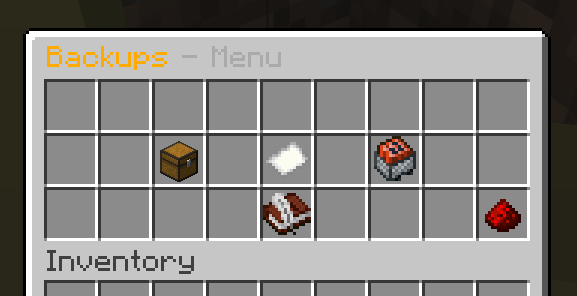
🧭 Full Graphical Interface (GUI)
/backupsopens the main menu- Clean and intuitive menus:
- ➕ Create backup
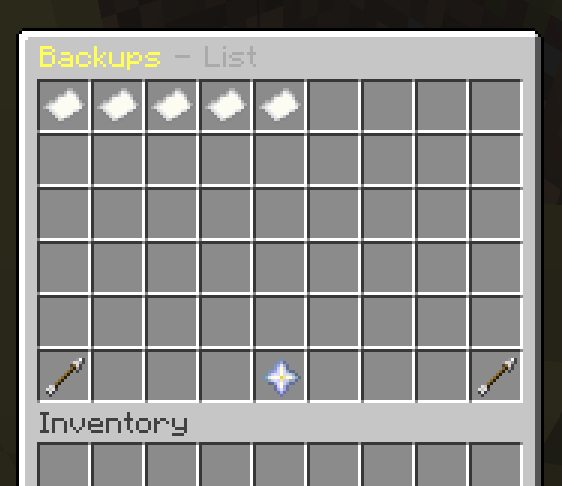
- 📄 List backups
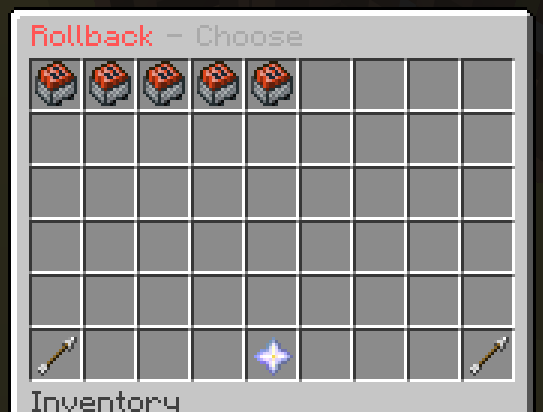
- 🔄 Rollback
- 🌍 Language (FR / EN)
No command memorization required.
🔄 Safe Rollback (REAL RESTORE)
- GUI list of all backups sorted by date
- Click a backup → confirmation menu
- Confirm →
- server restarts
- files are actually restored from the ZIP
- worlds, plugins, and configs are cleanly replaced
⚠️ No hot rollback → zero risk of corruption.
🌍 Built-in Language System
- French by default
- English available
- Toggle via menu or command:
/backups lang fr
/backups lang en
- All messages are customizable in
config.yml
🧱 Default Backup Content
worldworld_netherworld_the_endpluginsserver.propertiesbukkit.ymlspigot.ymlpaper.yml
➡️ Fully configurable in config.yml
🧠 Why SmartBackups?
- ✔️ Easy-to-use GUI for admins
- ✔️ No dependencies
- ✔️ Paper 1.21.x compatible
- ✔️ Safe (anti-corruption & Zip-Slip protection)
- ✔️ Perfect for public or private servers
📜 Commands
| Command | Description |
|---|---|
/backups |
Open main menu |
/backups create |
Create a backup |
/backups list |
List backups |
/backups rollback |
Open rollback menu |
/backups lang fr/en |
Change language |
🔐 Permissions
| Permission | Description |
|---|---|
smartbackups.use |
Access the menu |
smartbackups.create |
Create backups |
smartbackups.rollback |
Restore backups |
⚠️ Important
For automatic restart to work, Paper must have a restart-script configured.
Otherwise, the plugin will shut down the server and you must restart it manually.
📦 Installation
- Download the
.jar - Put it into
/plugins - Start the server
- Use
/backups
Quick facts
- Edition: Minecraft Java
- File type: .jar
- Minecraft versions listed: 1.21, 1.21.1, 1.21.2
- How to install: Install the matching mod loader (Forge, Fabric or NeoForge) for your Minecraft version. → Download the .jar. → Put it in the .minecraft/mods folder and launch that loader profile.
- Where to get it: Opens on Modrinth — not every file is mirrored on our own servers.
Install steps are the general flow for this file type — How to install Minecraft Java mods & modpacks walks through it step by step.
Verified by MCModsHub
- Ships as smartbackups-3.0.0.jar — drop this file into the mods folder
- Download size: 18 KB
- Download link checked 10 Sept 2026 — working
These come from our own check of the pack file, not from the source page.