
EasyMissions
Performant and configurable missions/scrolls plugin with over 23 mission types, API, and custom textures support
⬇ Download on Modrinth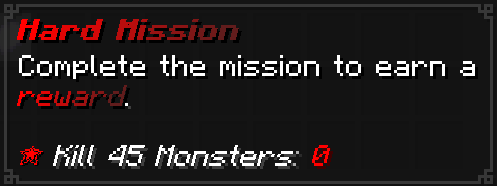
EasyMissions - PaperMC/FoliaMC Missions plugin
NOTE: YOU MUST BE USING AT LEAST 1.21.5 OR NEWER FOR THIS TO WORK ONLY WORKS ON PAPERMC/FOLIAMC AND THEIR FORKS You may check out the GitHub README here and the Wiki here to view how to use the plugin in detail.
A PaperMC missions plugin focusing on:
- Using the latest PaperMC API's
- Being configurable
- Being performant
- Supporting FoliaMC
All types can be found in the Wiki here
Features:
Performant: Using the latest PaperMC API's, batch progression for hot events and smart slot caching to keep the plugin's footprint little
Ready to work with: Coming in with premade defaults so you only need to think about creating missions and not worry about their looks
Well documented: Coming in with several examples of missions and defaults and config comments to help you get working with the plugin in no time, there also is a Wiki page that goes into deeper detail on how to create defaults and missions and work with the API and lists all available types for you
Many Types: 23 available mission types with many powerful options to balance power and simplicity
Anti Exploit: Has smart caches for certain actions like block placement and player steps to prevent farming of break and movement mission type
Wildcard support: Allows for a basic usage of wildcards (*) for condition/target matching (for example: *_ORE)
Mission Defaults: Avoid repeating the same options for every mission by using the default.yml and missing options will use the values inside of it
Developer API: Over 30 API methods with an easy to use (I hope so) API that allows you to interact with the missions and register your own types!
Dedicated missions directory: Organize your missions configs and improve their readability by splitting them across different .yml files in the missions directory or directories within it!
Full control: The way missions are handled allows the admin to always update missions and have changes reflect on all the existing ones!
Ability to modify missions: Using the /easymissions set and /easymissions data commands you can easily modify and change existing mission items to whatever you want without needing to use the API
Custom Textures: Missions use the new Minecraft item model system to use custom textures or even use different existing Minecraft textures while preserving the behavior of the original item.
Powerful configuration: Disable/enable caches, set timeouts, max sizes, batch progression, configure mission item name, lore and texture and have different ones when they're completed too and inherit from defaults and many more!
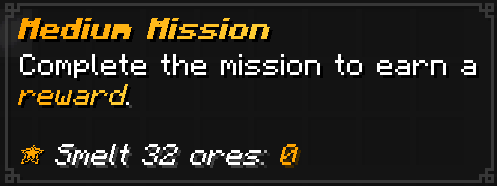
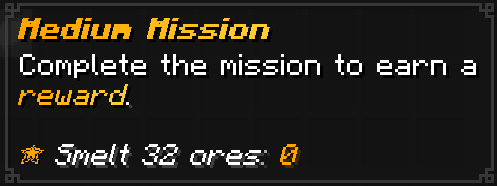
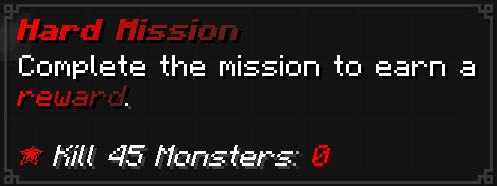
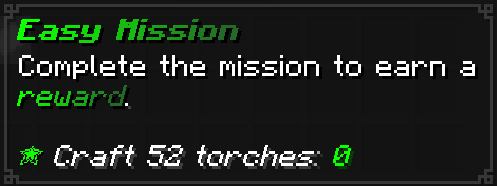
Default mission looks
List of available commands
All EasyMissions commands require the easymissions.admin permission or OP
- /easymissions random [player]
- /easymissions category-random [category] [player]
- /easymissions give [player] [configentry]
- /easymissions reload
- /easymissions data
- /easymissions set [progress | requirement | completed | entry]
- /easymissions list-types
Available aliases are: em, easym
- Edition: Minecraft Java
- File type: .jar
- Minecraft versions listed: 1.21.5, 1.21.6, 1.21.7
- How to install: Install the matching mod loader (Forge, Fabric or NeoForge) for your Minecraft version. → Download the .jar. → Put it in the .minecraft/mods folder and launch that loader profile.
- Where to get it: Opens on Modrinth — not every file is mirrored on our own servers.
Install steps are the general flow for this file type — How to install Minecraft Java mods & modpacks walks through it step by step.
- Ships as EasyMissions-1.0.0.jar — drop this file into the mods folder
- Download size: 214 KB
- Download link checked 21 Aug 2026 — working
These come from our own check of the pack file, not from the source page.