
DropPrevention
A plugin for Minecraft servers based on Spigot/Bukkit that allows players to control the ability to drop items.
⬇ Download on ModrinthDropPrevention
A plugin for Minecraft servers based on Spigot/Bukkit that allows players to control the ability to drop items.
Description
DropPrevention is a simple and convenient plugin that gives players the ability to enable and disable the item drop function. When drop is disabled, the player will not be able to drop items from their inventory (if there is free space).
Features
- ✅ Enable/disable item drop for each player individually
- ✅ Simple
/dropcommand for management - ✅ Save settings between server restarts
- ✅ Customizable messages through localization file
- ✅ Support for API version 1.8+
Installation
- Download the latest version of the plugin
- Place the
DropPrevention.jarfile in thepluginsfolder of your server - Restart the server
- The plugin will automatically create the necessary configuration files
Usage
Commands
/drop- Toggle drop state (enable/disable)/drop on- Enable item drop/drop off- Disable item drop/drop reloadLanguage- Reload localization file (requiresdrop.adminpermission)
Permissions
drop.admin- Access to localization reload command (default only for OP)
Configuration
After the first launch, the plugin will create the following files:
lang.yml
File with customizable plugin messages:
drop_on: "[DropPrevention] §aDrop enabled"
drop_off: "[DropPrevention] §cDrop disabled"
drop_usage: "[DropPrevention] §cUse /drop - to quickly toggle mode, /drop on to enable or /drop off to disable"
no_permission: "[DropPrevention] §cYou don't have permission for this command"
storage.json
File for storing player settings (created automatically, no editing required).
Requirements
- Minecraft server based on Spigot/Bukkit
- API version: 1.8+
- Java 8 or higher
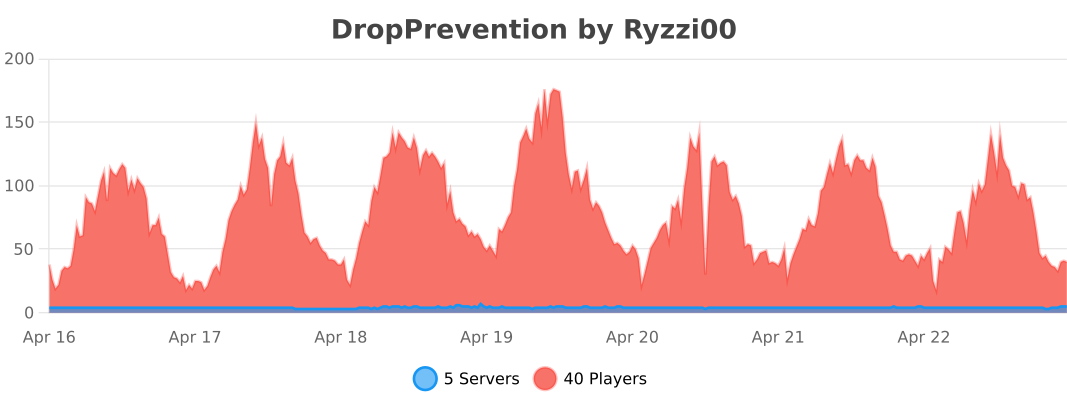
bStats
License
This project is licensed under the MIT License - see the LICENSE file for details.
Support
If you found a bug or have a suggestion for improvement, please create an Issue in the repository.
Acknowledgments
Thanks to everyone who uses and supports this plugin!
- Edition: Minecraft Java
- File type: .jar
- Minecraft versions listed: 1.8.8, 1.9, 1.9.1
- How to install: Install the matching mod loader (Forge, Fabric or NeoForge) for your Minecraft version. → Download the .jar. → Put it in the .minecraft/mods folder and launch that loader profile.
- Where to get it: Opens on Modrinth — not every file is mirrored on our own servers.
Install steps are the general flow for this file type — How to install Minecraft Java mods & modpacks walks through it step by step.
- Ships as DropPrevention-1.0.0.jar — drop this file into the mods folder
- Download size: 308 KB
- Download link checked 21 Aug 2026 — working
These come from our own check of the pack file, not from the source page.