
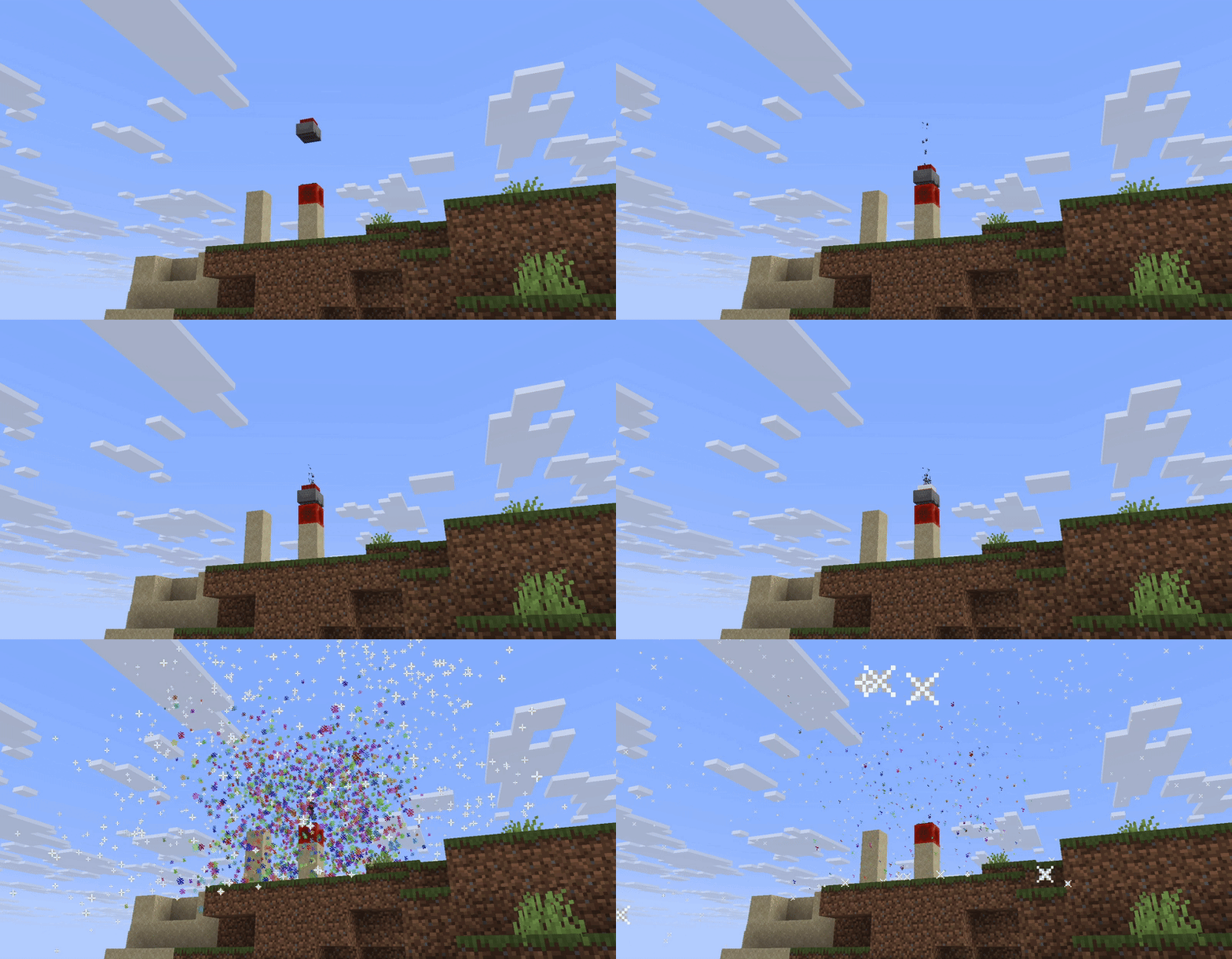

Turn destructive explosions into flashy colors!
Replace some of the explosions of the game with vibrant bursts of confetti — still dangerous to players, but harmless to your world.
💡 What It Does
ConfettiExplosions is a simple Bukkit/Spigot plugin that prevents block damage from explosions while keeping the fun (and danger) alive! When Creepers, TNT, Fireballs, or Ender Crystals go boom, they’ll unleash in a bursts of colorful particles instead of destroying terrain.
Your buildings stays safe, and your players get fireworks every time something explodes!
🧨 Features
- 💥 Explosion Protection: No more terrain griefing from Explosions.
- 🌈 Confetti Bursts: Replace explosions with colorful randomized particle effects.
- ⚔️ Damage Still Applies: Explosions still harm nearby entities, keeping gameplay balanced.
- ⚙️ Configurable: Toggle specific explosion types in the config.
- 🔄 Reload Command: Update settings instantly without restarting.
⚙️ Installation
- Download the ConfettiExplosions plugin
.jar. - Drop it into your server’s
pluginsfolder. - Start (or restart) your server.
- Enjoy safe, fabulous explosions!
💬 Commands
| Command | Description | Permission |
|---|---|---|
/confettireload |
Reloads the plugin configuration | confetti.reload |
🧱 Configuration
After running the plugin once, a config.yml file will appear.
You can toggle which explosions are replaced with confetti:
explosions:
  creeper: true
  tnt: true
  tnt-minecart: true
  fireball: true
  ender-crystal: true
- Edition: Minecraft Java
- File type: .jar
- Minecraft versions listed: 1.20, 1.20.1, 1.20.2
- How to install: Install the matching mod loader (Forge, Fabric or NeoForge) for your Minecraft version. → Download the .jar. → Put it in the .minecraft/mods folder and launch that loader profile.
- Where to get it: Opens on Modrinth — not every file is mirrored on our own servers.
Install steps are the general flow for this file type — How to install Minecraft Java mods & modpacks walks through it step by step.
- Ships as ConfettiExplosions-0.1.0.jar — drop this file into the mods folder
- Download size: 9 KB
- Download link checked 20 Aug 2026 — working
These come from our own check of the pack file, not from the source page.