
PieMotd
Java mod listed for Minecraft 1.20–1.21. Downloads from the MC Java Mods app on Android.
⬇ Download on Modrinth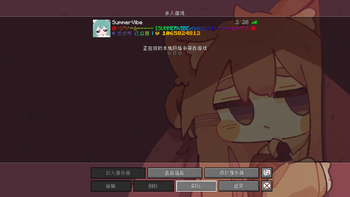
PieMotd - Minecraft server MOTD plugin
A powerful dynamic MOTD, server icon and welcome title plugin designed for Paper 1.20.4+ servers.Easy to configure and open source.If you're a new server admin who dislikes complex operations, this plugin will be your perfect choice.
(Contains a dual language config.yml)
✨ Functional features
🌈 dynamic RGB MOTD
Supports MiniMessage format (RGB color, gradient, rainbow color)
Dynamic variable replacement
Multi-MOTD rotation display
🖼️ smart server icon
Automatic icon transform
Multi-format support (PNG, JPG)
64x64 pixel verification
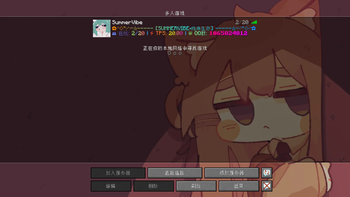
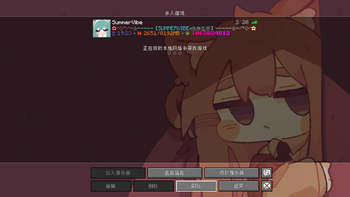
 Display variables, Minimessage support and dynamic server icon function
🎉 welcome to log in
Customize titles and subtitles
Welcome sound effects and messages
 Welcome titles that support Minimessage colors and variables. This means you don't need to use cumbersome command blocks!
📥 install
Place 'PieMotd.jar' in the 'plugins' folder of the server
Restart the server
Modify
plugins/PieMotd/config. Ymlconfiguration fileUse '/piemotd reload' to overload the configuration
🎨 MiniMessage format
Support all MiniMessage tags:
** Color ** : '', '<#FF0000>
** gradient ** : 'gradient:red:blue text </gradient
** rainbow ** : ' text
** Format ** : '', '', '
🔧 available variables
Server variables
'%online%' - Number of online players
'%max_players%' - Maximum number of players
'%tps%' - Server TPS
'%time%' - current time
'%date%' - Current date
'%memory_used%' - Used memory
'%memory_max%' - Maximum memory
Player Variables (Titles only)
'%player%' - Player name
'%player_count%' - Number of online players
💻 command list
'/piemotd reload' - Reload plugin configuration
'/piemotd preview' - Preview the current MOTD
'/piemotd help' - Show help
🛠️ permission node
'piemotd.reload' - Overload configuration permissions
'piemotd.admin' - Administrator privileges (including all permissions)
❓ frequently asked questions
Q: The avatar is not displayed? **
A: Ensure that the image is in 64x64 pixel PNG or JPG format, 128x128 is not supported. Make sure to correctly position the image file (including the file suffix) in the cfg.
Q: The color doesn't work? **
A: Check if the MiniMessage format is correct and make sure to use the '<#FFFFFF>' format
- Edition: Minecraft Java
- File type: .jar
- Minecraft versions listed: 1.20.4, 1.20.5, 1.20.6
- How to install: Install the matching mod loader (Forge, Fabric or NeoForge) for your Minecraft version. → Download the .jar. → Put it in the .minecraft/mods folder and launch that loader profile.
- Where to get it: Opens on Modrinth — not every file is mirrored on our own servers.
Install steps are the general flow for this file type — How to install Minecraft Java mods & modpacks walks through it step by step.
- Ships as PieMotd-1.0.0.jar — drop this file into the mods folder
- Download size: 24 KB
- Download link checked 22 Oct 2026 — working
These come from our own check of the pack file, not from the source page.