
MCLocalAuth
Java mod listed for Minecraft 1.8–26.x. Downloads from the MC Java Mods app on Android.
MCLocalAuth is a security plugin for Minecraft servers that uses Discord as an authentication system. Protect your server by limiting access to only…
I don't know my version or loader
🛡️ MCLocalAuth
Minecraft Authentication Plugin with Integrated Discord Bot




🎯 Description
MCLocalAuth is a security plugin for Minecraft servers that uses Discord as an authentication system. Protect your server by limiting access to only members of your Discord community.
Works on Spigot/Paper, BungeeCord and Velocity — the Discord bot runs on all 3 platforms with all features.
🎮 How It Works
- Player Connects → Immediately disconnected with a unique code
- On Discord → Type
/mclogin <code>(on server or in DMs with the bot) - Bot Verifies → Is the player a Discord member?
- If Yes → IP registered, reconnection authorized ✅
- If No → Blocked ❌
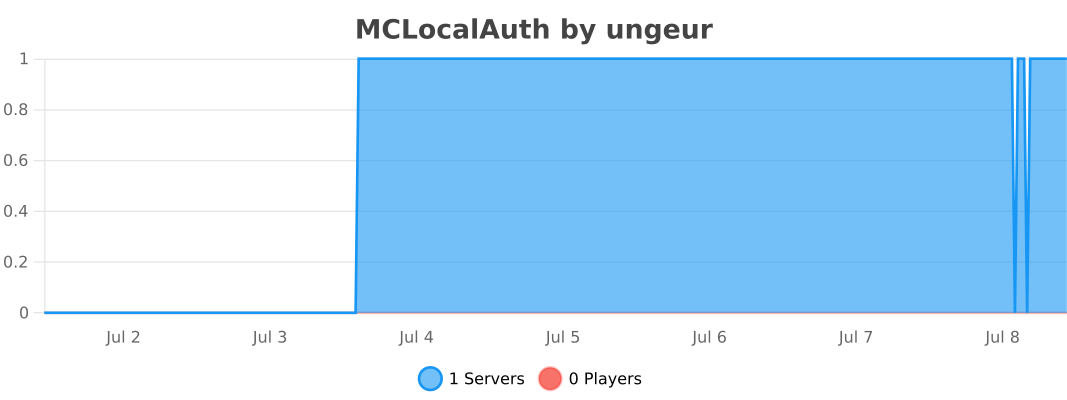
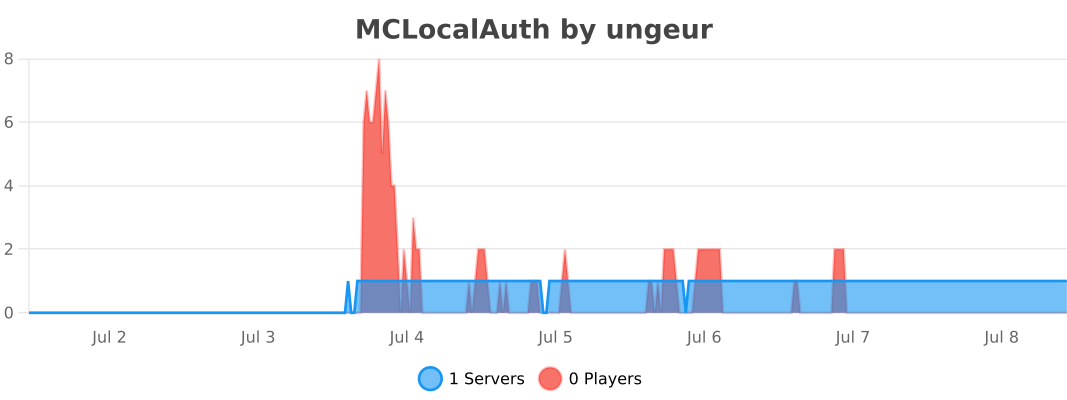
📊 Usage Statistics
Spigot / Paper :
BungeeCord :
Velocity :
✨ Features
🔐 Triple Layer Security
- ✅ Discord Required: Only members of your Discord can play
- ✅ Temporary Code: Each connection generates a unique code that expires
- ✅ IP Protection: One username = One IP → Impossible to steal identities
🤖 Integrated Discord Bot
- Starts automatically with the server
- No external bot to host
- No network ports to open
- Native Discord slash commands
- Works on Spigot/Paper, BungeeCord and Velocity
- Commands available in DMs (globally registered)
- Automatic bot status verification at startup
🗄️ Flexible Storage
- YAML (default): local
data.ymlfile - MySQL (optional): shared database across servers
- Ideal for multi-server networks (BungeeCord/Velocity)
🔔 Auto Update Checker
- Checks Modrinth API at startup
- Console notification if a newer version is available
🎮 Geyser/Bedrock Support
- Automatic Bedrock player detection
- Adapted kick messages (no color codes)
📋 Discord Commands
| Command | Description | Access |
|---|---|---|
/mclogin <code> |
Authenticate with the code received in-game | Everyone |
/mctest |
Test bot ↔ plugin connection | Everyone |
/status |
Check your authentication status | Everyone |
/unlink <discord_id> |
Unlink an account | Admin |
/mcadmin showips <player> |
View authorized IPs | Admin |
/mcadmin addip <player> <ip> |
Add an authorized IP | Admin |
/mcadmin removeip <player> <ip> |
Remove an authorized IP | Admin |
/mcadmin resetip <player> |
Reset all IPs | Admin |
/mcadmin setip <player> <ip> |
Set primary IP | Admin |
Admin commands are restricted to the Discord ID set in
admin.discord_idinconfig.yml.
⚙️ Admin Commands (in-game)
| Command | Spigot/Paper | BungeeCord | Velocity |
|---|---|---|---|
/auth showips <player> |
✅ | ✅ | ✅ |
/auth addip <player> <ip> |
✅ | ✅ | ✅ |
/auth removeip <player> <ip> |
✅ | ✅ | ✅ |
/auth resetip <player> |
✅ | ✅ | ✅ |
/auth setip <player> <ip> |
✅ | ✅ | ✅ |
📦 Installation
Prerequisites
- Minecraft Server 1.8.9 to 26.2 (Spigot, Paper, Purpur), BungeeCord or Velocity 3.3.0+
- Java 8 minimum (Spigot/BungeeCord) · Java 17 minimum (Velocity)
- Discord Bot configured on Discord Developer Portal
Spigot / Paper / BungeeCord
- Download
MCLocalAuth-v1.4.1.jar - Place the file in your server's
plugins/folder - Start the server to generate configuration
- Configure the Discord bot in
plugins/MCLocalAuth/config.yml:
discord:
  enabled: true
  bot_token: "YOUR_DISCORD_BOT_TOKEN"
  guild_id: "YOUR_DISCORD_SERVER_ID"
  invite_link: ""

admin:
  discord_id: "YOUR_DISCORD_ID"

storage:
  type: "yaml"       # yaml or mysql
  mysql:
    host: "localhost"
    port: 3306
    database: "mclocalauth"
    username: "root"
    password: ""
- Restart the server
- Test with
/mcteston Discord
Velocity
- Download
MCLocalAuth-Velocity-v1.4.1.jar - Place in your proxy's
plugins/folder - Configure
plugins/mclocalauth/config.yml - Restart the proxy
🔧 Configuration
Discord Bot Setup
- Go to Discord Developer Portal
- Create a new application
- Bot tab → Create a bot
- Copy the token (never share it!)
- Enable these Privileged Gateway Intents:
- ✅ Server Members Intent
- ✅ Message Content Intent (optional)
- OAuth2 → URL Generator tab:
- Check
botandapplications.commands - Permissions:
Administrator(or custom)
- Check
- Invite the bot to your server with the generated URL
Get Discord Server ID
- Enable Developer Mode in Discord:
- Settings → Advanced → Developer Mode
- Right-click on your server → Copy Server ID
- Paste in
guild_idinconfig.yml
📊 Compatibility
| Platform | Versions | JAR |
|---|---|---|
| Paper | 1.8.9 → 26.2 ✅ | MCLocalAuth-v1.4.1.jar |
| Spigot | 1.8.9 → 1.21.x ✅ | MCLocalAuth-v1.4.1.jar |
| Purpur | 1.8.9 → 1.21.x ✅ | MCLocalAuth-v1.4.1.jar |
| BungeeCord | Build 2068 ✅ | MCLocalAuth-v1.4.1.jar |
| Velocity | 3.3.0+ ✅ | MCLocalAuth-Velocity-v1.4.1.jar |
Java: 8+ (Spigot/BungeeCord) · 17+ (Velocity)
Note: The plugin automatically detects your Minecraft version at startup.
🐛 Report a Bug
If you encounter a problem:
- Verify you're using the latest version
- Check existing Issues
- If the problem persists, open a new issue with:
- Plugin version
- Minecraft version
- Server logs
- Detailed problem description
💡 Suggest a Feature
Have an idea? Open an issue with the enhancement tag!
📜 License
This project is under proprietary license. See the LICENSE file for more details.
TL;DR:
- ✅ Free use on Minecraft servers
- ✅ View code to learn
- ❌ No modification/redistribution
- ❌ No commercial use
🙏 Credits
Developer: UNGEUR
Libraries used:
- JDA - Java Discord API
- Spigot API - Minecraft Server API
- BungeeCord API - Proxy API
- Velocity API - Proxy API
- bStats - Plugin Metrics
📞 Support
- Discord: Discord Server
- Issues: GitHub Issues
⭐ If this plugin is useful to you, don't hesitate to star it!
Made with ❤️ for the Minecraft community
- Edition: Minecraft Java
- File type: .jar
- Minecraft versions listed: 1.8.9, 1.9, 1.9.1
- How to install: Install the matching mod loader (Forge, Fabric or NeoForge) for your Minecraft version. → Download the .jar. → Put it in the .minecraft/mods folder and launch that loader profile.
- Where to get it: Opens on Modrinth — not every file is mirrored on our own servers.
Install steps are the general flow for this file type — How to install Minecraft Java mods & modpacks walks through it step by step.
- Ships as MCLocalAuth-Velocity-v1.4.1.1.jar — drop this file into the mods folder
- Download size: 17.2 MB
- Download link checked 20 Oct 2026 — working
These come from our own check of the pack file, not from the source page.