Home›Java›Mods›WebMarket - A powerful web-based global market plugin, synchronously supporting in-game GUI operatio
ModsJava
WebMarket - A powerful web-based global market plugin, synchronously supporting in-game GUI operatio
Java mod listed for Minecraft 1.20–26.x. Download on the author's site.
* Purchase link: * 中国用户可在 爱发电 购买 Click to view video demo Click to view demo site WebMarket A powerful Minecraft web marketplace plugin, compatible with…
⬇ Download on Spigot*
Purchase link:*
https://www.patreon.com/posts/154367931
中国用户可在 爱发电购买
Click to view video demo
Click to view demo site
WebMarket
A powerful Minecraft web marketplace plugin, compatible with mobile display, and supports in-game GUI operations (including display of custom items like CraftEngine).
Supports 1.20+ Paper / Folia / Spigot / Bukkit / Purpur servers.
Supports offline operations (buying, listing, auctioning, etc.).
Supports cross-server functionality, configurable for server-isolated or global sharing.
Supports PlayerPoints and Vault currency transactions. Player market, buy requests, auctions, official shop, buff shop, special item shop can all be priced and settled separately in currency and points.
Supports mixed modpacks (icon resources and localization for mod items need to be manually added to the web directory; includes an exe tool to automate part of the resource addition).
---
Features
- Offline Support
When players are offline, inventory data is synced to the database in real-time, allowing full operations (listing, purchasing, selling, etc.) via the web interface.
- Full NBT Support
Durability, enchantments, enchanted book effects, potion effects, custom names, detailed contents of containers (shulker boxes, bundles) are all preserved and displayed on the web page. Prioritizes custom name images, falls back to item texture images (automatically excludes player-renamed items).
- Container Listing
One-click listing of full shulker boxes/bundles, real-time preview of container contents on the web page, and support for container preview in the in-game GUI.
- Official Shop Dynamic Pricing
Formula: dynamic price = base price × (1 + sigmoid(3-day trend) × sensitivity × trend weight)
- Buff Shop + Special Items/Rights Area
Buff Shop allows purchasing buffs by the second, requires players to be online.
Special Items/Rights Area: executes one or more custom commands upon purchase, supports variable {player}, convenient for purchasing rights.
Once a special item is created, accounts with admin permissions can modify all its information directly on the web page.
- Market Buy Requests
Can be created in two ways:
① Create a buy request for the item in hand via command /sg <quantity> <unit price> – records full NBT data (recommended)
② Create a buy request directly on the web page – downside: only supports basic attribute items (no enchantments, potion effects, lore, etc.)
---
Market System
| Module | Description |
|----------------------|-----------------------------------------------------------------------------|
| Player Market | Players can freely list, buy requests, purchase others' items. Supports custom transaction fees, whitelist/blacklist modes. |
| Auction House | Auction area, supports custom transaction fees, whitelist/blacklist modes. |
| Official Shop | Official Sell Area & Official Buy (Recycle) Area & Buff Area & Special Item Area. Dynamic pricing can be enabled for the official sell+recycle areas. |
---
Inventory Management
- Real-time web view of online/offline player inventories.
- Displays durability, enchantments, lore, container contents.
- One-click sell of inventory items to the market or auction house.
---
Leaderboards
| Leaderboard | Description |
|--------------------|--------------------------------------|
| Wealth Leaderboard | Richest players on the server. |
| Transaction Leaderboard | Players with highest transaction volume. |
| Selling Leaderboard | Players who have sold the most. |
| Buying Leaderboard | Players who have bought the most. |
---
Account System
- Supports AuthMe, login via username or email. After login, account is automatically bound and cannot be unbound.
- In-game registration via `/wm register <email> <password> [username]` – automatically binds and cannot be unbound. Username optional, defaults to in-game name.
- Web page registration via email – requires manual binding to a game account, can be unbound.
- API key authentication without login.
---
Command List
All commands start with `/wm`. You can also omit `/wm` and use shorthand commands.
| Command <required> [optional] | Description |
|-------------------------------|-------------|
| `/wm gui` or `/market` | Opens the in-game shop GUI. Can be disabled via permission node `webmarket.gui`. |
| `/wm` or `/wm help` | View command help available to your permissions. |
| `/wm bind <verification code>` | Bind a web account to a game account. |
| `/wm register <email> <password> [username]` | Register a web account in-game, auto-bind and cannot be unbound. Username optional, defaults to in-game name. |
| `/wm claim` | Claim items purchased on the web (for offline players or when online player inventory is full). |
| `/wm sj <quantity> <unit price> [currency/points]` | Quickly list the item in hand (player use, supports batch listing). |
| `/wm sg <quantity> <unit price> [currency/points]` | Quickly create a buy request for the item in hand (player use). |
| `/wm pm <quantity> <starting bid> <time (1-48 hours)> [buyout price] [currency/points]` | Quickly auction the item in hand (player use, supports batch auction). |
| `/wm sell <unit price> [personal limit] [total stock] [personal limit reset period (h)] [currency/points] [cross-server/this-server]` | OP only – list the item in hand in the official shop sell area (records full NBT, including quantity, so it's recommended to hold 1 item). Default: only purchasable on this server; add 'cross-server' to allow purchase from other servers. Personal limit: leave empty or -1 for no limit. Total stock: leave empty or -1 for no limit. Personal limit reset period in hours; 0 or empty means no reset. |
| `/wm recycle <unit price> [personal limit] [total recycle amount] [personal limit reset period (h)] [currency/points] [cross-server/this-server]` | OP only – add the item in hand to the official shop recycle area (records full NBT, including quantity, so it's recommended to hold 1 item). Default: only recyclable on this server; add 'cross-server' to allow recycling from other servers. Personal limit: leave empty or -1 for no limit. Total recycle amount: leave empty or -1 for no limit. Personal limit reset period in hours; 0 or empty means no reset. |
| `/wm buff <buff type> <level> <price per second> [minimum seconds] [maximum seconds] [personal limit seconds] [total stock seconds] [reset time (h)] [currency/points] [cross-server/this-server]` | OP only – add an item to the official shop buff area. Default: only purchasable on this server; add 'cross-server' to allow purchase from other servers. Type /buff in-game for detailed help. |
| `/wm specialitem <name> <description> <price> <icon material> <command1 command2 ...> [personal limit] [total stock] [reset time (h)] [currency/points] [cross-server/this-server]` | OP only – add an item to the official shop special item area. Default: only purchasable on this server; add 'cross-server' to allow purchase from other servers. Supports variable {player}, separate multiple commands with a pipe symbol. Type /specialitem in-game for detailed help. |
| `/wm root <email>` | OP only – grant admin privileges to the user with the specified email (can remove any player's items, delete official shop items). |
| `/wm unroot <email>` | OP only – revoke admin privileges from the user with the specified email. |
| `/wm resetpassword <email>` | OP only – reset the password for the user with the specified email. The user can then change it on the web page. |
| `/wm marketlogs me` | Query your own transaction records. Filter conditions: -type: type parameter (buy: all purchase records (player market + official shop + buy request fulfillment); sell: all sales records (official shop recycle + buy request fulfillment); list: player market listing records; delist: player market delisting records; auction: auction records; request: buy request related records (creation/cancellation/expiry); buff: Buff purchase records; special: special item purchase records; shop: all shop purchase records; all: all records). -time: time parameter (today: today; yesterday: yesterday; week: last 7 days; month: last 30 days; custom:yyyy-MM-dd: from specified date; custom:yyyy-MM-dd:yyyy-MM-dd: specified date range). |
| `/wm marketlogs <player name> [page] [filter conditions]` | OP only – query transaction records of a specified player. Filter conditions: -type: type parameter (buy: all purchase records; sell: all sales records; list: player market listing records; delist: player market delisting records; auction: auction records; request: buy request related records; buff: Buff purchase records; special: special item purchase records; shop: all shop purchase records; all: all records). -time: time parameter (today, yesterday, week, month, custom:yyyy-MM-dd, custom:yyyy-MM-dd:yyyy-MM-dd). Type /marketlogs in-game to open GUI. |
| `/wm marketlogs-material <item material> [page] [filter conditions]` | OP only – query transaction records for a specified item material. Filter conditions: -type: type parameter (market: player market records; auction: auction records; buy_request: buy request records; official_buy: official shop purchase records; official_sell: official shop recycle records; all: all records). -time: time parameter (today, yesterday, week, month, custom:yyyy-MM-dd, custom:yyyy-MM-dd:yyyy-MM-dd). Type /marketlogs-material in-game to open GUI. |
| `/wm restrict` | OP only – restrict a player from using market listing, buy request creation, or auction creation features. Type /restrict in-game for detailed help. |
| `/wm blockitem` | OP only – block the item in hand from being listed, used in buy requests, or auctioned, to prevent certain menu items from being put on the market. Type /blockitem in-game for detailed help. |
| Built-in Economy Commands (prefix `/wm money` or `/wm bal`) | Description |
|------------------------------------------------------------|-------------|
| `/wm money help` | View WebMarket economy system help. |
| `/wm money` | Check balance. |
| `/wm money <player>` | Check another player's balance. |
| `/wm money pay <player> <amount> [reason]` | Transfer money. |
| `/wm money top [page]` | Wealth leaderboard. |
| `/wm money history [player] [page]` | Transaction history. |
| `/wm money set <player> <amount> [reason]` | OP only – set balance. |
| `/wm money give <player> <amount> [reason]` | OP only – give money. |
| `/wm money take <player> <amount> [reason]` | OP only – take money. |
---
Permission Nodes
| Node | Purpose |
|------|---------|
| `webmarket.sell` | Use `/sell` |
| `webmarket.recycle` | Use `/recycle` |
| `webmarket.root` | Use `/root` and `/unroot` |
| `webmarket.resetpassword` | Use `/resetpassword` |
| `webmarket.marketlogs` | Use `/marketlogs` and `/marketlogs-material` |
| `webmarket.marketlogs.self` | Query own transaction records (`/marketlogs me` or open GUI without parameters) |
| `webmarket.restrict` | Use `/restrict` |
| `webmarket.buff` | Use `/buff` |
| `webmarket.specialitem` | Use `/specialitem` |
| `webmarket.blockitem` | Use `/blockitem` |
| `webmarket.gui` | Use `/wm gui` |
| `webmarket.use` | Some basic command permissions |
| `webmarket.publish.points` | Allow listing/creating buy requests/auctions with points. Enabled by default if LuckPerms is not installed; otherwise managed by the permissions plugin. |
| `webmarket.money.balance` | Check own balance |
| `webmarket.money.others` | Check other players' balances |
| `webmarket.money.pay` | Transfer money to other players |
| ` webmarket.money.top` | View wealth leaderboard |
| `webmarket.money.history` | View own transaction history |
| `webmarket.money.history.others` | View other players' transaction history |
| `webmarket.money.admin` | Admin economy commands (set/give/take) |
---
PlaceholderAPI Placeholders
After installing PlaceholderAPI, the plugin automatically registers `%webmarket_*%` placeholders.
Currently supported wealth/balance placeholders:
| Placeholder | Description |
|-------------|-------------|
| `%webmarket_balance%` | Current player's currency balance, numeric format. |
| `%webmarket_balance_formatted%` | Current player's currency balance, formatted according to the economy system. |
| `%webmarket_rank%` | Current player's rank on the wealth leaderboard, returns `0` if not ranked. |
| `%webmarket_top_1_name%` | Name of the 1st place player on the wealth leaderboard. |
| `%webmarket_top_1_player%` | Same as `%webmarket_top_1_name%`. |
| `%webmarket_top_1_balance%` | Balance of the 1st place player, numeric format. |
| `%webmarket_top_1_balance_formatted%` | Balance of the 1st place player, formatted. |
| `%webmarket_top_1_rank%` | Returns the rank itself, e.g., `1` for 1st place. |
Note:
- The `1` in the above can be replaced with any rank, e.g., `%webmarket_top_5_name%`, `%webmarket_top_10_balance%`.
- These placeholders are based on the currency wealth leaderboard by default, not including points.
- To avoid repeated database scans during scoreboard refresh, wealth leaderboard placeholders use a cache. The cache time is configurable via `placeholderapi.wealth_cache_seconds`, default `60` seconds. Setting it to `0` disables caching, triggering an async refresh on each request.
---
Player Customization (Permission Group Support)
Individual players can have custom settings for listing limits, tax rates, validity days, etc., via permission groups.
Selling System
- `webmarket.limit.market.sell.max_listings.<value>` – Maximum number of listings.
- `webmarket.limit.market.sell.max_duration_days.<days>` – Maximum duration in days.
- `webmarket.tax.market.sell.money.<rate>` – Tax rate for currency sales.
- `webmarket.tax.market.sell.points.<rate>` – Tax rate for point sales.
Buy Request System
- `webmarket.limit.market.buy.max_requests.<value>` – Maximum number of active buy requests.
- `webmarket.limit.market.buy.max_duration_days.<days>` – Maximum duration in days.
- `webmarket.tax.market.buy.money.<rate>` – Tax rate for currency buy requests.
- `webmarket.tax.market.buy.points.<rate>` – Tax rate for point buy requests.
Auction House
- `webmarket.limit.auction.max_listings.<value>` – Maximum number of active auctions.
- `webmarket.limit.auction.max_duration_hours.<hours>` – Maximum auction duration in hours.
- `webmarket.tax.auction.money.<rate>` – Tax rate for currency auctions.
- `webmarket.tax.auction.points.<rate>` – Tax rate for point auctions.
---
Cross-Server Configuration
Cross-server behavior can be controlled via `config.yml`:
- Cross-server functionality only supports * MySQL*. If `database.type` is not `MySQL`, it will be automatically disabled at runtime even if `cross_server.enabled: true`.
- `cross_server.mode`: `isolated` = market/auction data is separate per server; `shared` = market/auction data is shared across servers, with purchased items going into a claim area.
- `cross_server.server_name`: Unique identifier for the current server.
- `cross_server.server_aliases`: List of old names for the current server. If you change `server_name`, you can put the old names here for compatibility with old offline inventory keys and old `server_name` data.
- `cross_server.master_server_name`: In `shared` mode, the name of the master server. Market/auction related configurations are synced from the master server.
- `cross_server.item_sync_enabled`: Whether an external cross-server item sync solution is enabled. When disabled, the plugin maintains server-isolated offline inventory snapshots. When enabled, the plugin stops relying on its own offline inventory snapshots and disables certain player offline item operations to avoid conflicts with external sync solutions.
- `cross_server.known_servers`: List of known servers for server filters in the web interface and GUI.
- When cross-server is enabled, certain global tasks like dynamic price resets/daily refreshes are only executed by the server designated as `master_server_name` to avoid duplicate updates across servers.
---
Purchase and Activation
1. Purchase on Afdian.
2. Send your Afdian order number to QQ `1758426625` or email `[email protected]` to get an activation code.
3. Fill in the activation code in the config file under `activation_code` to start using the plugin.
---
Purchase Notes
1. The plugin requires an activation code to use. Each activation code is limited to one IP address at a time.
2. If activation fails after changing your IP, please wait at least 40 minutes before trying again.
3. If your activation code is abused, the developer has the right to disable it.
---
bStats
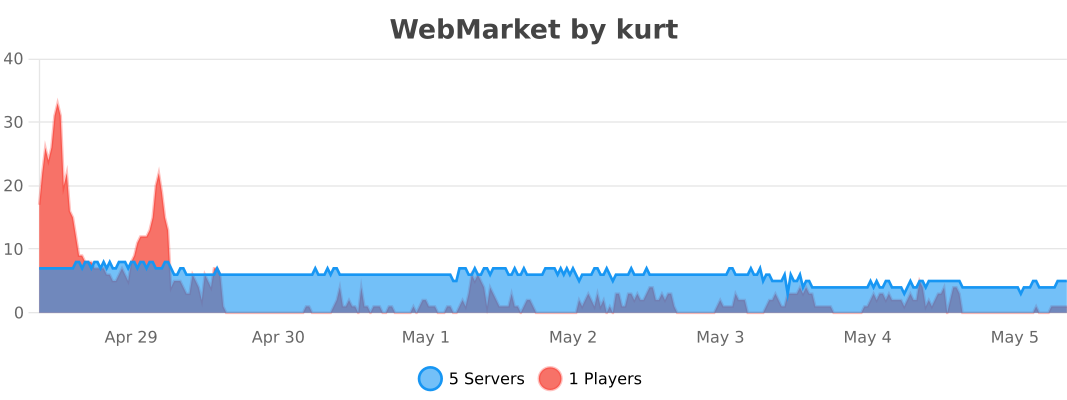
---
[config.yml]
activation_code: "" # Activation code
Plugin language setting
# Options: zh_cn, en_us
language: "zh_cn"
Database configuration
database:
type: "SQLite" # SQLite or MySQL
# MySQL configuration (use this for many players, requires 8.0+)
host: "localhost"
port: 3306
database: "webmarket"
username: "root"
password: ""
# Connection pool settings
pool:
max_size: 10
min_idle: 2
connection_timeout: 30000
idle_timeout: 600000
max_lifetime: 1800000
leak_detection_threshold: 60000
API server configuration
api:
enabled: true # Whether to enable HTTP API / Web service
enable_on_secondary_shared_server: false # In shared mode, whether secondary servers also start the HTTP service; usually only the master server needs it
port: 8880 # Server listening port
host: "0.0.0.0" # Server binding address, "0.0.0.0" means listen on all network interfaces
worker_threads: 4 # Number of threads for API request processing
queue_capacity: 1600 # Request queue capacity
Web frontend configuration
# For custom logo icon, place image in plugins/WebMarket/web-assets/logo/logo.png
web:
# Website logo text
logo_text: 'WebMarket'
# Whether to prioritize custom name image resources. Place in plugins/WebMarket/web-assets/custom-images/<custom_name>.png (no color codes needed)
# When enabled, tries to get custom name image first; falls back to item texture image (excludes player-renamed items)
use_custom_name_image: true
# Whether to allow custom name to override the item material name. When enabled, displays custom name instead of the "Custom Name" line (excludes player-renamed items)
use_custom_name_override: true
# Cross-server configuration
cross_server:
enabled: false # Whether to enable cross-server support (MySQL only; automatically disabled for SQLite)
mode: "isolated" # isolated = separate per server (only aggregates items), shared = full server interoperability
server_name: "server-1" # Unique name for the current server
server_aliases: [] # List of old server name aliases. If you change server_name, put old names here for compatibility with old offline inventory and old server_name records
master_server_name: "server-1" # Master server name
item_sync_enabled: false # Whether an external cross-server item sync solution is installed. Enabling this disables the plugin's built-in offline inventory snapshot mechanism: no longer saves/restores offline inventory, and prevents players from performing operations that require direct inventory item deduction while offline (e.g., market listing, creating auctions, selling to buy requests, official shop recycling)
economy_sync_enabled: false # Whether economy balance is shared across servers. In isolated mode, when set to false, currency balance and wealth leaderboard are stored and calculated per server; points are read directly from the local PlayerPoints database, unaffected by this setting
transaction_sync_enabled: false # Whether transaction statistics are shared across servers. In isolated mode, when set to false, leaderboard transaction/sale/purchase statistics are isolated per server
known_servers: # List of servers selectable in the frontend/GUI
- "server-1"
# Built-in economy system configuration
simple_economy:
# For cross-server, it is recommended to use the built-in economy first
# Whether to enable the built-in Vault economy system (used when no external economy plugin like CMI, Essentials is present)
# If you enable this while having an external economy plugin, this plugin will still use the built-in economy for processing
# You can also disable CMI's economy and enable this plugin's economy, both are compatible
enabled: false
starting_balance: 100.0 # Initial balance for new players
max_balance: 999999999.0 # Maximum balance limit
min_transfer: 0.01 # Minimum transfer amount
currency_singular: "Coin" # Currency singular name
currency_plural: "Coins" # Currency plural name
# Transaction history retention days (-1 for permanent)
transaction_history_days: 30
Market settings
market:
enabled: true # Global player market toggle
tax_payer: "seller" # Who pays the tax: seller = seller pays (buyer pays listed price), buyer = buyer pays (buyer pays listed price + tax)
tax_rates:
money: 0.01 # Currency transaction tax rate
points: 0.00 # Points transaction tax rate (points are integer; non-zero rates are rounded to nearest integer tax)
max_items_per_page: 24 # Number of items loaded per page on slow load
max_listing_duration: 14 # Maximum listing duration in days
max_listings_per_player: 10 # Maximum number of listings per player
listing_cooldown_seconds: 1 # Listing cooldown in seconds
# Item listing restrictions
item_restrictions:
# Item restriction mode:
# - "none": No restrictions (default)
# - "whitelist": Only allow items in the list to be listed
# - "blacklist": Prohibit items in the list from being listed
mode: "none"
# Restriction list (determines whitelist or blacklist based on mode)
items:
# Item ID (format: minecraft:item_id or just ITEM_ID)
- "minecraft:bedrock"
- "minecraft:command_block"
# Buy request configuration
buy_request:
enabled: true # Whether to enable buy request function
tax_payer: "seller" # Who pays the tax: seller = seller pays (seller receives listed price - tax), buyer = buyer pays (seller receives listed price)
tax_rates:
money: 0.02 # Currency buy request transaction tax rate
points: 0.00 # Points buy request transaction tax rate (points are integer; taxes are rounded)
max_requests_per_player: 3 # Maximum number of active buy requests per player
max_request_duration: 7 # Maximum buy request duration in days
request_cooldown_seconds: 1 # Buy request creation cooldown in seconds
# Buy request item restrictions
item_restrictions:
mode: "none" # none, whitelist, blacklist
# Restriction list (determines whitelist or blacklist based on mode)
items:
- "minecraft:bedrock"
- "minecraft:command_block"
Auction house configuration
auction:
enabled: true # Global auction house toggle
tax_payer: "seller" # Who pays the tax: seller = seller pays (buyer pays listed price), buyer = buyer pays (buyer pays listed price + tax)
tax_rates:
money: 0.03 # Currency auction tax rate
points: 0.00 # Points auction tax rate (points are integer; taxes are rounded)
max_items_per_page: 24 # Number of items loaded per page on slow load
max_listings_per_player: 10 # Maximum number of concurrent auctions per player
listing_cooldown_seconds: 1 # Listing cooldown in seconds
max_duration_hours: 48 # Maximum auction duration in hours
# Auction listing restrictions
item_restrictions:
mode: "none" # none, whitelist, blacklist
# Restriction list (determines whitelist or blacklist based on mode)
items:
# Item ID (format: minecraft:item_id or just ITEM_ID)
- "minecraft:bedrock"
- "minecraft:command_block"
Offline inventory configuration
offline_inventory:
enabled: true # Whether to enable offline inventory
Official shop configuration
official_shop:
# Dynamic pricing system configuration
dynamic_pricing:
# Whether to enable the dynamic pricing system
# Uses 3-day weighted average and sigmoid function for smooth changes
# Dynamic price = base price × (1 + sigmoid(3-day trend) × sensitivity × trend weight)
enabled: true
# Price reset strategy
# false: No reset (prices continue to change based on transaction volume)
# daily: Daily reset (resets to base price after first check at 00:00 each day)
# weekly: Weekly reset (resets to base price every Monday)
# monthly: Monthly reset (resets to base price on the 1st of each month)
restart: false
# Transaction activity algorithm configuration
activity:
# Sensitivity (0.01-1.0)
# Higher values make price more sensitive to transaction volume changes
# Recommended range: 0.05-0.2
sensitivity: 0.1
# Daily transaction volume threshold
# Price fluctuations are only calculated when daily volume reaches this threshold
# Prevents drastic fluctuations from a few transactions; recommended 1-10
daily_volume_threshold: 1
# Global price protection (final price limits)
price_protection:
# Whether to enable price floor
enable_floor: true
# Minimum price multiplier (relative to base price)
# Adjusted dynamically based on price volatility:
# - High volatility (>30%): limits to 0.7-1.5x base price
# - Medium volatility (>10%): limits to 0.5-2.0x base price
# - Low volatility: uses configured multiplier
min_price_multiplier: 0.5
# Whether to enable price ceiling
enable_ceiling: true
# Maximum price multiplier (relative to base price)
# Also adjusted dynamically based on volatility
max_price_multiplier: 2.0
Item related configuration
items:
# Item max stack size check
max_stack_size_check: true
# Minimum allowed quantity for a single listing
min_quantity: 1
# Maximum allowed quantity for a single listing
max_quantity: 2304
# Price limits
min_price: 0.01
max_price: 1000000.0
security:
# API key default validity period (days)
api_key_expiry_days: 7
# Password encryption strength (iteration count; higher is more secure but consumes more performance)
encryption_iterations: 10000
# Whether to enable email whitelist (only allows registration from whitelisted domains)
email_whitelist_enabled: false
# Email domain whitelist (domain only, without @)
# Example: [" qq.com", " gmail.com"]
email_whitelist_domains:
- " qq.com"
# Registration limit per IP (maximum accounts per IP, 0 for unlimited)
registration_limit_per_ip: 2
# Whether to allow registration via web form (if disabled, only AuthMe registration/login is allowed)
allow_web_registration: true
AuthMe
authme_login:
# Whether to enable AuthMe login (login via username or email. Account cannot be unbound)
enabled: false
# Email domain used when AuthMe has no registered email (final email: <playername>@<domain>)
fallback_email_domain: "authme.local"
# External AuthMe database (for proxy/login servers where AuthMe is not on this server)
# When enabled, no need to install AuthMe plugin on this server; connects directly to remote AuthMe database for authentication
# Only supports MySQL/MariaDB; password algorithms support SHA256 (AuthMe default) and bcrypt
external_database:
enabled: false
host: "localhost"
port: 3306
database: "authme"
username: "root"
password: ""
table_name: "authme" # AuthMe table name
password_column: "password" # Password column name
username_column: "username" # Username column name
email_column: "email" # Email column name
# ---------------Generally no need to modify below--------------- #
Logging configuration
logging:
log_market_actions: true # Whether to log market operations
log_auth_actions: true # Whether to log authentication operations
log_binding_actions: true # Whether to log binding/unbinding operations
log_official_shop_actions: true # Whether to log official shop operations
log_password_change: true # Whether to log password changes
log_auction_actions: true # Whether to log auction operations
log_buy_request_actions: true # Whether to log buy request operations
log_retention_days: 30 # Log retention days
Cache configuration
cache:
expire_after_write: 300 # Cache expiration time after write (seconds)
maximum_size: 100000 # Maximum cache size
Leaderboard configuration
leaderboard:
fetch_interval_minutes: 30 # Leaderboard data cache/refresh interval (minutes). Within the interval, repeated requests return cached results directly
PlaceholderAPI configuration
placeholderapi:
wealth_cache_seconds: 60 # Wealth leaderboard placeholder cache time (seconds), 0 means no cache, triggers async refresh on each request
Binding related configuration
binding:
code_expiry_minutes: 5 # Binding code validity period (minutes)
rate_limiting:
# Global API rate limiting (e.g., 100 requests per minute)
global:
requests: 100
period: 1
unit: MINUTES
# Rate limiting for authentication endpoints (login/register)
auth:
requests: 5
period: 1
unit: MINUTES
license:
cloud:
# Whether to ignore HTTPS certificate validation
ignore_ssl_errors: true
Update checker configuration
update_checker:
# Whether to enable update checking
enabled: true
# Gist version check URL
version_check_url: " https://gist.githubusercontent.com/intellectmind/325d2817045df2f44882de01fd2057e6/raw/WebMarket"
# Check interval (hours)
check_interval_hours: 48
# Whether to notify admins of updates when players join
notify_admins_on_join: true
debug:
# Whether to enable SQL query logging (for debugging only)
log_sql_queries: false
# API request/response log level
api_log_level: "INFO" # DEBUG, INFO, WARN, ERROR
中国用户可在 爱发电购买
Click to view video demo
Click to view demo site
WebMarket
A powerful Minecraft web marketplace plugin, compatible with mobile display, and supports in-game GUI operations (including display of custom items like CraftEngine).
Supports 1.20+ Paper / Folia / Spigot / Bukkit / Purpur servers.
Supports offline operations (buying, listing, auctioning, etc.).
Supports cross-server functionality, configurable for server-isolated or global sharing.
Supports PlayerPoints and Vault currency transactions. Player market, buy requests, auctions, official shop, buff shop, special item shop can all be priced and settled separately in currency and points.
Supports mixed modpacks (icon resources and localization for mod items need to be manually added to the web directory; includes an exe tool to automate part of the resource addition).
---
Features
- Offline Support
When players are offline, inventory data is synced to the database in real-time, allowing full operations (listing, purchasing, selling, etc.) via the web interface.
- Full NBT Support
Durability, enchantments, enchanted book effects, potion effects, custom names, detailed contents of containers (shulker boxes, bundles) are all preserved and displayed on the web page. Prioritizes custom name images, falls back to item texture images (automatically excludes player-renamed items).
- Container Listing
One-click listing of full shulker boxes/bundles, real-time preview of container contents on the web page, and support for container preview in the in-game GUI.
- Official Shop Dynamic Pricing
Formula: dynamic price = base price × (1 + sigmoid(3-day trend) × sensitivity × trend weight)
- Buff Shop + Special Items/Rights Area
Buff Shop allows purchasing buffs by the second, requires players to be online.
Special Items/Rights Area: executes one or more custom commands upon purchase, supports variable {player}, convenient for purchasing rights.
Once a special item is created, accounts with admin permissions can modify all its information directly on the web page.
- Market Buy Requests
Can be created in two ways:
① Create a buy request for the item in hand via command /sg <quantity> <unit price> – records full NBT data (recommended)
② Create a buy request directly on the web page – downside: only supports basic attribute items (no enchantments, potion effects, lore, etc.)
---
Market System
| Module | Description |
|----------------------|-----------------------------------------------------------------------------|
| Player Market | Players can freely list, buy requests, purchase others' items. Supports custom transaction fees, whitelist/blacklist modes. |
| Auction House | Auction area, supports custom transaction fees, whitelist/blacklist modes. |
| Official Shop | Official Sell Area & Official Buy (Recycle) Area & Buff Area & Special Item Area. Dynamic pricing can be enabled for the official sell+recycle areas. |
---
Inventory Management
- Real-time web view of online/offline player inventories.
- Displays durability, enchantments, lore, container contents.
- One-click sell of inventory items to the market or auction house.
---
Leaderboards
| Leaderboard | Description |
|--------------------|--------------------------------------|
| Wealth Leaderboard | Richest players on the server. |
| Transaction Leaderboard | Players with highest transaction volume. |
| Selling Leaderboard | Players who have sold the most. |
| Buying Leaderboard | Players who have bought the most. |
---
Account System
- Supports AuthMe, login via username or email. After login, account is automatically bound and cannot be unbound.
- In-game registration via `/wm register <email> <password> [username]` – automatically binds and cannot be unbound. Username optional, defaults to in-game name.
- Web page registration via email – requires manual binding to a game account, can be unbound.
- API key authentication without login.
---
Command List
All commands start with `/wm`. You can also omit `/wm` and use shorthand commands.
| Command <required> [optional] | Description |
|-------------------------------|-------------|
| `/wm gui` or `/market` | Opens the in-game shop GUI. Can be disabled via permission node `webmarket.gui`. |
| `/wm` or `/wm help` | View command help available to your permissions. |
| `/wm bind <verification code>` | Bind a web account to a game account. |
| `/wm register <email> <password> [username]` | Register a web account in-game, auto-bind and cannot be unbound. Username optional, defaults to in-game name. |
| `/wm claim` | Claim items purchased on the web (for offline players or when online player inventory is full). |
| `/wm sj <quantity> <unit price> [currency/points]` | Quickly list the item in hand (player use, supports batch listing). |
| `/wm sg <quantity> <unit price> [currency/points]` | Quickly create a buy request for the item in hand (player use). |
| `/wm pm <quantity> <starting bid> <time (1-48 hours)> [buyout price] [currency/points]` | Quickly auction the item in hand (player use, supports batch auction). |
| `/wm sell <unit price> [personal limit] [total stock] [personal limit reset period (h)] [currency/points] [cross-server/this-server]` | OP only – list the item in hand in the official shop sell area (records full NBT, including quantity, so it's recommended to hold 1 item). Default: only purchasable on this server; add 'cross-server' to allow purchase from other servers. Personal limit: leave empty or -1 for no limit. Total stock: leave empty or -1 for no limit. Personal limit reset period in hours; 0 or empty means no reset. |
| `/wm recycle <unit price> [personal limit] [total recycle amount] [personal limit reset period (h)] [currency/points] [cross-server/this-server]` | OP only – add the item in hand to the official shop recycle area (records full NBT, including quantity, so it's recommended to hold 1 item). Default: only recyclable on this server; add 'cross-server' to allow recycling from other servers. Personal limit: leave empty or -1 for no limit. Total recycle amount: leave empty or -1 for no limit. Personal limit reset period in hours; 0 or empty means no reset. |
| `/wm buff <buff type> <level> <price per second> [minimum seconds] [maximum seconds] [personal limit seconds] [total stock seconds] [reset time (h)] [currency/points] [cross-server/this-server]` | OP only – add an item to the official shop buff area. Default: only purchasable on this server; add 'cross-server' to allow purchase from other servers. Type /buff in-game for detailed help. |
| `/wm specialitem <name> <description> <price> <icon material> <command1 command2 ...> [personal limit] [total stock] [reset time (h)] [currency/points] [cross-server/this-server]` | OP only – add an item to the official shop special item area. Default: only purchasable on this server; add 'cross-server' to allow purchase from other servers. Supports variable {player}, separate multiple commands with a pipe symbol. Type /specialitem in-game for detailed help. |
| `/wm root <email>` | OP only – grant admin privileges to the user with the specified email (can remove any player's items, delete official shop items). |
| `/wm unroot <email>` | OP only – revoke admin privileges from the user with the specified email. |
| `/wm resetpassword <email>` | OP only – reset the password for the user with the specified email. The user can then change it on the web page. |
| `/wm marketlogs me` | Query your own transaction records. Filter conditions: -type: type parameter (buy: all purchase records (player market + official shop + buy request fulfillment); sell: all sales records (official shop recycle + buy request fulfillment); list: player market listing records; delist: player market delisting records; auction: auction records; request: buy request related records (creation/cancellation/expiry); buff: Buff purchase records; special: special item purchase records; shop: all shop purchase records; all: all records). -time: time parameter (today: today; yesterday: yesterday; week: last 7 days; month: last 30 days; custom:yyyy-MM-dd: from specified date; custom:yyyy-MM-dd:yyyy-MM-dd: specified date range). |
| `/wm marketlogs <player name> [page] [filter conditions]` | OP only – query transaction records of a specified player. Filter conditions: -type: type parameter (buy: all purchase records; sell: all sales records; list: player market listing records; delist: player market delisting records; auction: auction records; request: buy request related records; buff: Buff purchase records; special: special item purchase records; shop: all shop purchase records; all: all records). -time: time parameter (today, yesterday, week, month, custom:yyyy-MM-dd, custom:yyyy-MM-dd:yyyy-MM-dd). Type /marketlogs in-game to open GUI. |
| `/wm marketlogs-material <item material> [page] [filter conditions]` | OP only – query transaction records for a specified item material. Filter conditions: -type: type parameter (market: player market records; auction: auction records; buy_request: buy request records; official_buy: official shop purchase records; official_sell: official shop recycle records; all: all records). -time: time parameter (today, yesterday, week, month, custom:yyyy-MM-dd, custom:yyyy-MM-dd:yyyy-MM-dd). Type /marketlogs-material in-game to open GUI. |
| `/wm restrict` | OP only – restrict a player from using market listing, buy request creation, or auction creation features. Type /restrict in-game for detailed help. |
| `/wm blockitem` | OP only – block the item in hand from being listed, used in buy requests, or auctioned, to prevent certain menu items from being put on the market. Type /blockitem in-game for detailed help. |
| Built-in Economy Commands (prefix `/wm money` or `/wm bal`) | Description |
|------------------------------------------------------------|-------------|
| `/wm money help` | View WebMarket economy system help. |
| `/wm money` | Check balance. |
| `/wm money <player>` | Check another player's balance. |
| `/wm money pay <player> <amount> [reason]` | Transfer money. |
| `/wm money top [page]` | Wealth leaderboard. |
| `/wm money history [player] [page]` | Transaction history. |
| `/wm money set <player> <amount> [reason]` | OP only – set balance. |
| `/wm money give <player> <amount> [reason]` | OP only – give money. |
| `/wm money take <player> <amount> [reason]` | OP only – take money. |
---
Permission Nodes
| Node | Purpose |
|------|---------|
| `webmarket.sell` | Use `/sell` |
| `webmarket.recycle` | Use `/recycle` |
| `webmarket.root` | Use `/root` and `/unroot` |
| `webmarket.resetpassword` | Use `/resetpassword` |
| `webmarket.marketlogs` | Use `/marketlogs` and `/marketlogs-material` |
| `webmarket.marketlogs.self` | Query own transaction records (`/marketlogs me` or open GUI without parameters) |
| `webmarket.restrict` | Use `/restrict` |
| `webmarket.buff` | Use `/buff` |
| `webmarket.specialitem` | Use `/specialitem` |
| `webmarket.blockitem` | Use `/blockitem` |
| `webmarket.gui` | Use `/wm gui` |
| `webmarket.use` | Some basic command permissions |
| `webmarket.publish.points` | Allow listing/creating buy requests/auctions with points. Enabled by default if LuckPerms is not installed; otherwise managed by the permissions plugin. |
| `webmarket.money.balance` | Check own balance |
| `webmarket.money.others` | Check other players' balances |
| `webmarket.money.pay` | Transfer money to other players |
| ` webmarket.money.top` | View wealth leaderboard |
| `webmarket.money.history` | View own transaction history |
| `webmarket.money.history.others` | View other players' transaction history |
| `webmarket.money.admin` | Admin economy commands (set/give/take) |
---
PlaceholderAPI Placeholders
After installing PlaceholderAPI, the plugin automatically registers `%webmarket_*%` placeholders.
Currently supported wealth/balance placeholders:
| Placeholder | Description |
|-------------|-------------|
| `%webmarket_balance%` | Current player's currency balance, numeric format. |
| `%webmarket_balance_formatted%` | Current player's currency balance, formatted according to the economy system. |
| `%webmarket_rank%` | Current player's rank on the wealth leaderboard, returns `0` if not ranked. |
| `%webmarket_top_1_name%` | Name of the 1st place player on the wealth leaderboard. |
| `%webmarket_top_1_player%` | Same as `%webmarket_top_1_name%`. |
| `%webmarket_top_1_balance%` | Balance of the 1st place player, numeric format. |
| `%webmarket_top_1_balance_formatted%` | Balance of the 1st place player, formatted. |
| `%webmarket_top_1_rank%` | Returns the rank itself, e.g., `1` for 1st place. |
Note:
- The `1` in the above can be replaced with any rank, e.g., `%webmarket_top_5_name%`, `%webmarket_top_10_balance%`.
- These placeholders are based on the currency wealth leaderboard by default, not including points.
- To avoid repeated database scans during scoreboard refresh, wealth leaderboard placeholders use a cache. The cache time is configurable via `placeholderapi.wealth_cache_seconds`, default `60` seconds. Setting it to `0` disables caching, triggering an async refresh on each request.
---
Player Customization (Permission Group Support)
Individual players can have custom settings for listing limits, tax rates, validity days, etc., via permission groups.
Selling System
- `webmarket.limit.market.sell.max_listings.<value>` – Maximum number of listings.
- `webmarket.limit.market.sell.max_duration_days.<days>` – Maximum duration in days.
- `webmarket.tax.market.sell.money.<rate>` – Tax rate for currency sales.
- `webmarket.tax.market.sell.points.<rate>` – Tax rate for point sales.
Buy Request System
- `webmarket.limit.market.buy.max_requests.<value>` – Maximum number of active buy requests.
- `webmarket.limit.market.buy.max_duration_days.<days>` – Maximum duration in days.
- `webmarket.tax.market.buy.money.<rate>` – Tax rate for currency buy requests.
- `webmarket.tax.market.buy.points.<rate>` – Tax rate for point buy requests.
Auction House
- `webmarket.limit.auction.max_listings.<value>` – Maximum number of active auctions.
- `webmarket.limit.auction.max_duration_hours.<hours>` – Maximum auction duration in hours.
- `webmarket.tax.auction.money.<rate>` – Tax rate for currency auctions.
- `webmarket.tax.auction.points.<rate>` – Tax rate for point auctions.
---
Cross-Server Configuration
Cross-server behavior can be controlled via `config.yml`:
- Cross-server functionality only supports * MySQL*. If `database.type` is not `MySQL`, it will be automatically disabled at runtime even if `cross_server.enabled: true`.
- `cross_server.mode`: `isolated` = market/auction data is separate per server; `shared` = market/auction data is shared across servers, with purchased items going into a claim area.
- `cross_server.server_name`: Unique identifier for the current server.
- `cross_server.server_aliases`: List of old names for the current server. If you change `server_name`, you can put the old names here for compatibility with old offline inventory keys and old `server_name` data.
- `cross_server.master_server_name`: In `shared` mode, the name of the master server. Market/auction related configurations are synced from the master server.
- `cross_server.item_sync_enabled`: Whether an external cross-server item sync solution is enabled. When disabled, the plugin maintains server-isolated offline inventory snapshots. When enabled, the plugin stops relying on its own offline inventory snapshots and disables certain player offline item operations to avoid conflicts with external sync solutions.
- `cross_server.known_servers`: List of known servers for server filters in the web interface and GUI.
- When cross-server is enabled, certain global tasks like dynamic price resets/daily refreshes are only executed by the server designated as `master_server_name` to avoid duplicate updates across servers.
---
Purchase and Activation
1. Purchase on Afdian.
2. Send your Afdian order number to QQ `1758426625` or email `[email protected]` to get an activation code.
3. Fill in the activation code in the config file under `activation_code` to start using the plugin.
---
Purchase Notes
1. The plugin requires an activation code to use. Each activation code is limited to one IP address at a time.
2. If activation fails after changing your IP, please wait at least 40 minutes before trying again.
3. If your activation code is abused, the developer has the right to disable it.
---
bStats

---
[config.yml]
activation_code: "" # Activation code
Plugin language setting
# Options: zh_cn, en_us
language: "zh_cn"
Database configuration
database:
type: "SQLite" # SQLite or MySQL
# MySQL configuration (use this for many players, requires 8.0+)
host: "localhost"
port: 3306
database: "webmarket"
username: "root"
password: ""
# Connection pool settings
pool:
max_size: 10
min_idle: 2
connection_timeout: 30000
idle_timeout: 600000
max_lifetime: 1800000
leak_detection_threshold: 60000
API server configuration
api:
enabled: true # Whether to enable HTTP API / Web service
enable_on_secondary_shared_server: false # In shared mode, whether secondary servers also start the HTTP service; usually only the master server needs it
port: 8880 # Server listening port
host: "0.0.0.0" # Server binding address, "0.0.0.0" means listen on all network interfaces
worker_threads: 4 # Number of threads for API request processing
queue_capacity: 1600 # Request queue capacity
Web frontend configuration
# For custom logo icon, place image in plugins/WebMarket/web-assets/logo/logo.png
web:
# Website logo text
logo_text: 'WebMarket'
# Whether to prioritize custom name image resources. Place in plugins/WebMarket/web-assets/custom-images/<custom_name>.png (no color codes needed)
# When enabled, tries to get custom name image first; falls back to item texture image (excludes player-renamed items)
use_custom_name_image: true
# Whether to allow custom name to override the item material name. When enabled, displays custom name instead of the "Custom Name" line (excludes player-renamed items)
use_custom_name_override: true
# Cross-server configuration
cross_server:
enabled: false # Whether to enable cross-server support (MySQL only; automatically disabled for SQLite)
mode: "isolated" # isolated = separate per server (only aggregates items), shared = full server interoperability
server_name: "server-1" # Unique name for the current server
server_aliases: [] # List of old server name aliases. If you change server_name, put old names here for compatibility with old offline inventory and old server_name records
master_server_name: "server-1" # Master server name
item_sync_enabled: false # Whether an external cross-server item sync solution is installed. Enabling this disables the plugin's built-in offline inventory snapshot mechanism: no longer saves/restores offline inventory, and prevents players from performing operations that require direct inventory item deduction while offline (e.g., market listing, creating auctions, selling to buy requests, official shop recycling)
economy_sync_enabled: false # Whether economy balance is shared across servers. In isolated mode, when set to false, currency balance and wealth leaderboard are stored and calculated per server; points are read directly from the local PlayerPoints database, unaffected by this setting
transaction_sync_enabled: false # Whether transaction statistics are shared across servers. In isolated mode, when set to false, leaderboard transaction/sale/purchase statistics are isolated per server
known_servers: # List of servers selectable in the frontend/GUI
- "server-1"
# Built-in economy system configuration
simple_economy:
# For cross-server, it is recommended to use the built-in economy first
# Whether to enable the built-in Vault economy system (used when no external economy plugin like CMI, Essentials is present)
# If you enable this while having an external economy plugin, this plugin will still use the built-in economy for processing
# You can also disable CMI's economy and enable this plugin's economy, both are compatible
enabled: false
starting_balance: 100.0 # Initial balance for new players
max_balance: 999999999.0 # Maximum balance limit
min_transfer: 0.01 # Minimum transfer amount
currency_singular: "Coin" # Currency singular name
currency_plural: "Coins" # Currency plural name
# Transaction history retention days (-1 for permanent)
transaction_history_days: 30
Market settings
market:
enabled: true # Global player market toggle
tax_payer: "seller" # Who pays the tax: seller = seller pays (buyer pays listed price), buyer = buyer pays (buyer pays listed price + tax)
tax_rates:
money: 0.01 # Currency transaction tax rate
points: 0.00 # Points transaction tax rate (points are integer; non-zero rates are rounded to nearest integer tax)
max_items_per_page: 24 # Number of items loaded per page on slow load
max_listing_duration: 14 # Maximum listing duration in days
max_listings_per_player: 10 # Maximum number of listings per player
listing_cooldown_seconds: 1 # Listing cooldown in seconds
# Item listing restrictions
item_restrictions:
# Item restriction mode:
# - "none": No restrictions (default)
# - "whitelist": Only allow items in the list to be listed
# - "blacklist": Prohibit items in the list from being listed
mode: "none"
# Restriction list (determines whitelist or blacklist based on mode)
items:
# Item ID (format: minecraft:item_id or just ITEM_ID)
- "minecraft:bedrock"
- "minecraft:command_block"
# Buy request configuration
buy_request:
enabled: true # Whether to enable buy request function
tax_payer: "seller" # Who pays the tax: seller = seller pays (seller receives listed price - tax), buyer = buyer pays (seller receives listed price)
tax_rates:
money: 0.02 # Currency buy request transaction tax rate
points: 0.00 # Points buy request transaction tax rate (points are integer; taxes are rounded)
max_requests_per_player: 3 # Maximum number of active buy requests per player
max_request_duration: 7 # Maximum buy request duration in days
request_cooldown_seconds: 1 # Buy request creation cooldown in seconds
# Buy request item restrictions
item_restrictions:
mode: "none" # none, whitelist, blacklist
# Restriction list (determines whitelist or blacklist based on mode)
items:
- "minecraft:bedrock"
- "minecraft:command_block"
Auction house configuration
auction:
enabled: true # Global auction house toggle
tax_payer: "seller" # Who pays the tax: seller = seller pays (buyer pays listed price), buyer = buyer pays (buyer pays listed price + tax)
tax_rates:
money: 0.03 # Currency auction tax rate
points: 0.00 # Points auction tax rate (points are integer; taxes are rounded)
max_items_per_page: 24 # Number of items loaded per page on slow load
max_listings_per_player: 10 # Maximum number of concurrent auctions per player
listing_cooldown_seconds: 1 # Listing cooldown in seconds
max_duration_hours: 48 # Maximum auction duration in hours
# Auction listing restrictions
item_restrictions:
mode: "none" # none, whitelist, blacklist
# Restriction list (determines whitelist or blacklist based on mode)
items:
# Item ID (format: minecraft:item_id or just ITEM_ID)
- "minecraft:bedrock"
- "minecraft:command_block"
Offline inventory configuration
offline_inventory:
enabled: true # Whether to enable offline inventory
Official shop configuration
official_shop:
# Dynamic pricing system configuration
dynamic_pricing:
# Whether to enable the dynamic pricing system
# Uses 3-day weighted average and sigmoid function for smooth changes
# Dynamic price = base price × (1 + sigmoid(3-day trend) × sensitivity × trend weight)
enabled: true
# Price reset strategy
# false: No reset (prices continue to change based on transaction volume)
# daily: Daily reset (resets to base price after first check at 00:00 each day)
# weekly: Weekly reset (resets to base price every Monday)
# monthly: Monthly reset (resets to base price on the 1st of each month)
restart: false
# Transaction activity algorithm configuration
activity:
# Sensitivity (0.01-1.0)
# Higher values make price more sensitive to transaction volume changes
# Recommended range: 0.05-0.2
sensitivity: 0.1
# Daily transaction volume threshold
# Price fluctuations are only calculated when daily volume reaches this threshold
# Prevents drastic fluctuations from a few transactions; recommended 1-10
daily_volume_threshold: 1
# Global price protection (final price limits)
price_protection:
# Whether to enable price floor
enable_floor: true
# Minimum price multiplier (relative to base price)
# Adjusted dynamically based on price volatility:
# - High volatility (>30%): limits to 0.7-1.5x base price
# - Medium volatility (>10%): limits to 0.5-2.0x base price
# - Low volatility: uses configured multiplier
min_price_multiplier: 0.5
# Whether to enable price ceiling
enable_ceiling: true
# Maximum price multiplier (relative to base price)
# Also adjusted dynamically based on volatility
max_price_multiplier: 2.0
Item related configuration
items:
# Item max stack size check
max_stack_size_check: true
# Minimum allowed quantity for a single listing
min_quantity: 1
# Maximum allowed quantity for a single listing
max_quantity: 2304
# Price limits
min_price: 0.01
max_price: 1000000.0
security:
# API key default validity period (days)
api_key_expiry_days: 7
# Password encryption strength (iteration count; higher is more secure but consumes more performance)
encryption_iterations: 10000
# Whether to enable email whitelist (only allows registration from whitelisted domains)
email_whitelist_enabled: false
# Email domain whitelist (domain only, without @)
# Example: [" qq.com", " gmail.com"]
email_whitelist_domains:
- " qq.com"
# Registration limit per IP (maximum accounts per IP, 0 for unlimited)
registration_limit_per_ip: 2
# Whether to allow registration via web form (if disabled, only AuthMe registration/login is allowed)
allow_web_registration: true
AuthMe
authme_login:
# Whether to enable AuthMe login (login via username or email. Account cannot be unbound)
enabled: false
# Email domain used when AuthMe has no registered email (final email: <playername>@<domain>)
fallback_email_domain: "authme.local"
# External AuthMe database (for proxy/login servers where AuthMe is not on this server)
# When enabled, no need to install AuthMe plugin on this server; connects directly to remote AuthMe database for authentication
# Only supports MySQL/MariaDB; password algorithms support SHA256 (AuthMe default) and bcrypt
external_database:
enabled: false
host: "localhost"
port: 3306
database: "authme"
username: "root"
password: ""
table_name: "authme" # AuthMe table name
password_column: "password" # Password column name
username_column: "username" # Username column name
email_column: "email" # Email column name
# ---------------Generally no need to modify below--------------- #
Logging configuration
logging:
log_market_actions: true # Whether to log market operations
log_auth_actions: true # Whether to log authentication operations
log_binding_actions: true # Whether to log binding/unbinding operations
log_official_shop_actions: true # Whether to log official shop operations
log_password_change: true # Whether to log password changes
log_auction_actions: true # Whether to log auction operations
log_buy_request_actions: true # Whether to log buy request operations
log_retention_days: 30 # Log retention days
Cache configuration
cache:
expire_after_write: 300 # Cache expiration time after write (seconds)
maximum_size: 100000 # Maximum cache size
Leaderboard configuration
leaderboard:
fetch_interval_minutes: 30 # Leaderboard data cache/refresh interval (minutes). Within the interval, repeated requests return cached results directly
PlaceholderAPI configuration
placeholderapi:
wealth_cache_seconds: 60 # Wealth leaderboard placeholder cache time (seconds), 0 means no cache, triggers async refresh on each request
Binding related configuration
binding:
code_expiry_minutes: 5 # Binding code validity period (minutes)
rate_limiting:
# Global API rate limiting (e.g., 100 requests per minute)
global:
requests: 100
period: 1
unit: MINUTES
# Rate limiting for authentication endpoints (login/register)
auth:
requests: 5
period: 1
unit: MINUTES
license:
cloud:
# Whether to ignore HTTPS certificate validation
ignore_ssl_errors: true
Update checker configuration
update_checker:
# Whether to enable update checking
enabled: true
# Gist version check URL
version_check_url: " https://gist.githubusercontent.com/intellectmind/325d2817045df2f44882de01fd2057e6/raw/WebMarket"
# Check interval (hours)
check_interval_hours: 48
# Whether to notify admins of updates when players join
notify_admins_on_join: true
debug:
# Whether to enable SQL query logging (for debugging only)
log_sql_queries: false
# API request/response log level
api_log_level: "INFO" # DEBUG, INFO, WARN, ERROR
Quick facts
- Edition: Minecraft Java
- File type: .jar
- Minecraft versions listed: 1.20, 1.20.6, 1.21
- How to install: Install the matching mod loader (Forge, Fabric or NeoForge) for your Minecraft version. → Download the .jar. → Put it in the .minecraft/mods folder and launch that loader profile.
- Where to get it: Opens on Spigot — not every file is mirrored on our own servers.
Install steps are the general flow for this file type — How to install Minecraft Java mods & modpacks walks through it step by step.
WebMarket - A powerful web-based global market plugin, synchronously supporting in-game GUI operatio is a free Minecraft Java mod. Compatible with Minecraft 1.20, 1.20.6, 1.21, 26.1. Downloaded 46 times (via Spigot). Download it and open it directly in the game.