
ModsJava
BitsWorlds
Java mod listed for Minecraft 1.8–1.15. Downloads from the MC Java Mods app on Android.
⬇ Download on SpigotBitsWorlds is a Multi-World manager with
Graphical User Interface plugin for Spigot
Current features in the Plugin:
- Create a new world
- List the loaded and unloaded worlds
- Interact with these worlds (change time, difficulty, gamerules, etc)
- Duplicate, rename, delete and create worlds
- Make backups (manually, for now)
- Logs (currently isn't logging that much stuff)
Command: /bitsworlds or /bw, for now, this commands only works for a player because it's all in the user interface, meaning that in console it's useless
Permissions:
Spoiler: Permission List
Some screenshots:
bitsworlds.maincmd: Permission to use the main command
bitsworlds.maincmd.config: Permission to configure the plugin
bitsworlds.maincmd.world.list: Permission to list the worlds
bitsworlds.maincmd.world.create: Permission to create a world
bitsworlds.maincmd.world.interact: Permission to interact with a world
bitsworlds.maincmd.backup.list: Permission to list the backups
bitsworlds.logs.see: Permission to see all the logs
bitsworlds.logs.note.add: Permission to add notes in the logs
bitsworlds.logs.note.modify: Permission to modify the notes in the logs
bitsworlds.interaction.unload.save: Permission to save and unload the world
bitsworlds.interaction.unload.nosave: Permission to NOT save and unload the world
bitsworlds.interaction.gamerule.see: Permission to see the gamerules of the world
bitsworlds.interaction.gamerule.set: Permission to change the gamerule of the world
bitsworlds.interaction.save: Permission to just save the world
bitsworlds.interaction.duplicate: Permission to duplicate de world
bitsworlds.interaction.backup: Permission to make a backup of the world
bitsworlds.interaction.teleport.self: Permission to teleport yourself to the world
bitsworlds.interaction.other: Permission to teleport other player to the world
bitsworlds.interaction.allplayers: Permission to teleport all player to the world
bitsworlds.interaction.time.see: Permission to see the actual time of the world
bitsworlds.interaction.time.set: Permission to change the time of the world
bitsworlds.interaction.difficulty.see: Permission to see the difficulty of the world
bitsworlds.interaction.difficulty.set: Permission to change the difficulty of the world
bitsworlds.interaction.deleteworld: Permission to delete the world
bitsworlds.interaction.renameworld: Permission to rename the world
bitsworlds.backup.recover: Permission to recover a backup (transform the backup into a normal world)
bitsworlds.backup.delete: Permission to delete a backup
Spoiler: Screenshots
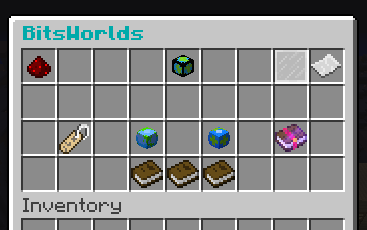
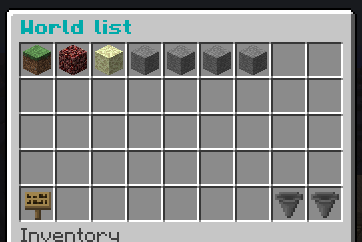
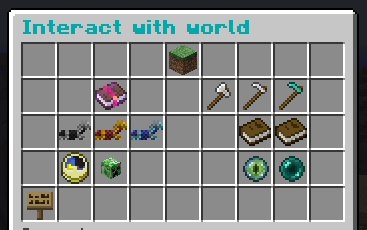
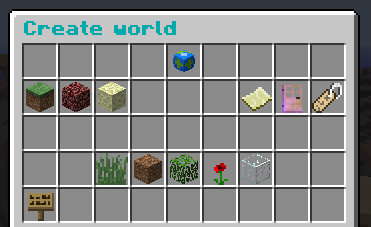
Found a bug? report it here
Contributors: Mr_Bilbis (Arts and a little translation in Spanish), AlexSa1000 (A little translation in Franch)
Quick facts
- Edition: Minecraft Java
- File type: .jar
- Minecraft versions listed: 1.8, 1.9, 1.10
- How to install: Install the matching mod loader (Forge, Fabric or NeoForge) for your Minecraft version. → Download the .jar. → Put it in the .minecraft/mods folder and launch that loader profile.
- Where to get it: Opens on Spigot — not every file is mirrored on our own servers.
Install steps are the general flow for this file type — How to install Minecraft Java mods & modpacks walks through it step by step.
BitsWorlds is a free Minecraft Java mod. Compatible with Minecraft 1.8, 1.9, 1.10, 1.11 and newer. Downloaded 237 times (via Spigot). Download it and open it directly in the game.