AddonsBedrock
Player Teleporter
Server administrators often suffer from the teleportation feature in Minecraft Bedrock. You have to enter long commands to teleport yourself to another…
⬇ Download
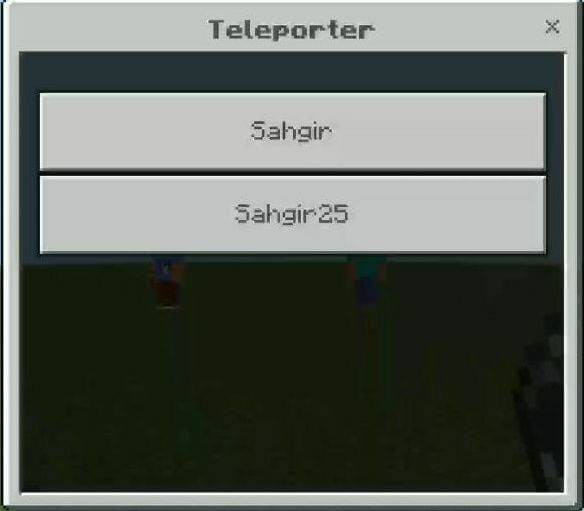

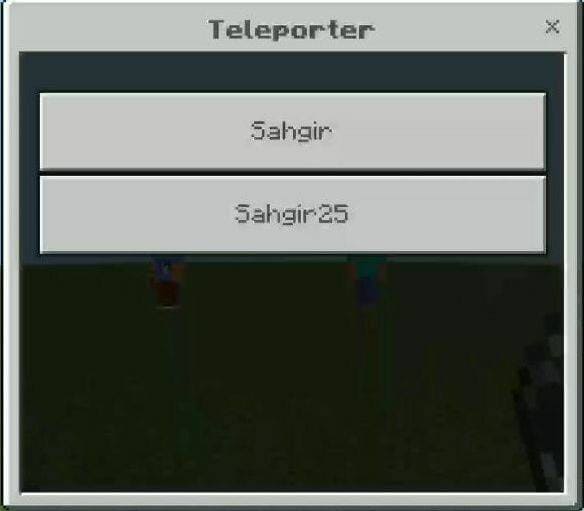
Администраторы серверов часто страдают от функции телепортации в Minecraft Bedrock. Приходится вводить длинные команды, чтобы телепортировать себя к другому пользователю. К счастью, эту проблему можно решить. Например, мод Player Teleporter сделает телепортацию удобным и быстрым при помощи небольшого меню. Тебе достаточно использовать предмет и нажать на имя игрока, чтобы быстро отправиться к нему.
Как это работает?
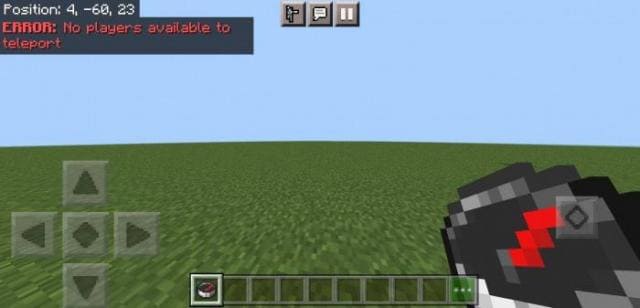
Если на сервере нет игроков, кроме тебя, то появится ошибка в чате.
Как это работает?
- Возьми предмет Player Teleporter с иконкой компаса
- Используй предмет
- Появится меню с именами игроков
- Нажми на игрока, к которому хочешь телепортироваться
Quick facts
- Edition: Minecraft Bedrock
- File type: .mcpack or .mcaddon
- Minecraft versions listed: 1.19.30, 1.18.30
- How to install: Download the .mcpack or .mcaddon file. → Open it — Minecraft imports it. → In your world: Behavior Packs → Available → Activate, then the same under Resource Packs.
- Where to get it: In MCModsHub, or directly above on this page.
Install steps are the general flow for this file type — How to install Minecraft Bedrock addons & mods walks through it step by step.
Verified by MCModsHub
- Save it as 172389.mcpack before opening — it downloads as .mcaddon, but it is a .mcpack pack
- Manifest requires Minecraft 1.17.0 or newer
- Complete pack — everything it depends on is inside the file
- Download size: 152 KB
- Download link checked 6 Jul 2026 — working
- Mirrored on our own servers — the download does not depend on the original host
These come from our own check of the pack file, not from the source page.