Ion+ Client Mod is a Minecraft utility/ghost client. It provides modules that help with PvP, automation, and visual tools.
Features:
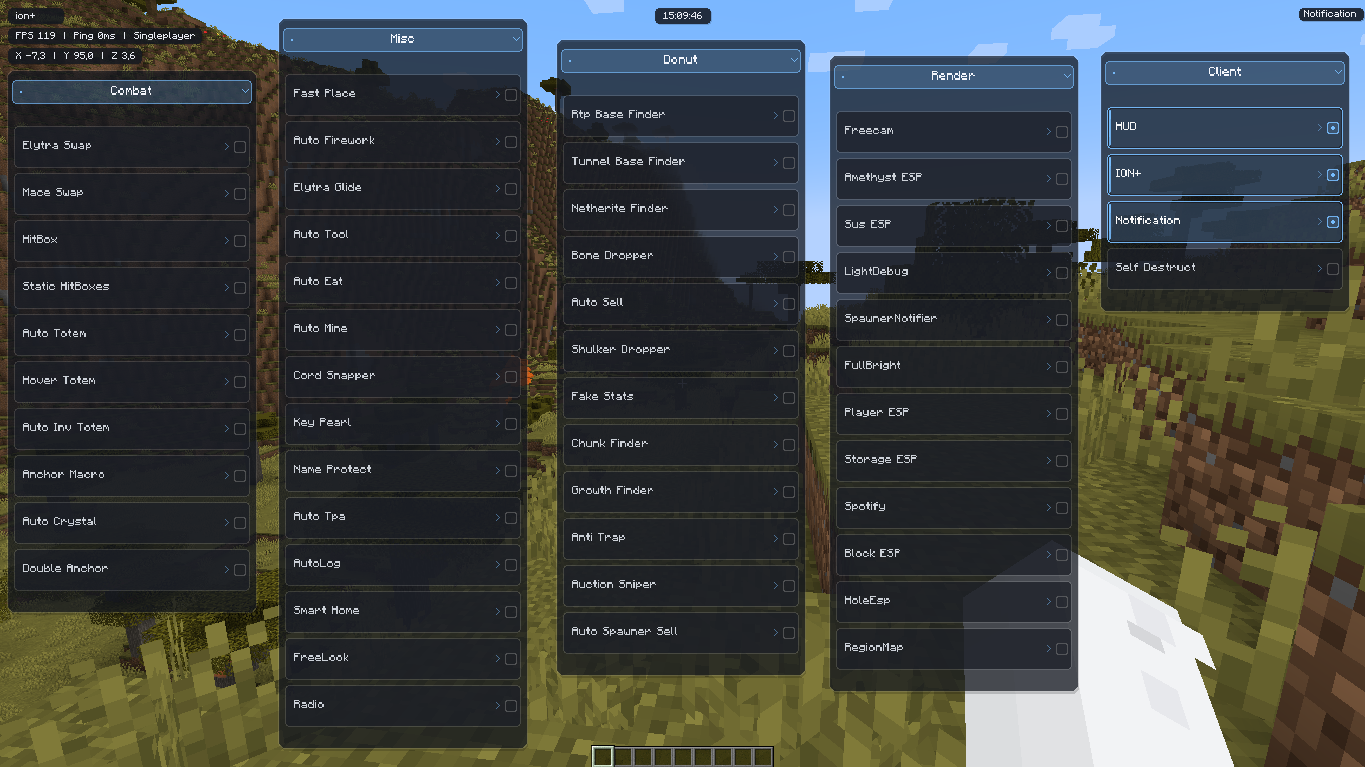
- Combat
- Modules for PvP combat
Auto CrystalAuto TotemHitBoxAnchor Macro
- Mainly used for advanced PvP styles
- Modules for PvP combat
- Misc
- Quality-of-life and automation features
Auto ToolAuto EatAuto MineFast PlaceFreeLook
- Quality-of-life and automation features
- Server Features
- Special modules for survival or economy servers
Base FinderChunk FinderAuto SellAuction Sniper
- Special modules for survival or economy servers
- Render
- Visual tools and ESP features
Player ESPStorage ESPBlock ESPFreecamFullBright
- Helps players see objects through blocks
- Visual tools and ESP features
- Client
- Client management tools
HUDNotificationsSelf Destruct
Self Destructcan disable modules and hide the client
- Client management tools
Screenshots:
How to use:
- Press Right Shift to open or close the client menu and access all available features.
Ion+ Client Mod Download Links
For Minecraft 1.21.1, 1.21
Fabric version: Download from Server 1 – Download from Server 2
Quick facts
- Edition: Minecraft Java
- File type: .jar
- Minecraft version listed: 1.21.1
- How to install: Install the matching mod loader (Forge, Fabric or NeoForge) for your Minecraft version. → Download the .jar. → Put it in the .minecraft/mods folder and launch that loader profile.
- Where to get it: In MC Java Mods, or directly above on this page.
Install steps are the general flow for this file type — How to install Minecraft Java mods & modpacks walks through it step by step.
Verified by MCModsHub
- Downloads as 175119.mcaddon
- Download size: 589 KB
- Download link checked 25 Jul 2026 — working
- Mirrored on our own servers — the download does not depend on the original host
These come from our own check of the pack file, not from the source page.