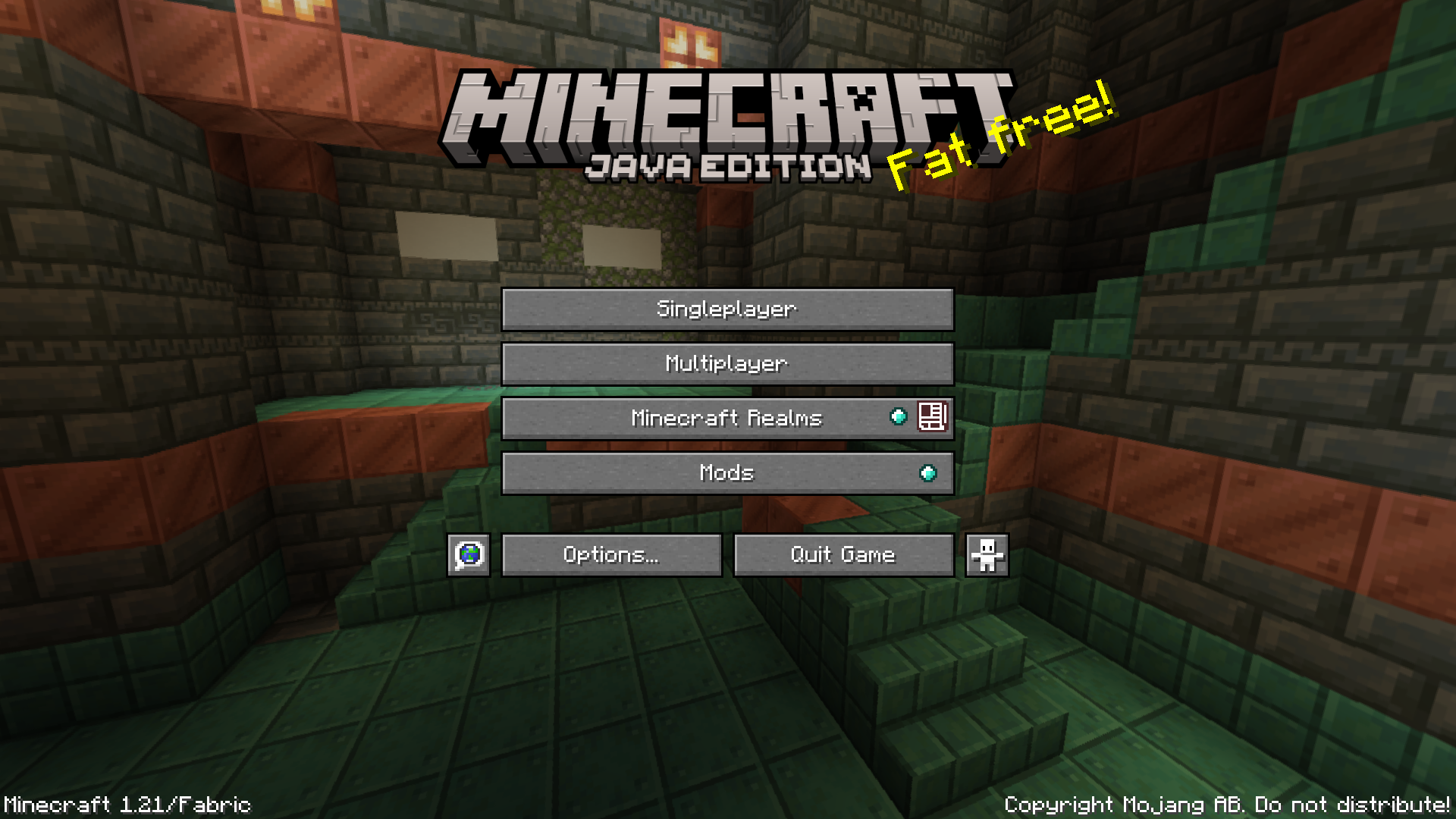

Since version 1.15.2, modded versions of the game are explicitly shown as modded by adding a “Modded” text in the main menu screen. This text appears beside the game version and mod-loader mentioned in the lower-left corner of the main menu. An asterisk (*), also appears on the title bar of the game window. Hide Modded Mod is a simple, lightweight mod that removes these explicit mod declarations, so that your game window and main menu will appear a lot cleaner.
Features:
- Hides the “modded” text in main menu nd the “*” in the title bar.
- Makes the game window and main menu appear cleaner.
- Works with Forge, Fabric & Quilt mod loaders.
Screenshots:
Hide Modded Mod Download Links
For All Versions from Minecraft 1.18.2 to Minecraft 26.1
Fabric version: Download from Server 1 – Download from Server 2
Quilt version: Download from Server 1 – Download from Server 2
For All Versions from Minecraft 1.18.2 to Minecraft 1.21.11
Fabric version: Download from Server 1 – Download from Server 2
Quilt version: Download from Server 1 – Download from Server 2
For All Versions from Minecraft 1.18.2 to Minecraft 1.21.10
Fabric version: Download from Server 1 – Download from Server 2
Quilt version: Download from Server 1 – Download from Server 2
For All Versions from Minecraft 1.18.2 to Minecraft 1.21.9
Fabric version: Download from Server 1 – Download from Server 2
Quilt version: Download from Server 1 – Download from Server 2
For All Versions from Minecraft 1.18.2 to Minecraft 1.21.8, 1.21.7, 1.21.6
Fabric version: Download from Server 1 – Download from Server 2
Quilt version: Download from Server 1 – Download from Server 2
For All Versions from Minecraft 1.18.2 to Minecraft 1.21.5
Fabric version: Download from Server 1 – Download from Server 2
Quilt version: Download from Server 1 – Download from Server 2
For All Versions from Minecraft 1.18.2 to Minecraft 1.21.1
Fabric version: Download from Server 1 – Download from Server 2
Quilt version: Download from Server 1 – Download from Server 2
For Minecraft 1.17.1
Fabric version: Download from Server 1 – Download from Server 2
For Minecraft 1.16.5, 1.15.2
Forge version: Download from Server 1 – Download from Server 2
Fabric version: Download from Server 1 – Download from Server 2
- Edition: Minecraft Java
- File type: .jar
- Minecraft version listed: 1.20.1
- How to install: Install the matching mod loader (Forge, Fabric or NeoForge) for your Minecraft version. → Download the .jar. → Put it in the .minecraft/mods folder and launch that loader profile.
- Where to get it: In MC Java Mods, or directly above on this page.
Install steps are the general flow for this file type — How to install Minecraft Java mods & modpacks walks through it step by step.
Hide Modded Mod (26.1, 1.20.1) – Hides The (Modded) In Main Menu is a free Minecraft Java mod. Compatible with Minecraft 1.20.1. Download it and open it directly in the game.