Tinkers' Construct Mod (1.20.1, 1.19.2) – Design Your Perfect Toolkit
Tinkers' Construct Mod lets you build custom tools and weapons from different parts. Instead of breaking, your tools can be repaired and modified with new…
⬇ Download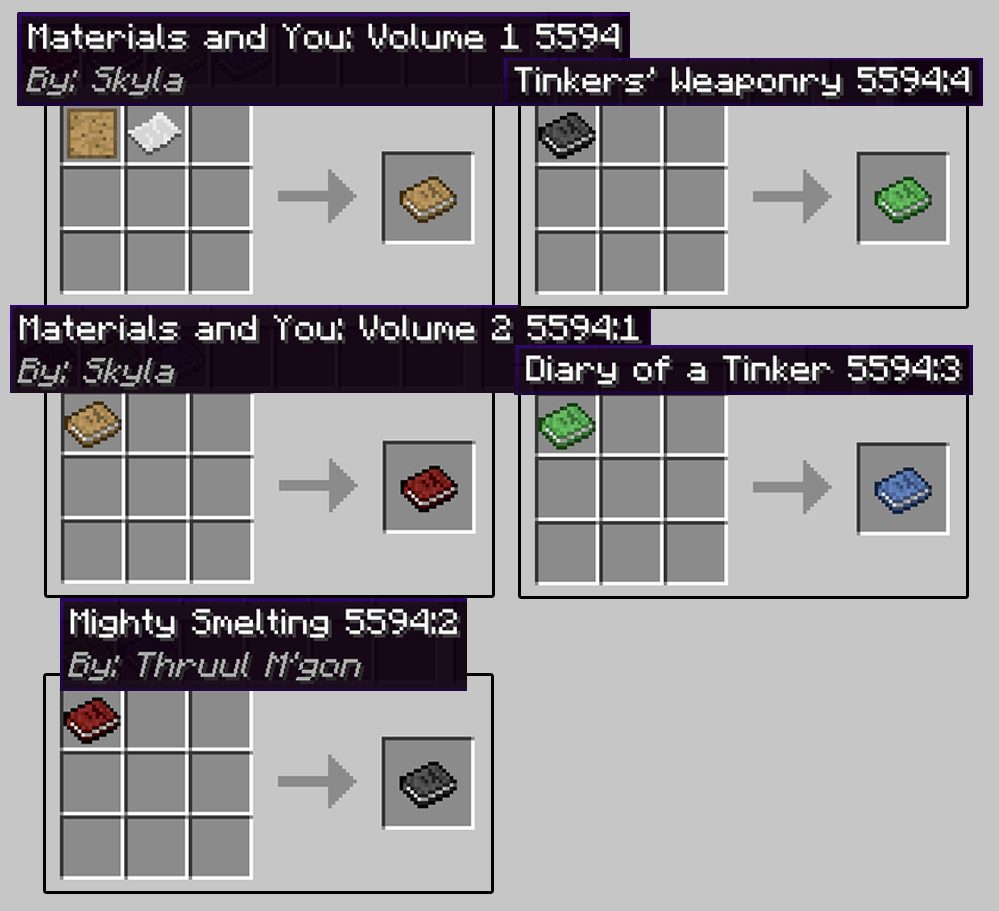
Tinkers’ Construct Mod lets you build custom tools and weapons from different parts. Instead of breaking, your tools can be repaired and modified with new abilities. You can smelt metals in a special structure called a smeltery to create powerful parts. This mod gives you full control over your equipment, allowing you to name them and upgrade them as much as you want.
Features:
- Build tools and weapons piece by piece using various materials.
- Modify your creations with special upgrades at different workstations.
- Your tools never disappear; they can be repaired and changed endlessly.
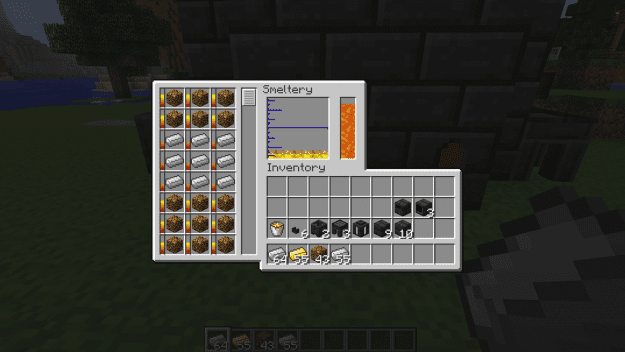
- Construct a smeltery to melt ores and create strong metal parts for your gear.
- Explore new world features, including slime islands that generate in the Overworld, Nether, and End.
- Discover slimy geodes deep underground.
- Mine for Cobalt, a new ore found in the Nether.
How to Use:
- To begin, craft the book called “Materials and You”.
- Read the book to follow its introduction and learn the basics of the mod.
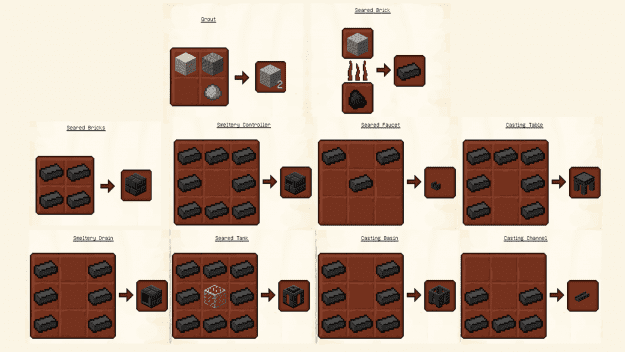
Crafting Recipes:
Screenshots:
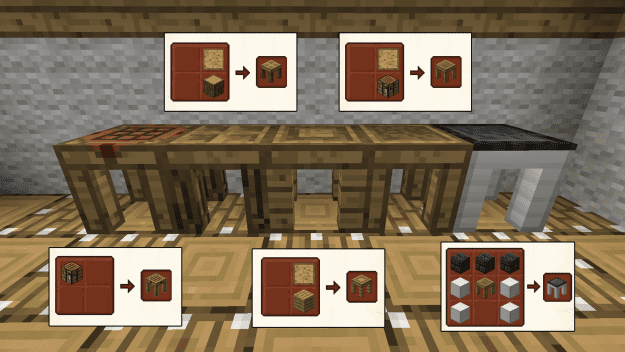
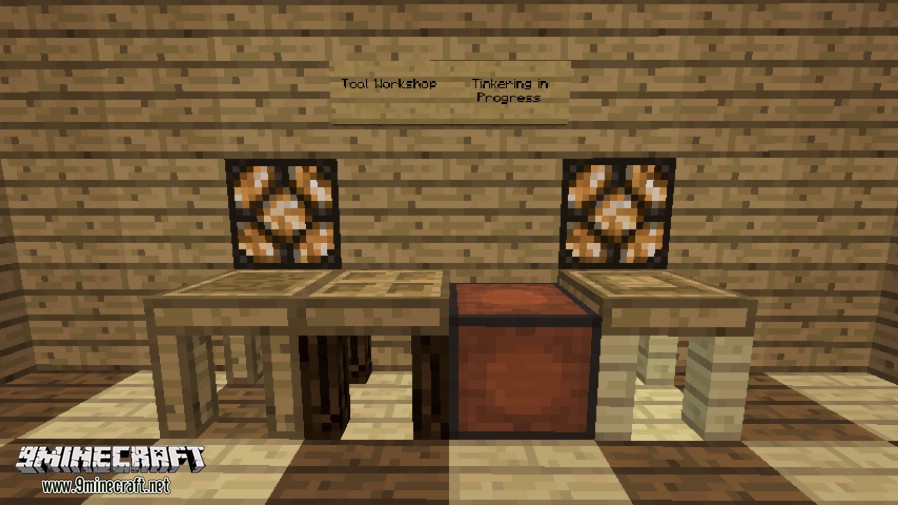
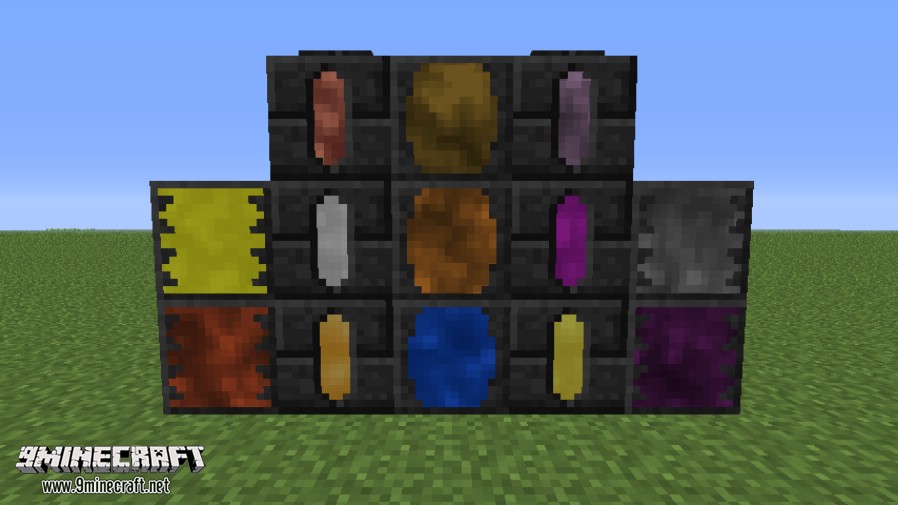
To get started you need a few tables and a place to put your patterns.
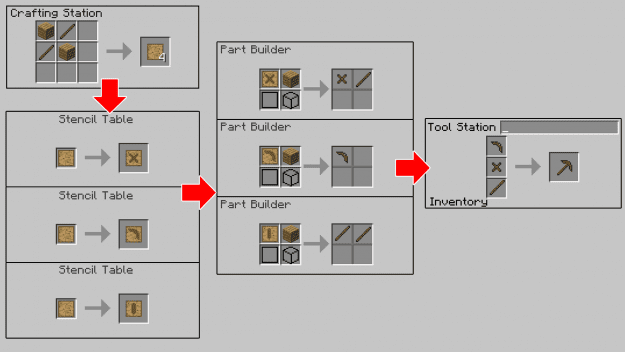
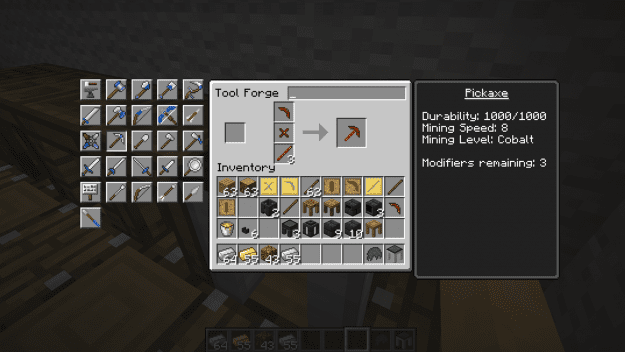
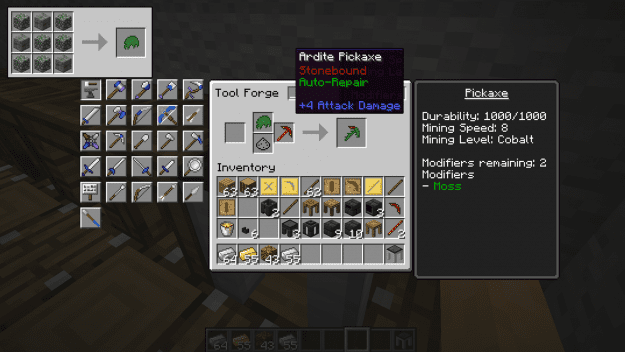
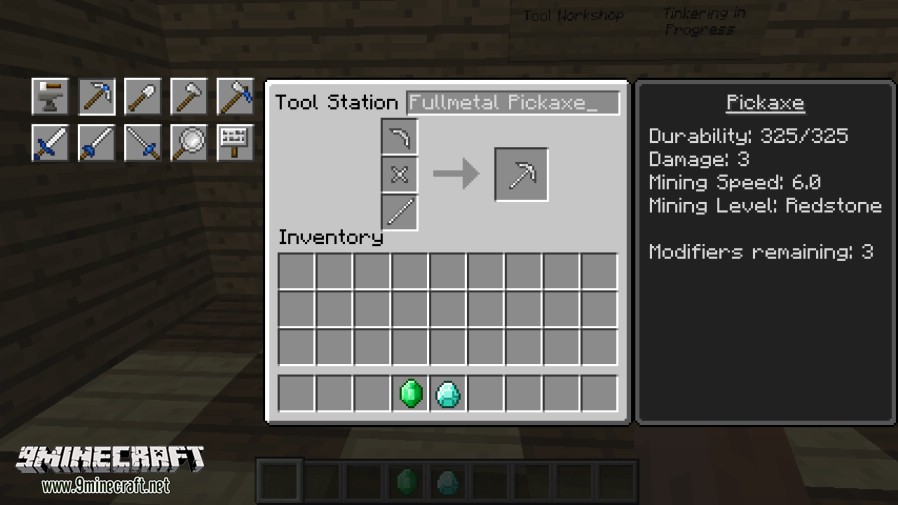
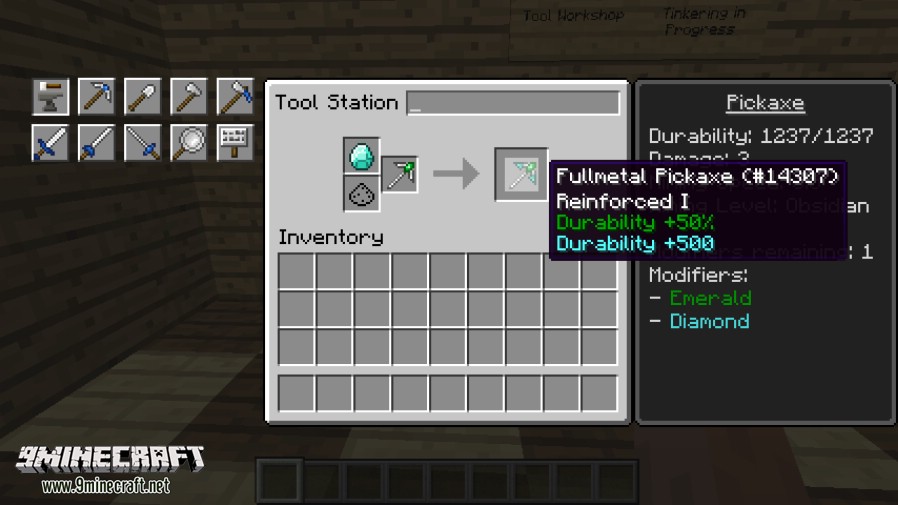
You build, modify, and repair tools like so.
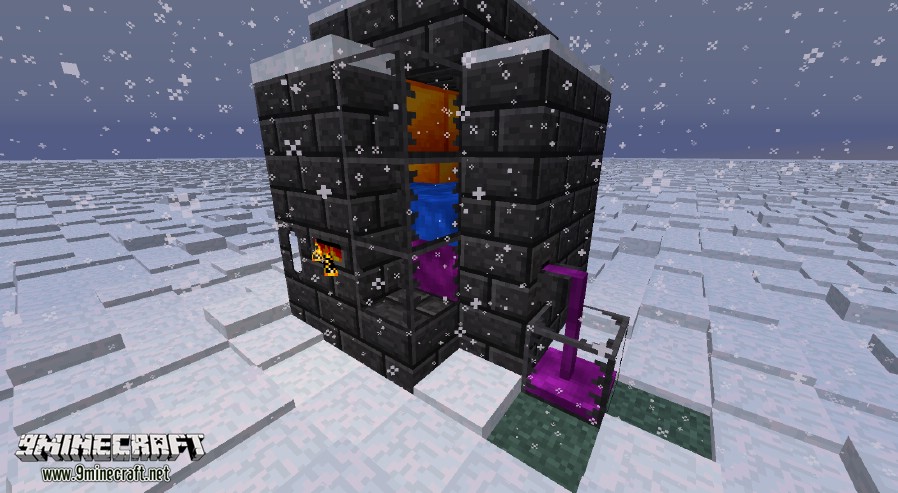
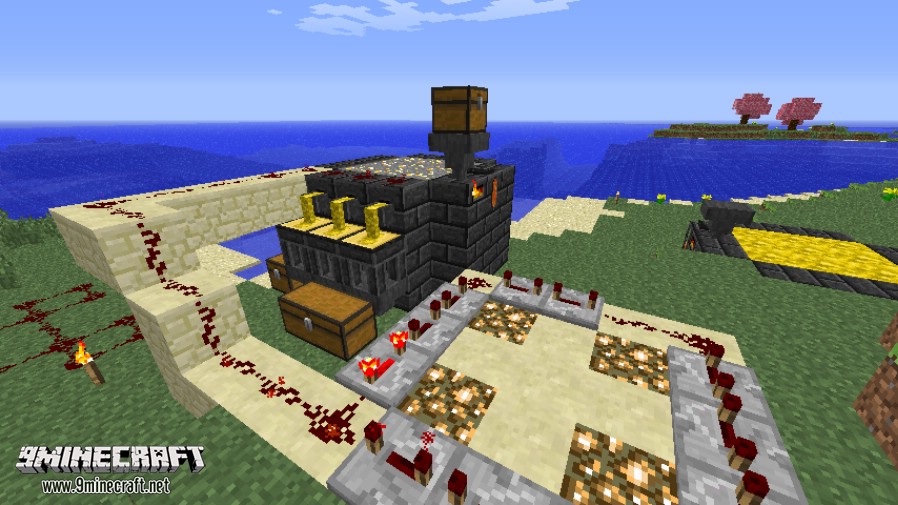
It can be automated with redstone and hoppers.
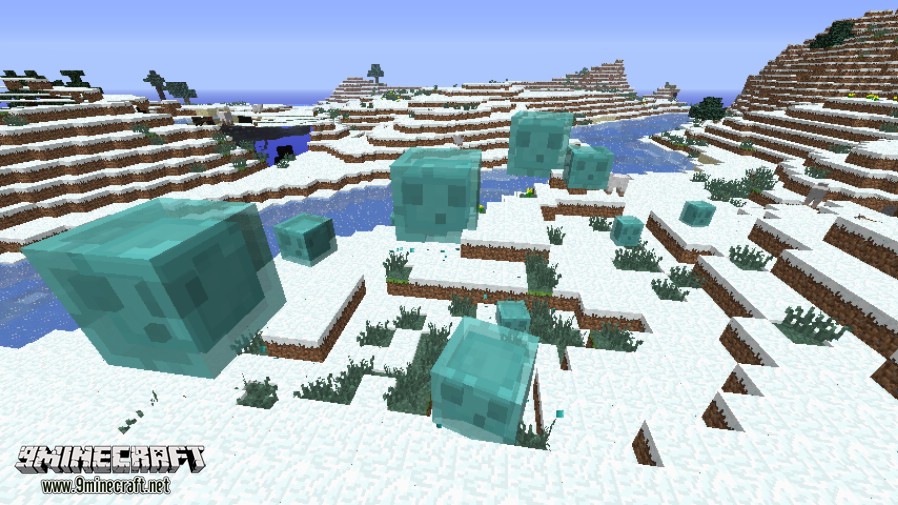
The mod also brings a few mobs to the game, like this fellow here.
Armor has started, but is very unfinished and would need to be done by the community. Here’s your hints:
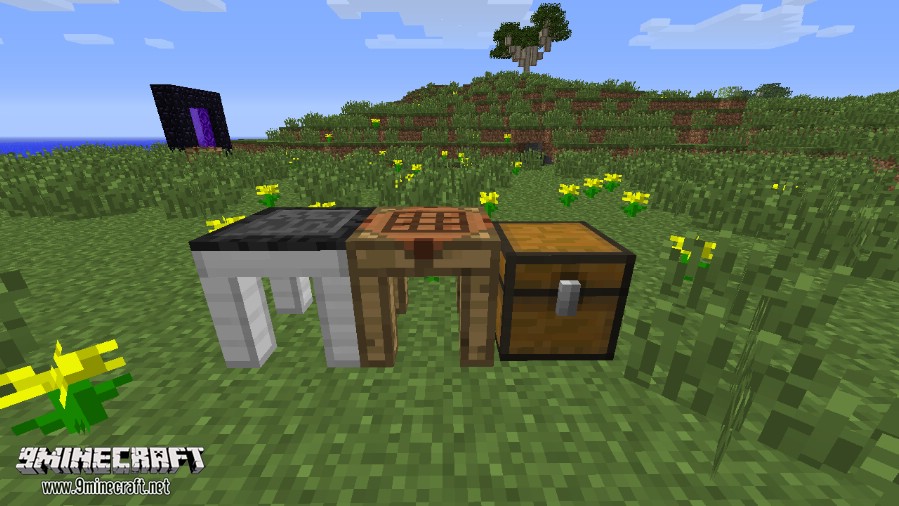
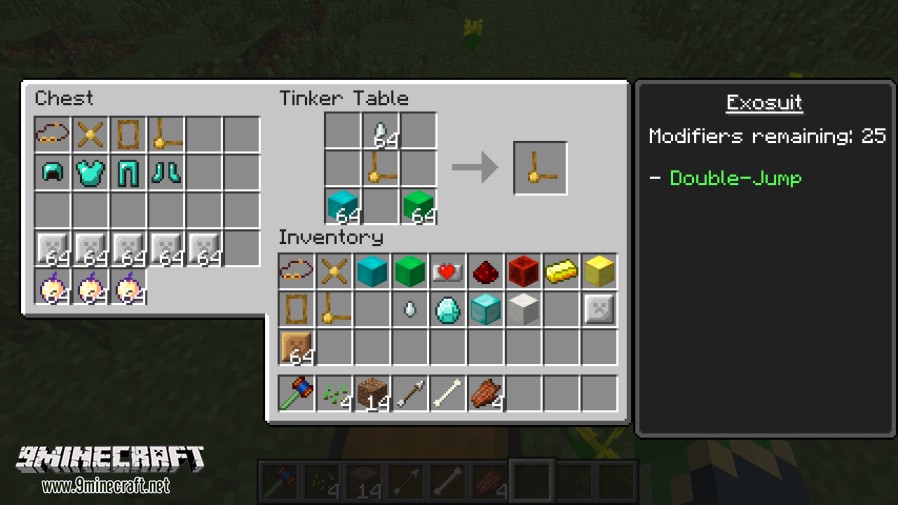
And that’s all there is to it! There’s a lot of depth in the system, and most things are documented in-game. Anything that isn’t is left for you to explore.
Tinkers' Construct Mod Download Links
For MCPE/Bedrock Edition
For Minecraft 1.7.10
Forge version: Download from Server 1
For Minecraft 1.8.9
Forge version: Download from Server 1
For Minecraft 1.12.2
Forge version: Download from Server 1 – Download from Server 2
For Minecraft 1.16.5
Forge version: Download from Server 1
For Minecraft 1.18.1
Forge version: Download from Server 1
For Minecraft 1.18.2
Forge version: Download from Server 1– Download from Server 2
For Minecraft 1.19.2
Forge version: Download from Server 1– Download from Server 2
For Minecraft 1.20.1, 1.20
Forge/NeoForge version: Download from Server 1– Download from Server 2
- Edition: Minecraft Java
- File type: .jar
- Minecraft versions listed: 1.20.1, 1.19.2
- How to install: Install the matching mod loader (Forge, Fabric or NeoForge) for your Minecraft version. → Download the .jar. → Put it in the .minecraft/mods folder and launch that loader profile.
- Where to get it: In MC Java Mods, or directly above on this page.
Install steps are the general flow for this file type — How to install Minecraft Java mods & modpacks walks through it step by step.
- Downloads as 175603.mcaddon
- Download size: 5.3 MB
- Download link checked 25 Jul 2026 — working
- Mirrored on our own servers — the download does not depend on the original host
These come from our own check of the pack file, not from the source page.